7 Facebook Ads Alerts Worth Automating to Save Hours Every Week
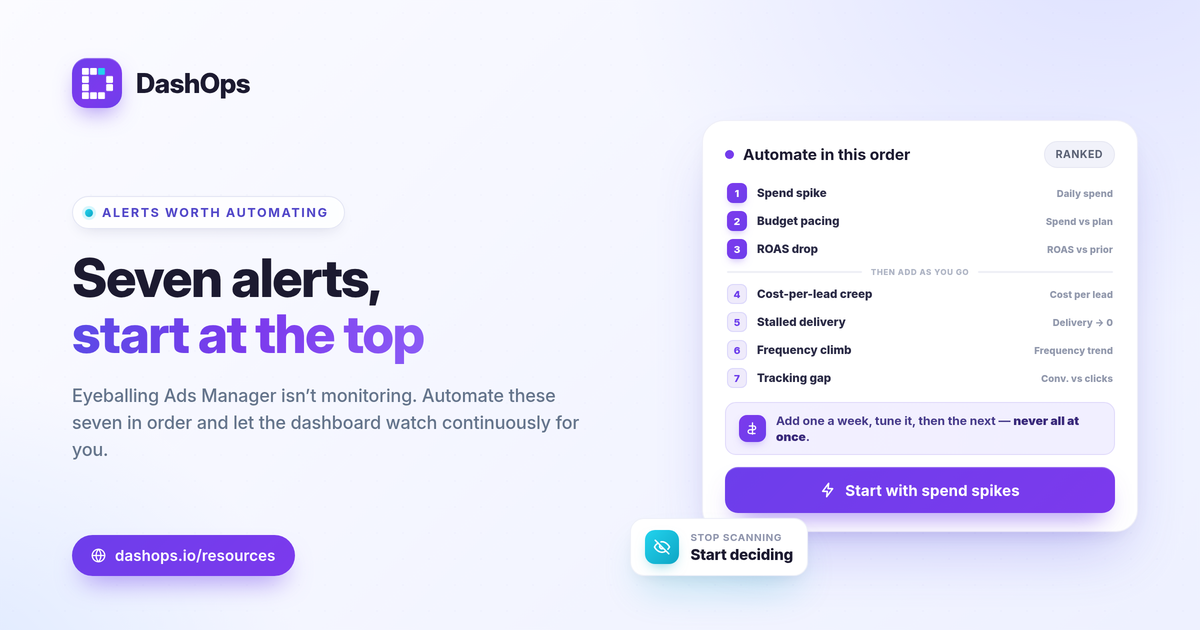
Set up these alerts in order: spend spike, budget pacing, ROAS drop, cost per lead creep, zero or stalled delivery, frequency climb, and conversion tracking gaps. That ranking is the answer. The highest-value Facebook Ads alerts to automate are the ones that catch money leaving faster than planned or results quietly getting worse, because those are the problems that cost you the most while you are not looking. Below is a ranked checklist you can work through from the top, with the metric each alert watches and the threshold logic behind it. Start with the first three and add the rest as you go.
Why automate alerts instead of checking manually
Opening Ads Manager every morning is not monitoring. You see a snapshot, you eyeball a few numbers, and you miss the change that happened at 2pm yesterday. Meta Ads automated alerts flip that around: the dashboard watches the numbers continuously and only pings you when something crosses a line you set. You spend your attention on decisions, not on scanning.
Good ad performance alerts share three traits. They are tied to a specific metric, they have a threshold you chose on purpose, and they reach you somewhere you actually look, like Slack or Discord. An alert that fires constantly gets muted, so the goal is precision, not volume.
1. Spend spike alerts
This is the one to build first. A spend spike alert fires when daily spend jumps past a threshold you set, which usually means a budget edit, a bid change, or a new campaign eating more than intended.
- What it watches: daily spend per ad account or per campaign.
- Threshold logic: set it against your normal daily run rate. If a typical day is steady and one day runs well above that, you want to know before the day ends.
- Why it ranks first: runaway spend is the fastest way to waste budget, and it is invisible until the invoice or the weekly check.
Facebook ad spend spike alerts pair well with managing more than one account, where a single change in one place is easy to lose track of.
2. Budget pacing alerts
A spend spike alert catches a sudden jump. A budget pacing alert catches the slow drift. It tracks cumulative spend against your monthly plan and warns you when you are trending toward overspending or underspending by month end.
- What it watches: spend so far this month versus your planned budget and the days remaining.
- Threshold logic: if you are meant to spend evenly across the month, pacing well ahead or well behind the expected line should trigger the alert.
- Why it matters: underspending quietly leaves results on the table, and overspending shows up as a surprise. If you want the full picture behind this, see what a budget pacing alert is.
Pacing alerts work hand in hand with a spend pacing report you can open when the alert fires.
3. ROAS drop alerts
For anyone running sales campaigns, ROAS drop alerts are the core performance signal. ROAS is conversion value divided by spend, so when it falls, you are paying more for the same return or getting less return for the same spend.
- What it watches: ROAS over a recent window, compared to the prior period.
- Threshold logic: judge the drop against your own break-even ROAS, which is 1 divided by your profit margin, and against last period rather than a universal number. A dip below break-even is a different alarm than a dip from a strong number to a still-healthy one.
- Why it matters: a falling ROAS that nobody catches keeps spending at a loss.
Because Meta reports its own attributed numbers, treat a ROAS drop alert as a prompt to investigate, not a verdict. The ROAS, CPL and CPA comparison explains which return metric fits your goal.
4. Cost per lead creep alerts
If you run lead generation, this is your equivalent of the ROAS alert. Cost per lead is spend divided by leads, and CPL creep is the slow upward drift that erodes a campaign before anyone notices.
- What it watches: cost per lead over a rolling window.
- Threshold logic: compare against your prior period and your target CPL, the most you can pay for a lead and still make the economics work.
- Why it matters: a creeping CPL often signals fatigue or a worsening audience match well before the leads dry up entirely.
Remember that cost per lead is only half the story. A cheap lead that never converts is not a win, so pair this alert with a look at lead quality over time.
5. Zero or stalled delivery alerts
The quietest failure is a campaign that stops spending. A rejected ad, an exhausted audience, a billing issue, or a paused set can all flatline delivery, and nothing tells you unless you are watching.
- What it watches: impressions or spend dropping to zero, or far below normal, for an active campaign.
- Threshold logic: if a campaign that should be live shows no delivery for a set period, fire the alert.
- Why it matters: every hour of stalled delivery is lost reach you planned and paid to schedule.
6. Frequency climb alerts
Frequency is how many times the average person sees your ads, and a steady climb is an early fatigue signal. Rising frequency alongside a softening CTR or a climbing CPM is a classic sign that the audience is tiring of the creative.
- What it watches: frequency trending up over the period.
- Threshold logic: there is no magic ceiling, so watch the trend against your own prior weeks rather than a fixed number.
- Why it matters: catching fatigue early lets you refresh creative before the cost per result climbs. The demographic and placement breakdowns help you see where the fatigue is concentrated.
7. Conversion tracking gap alerts
Last, but worth setting up: an alert for a sudden drop in tracked conversions when spend and clicks hold steady. That pattern often points to a tracking problem rather than a real performance collapse.
- What it watches: a divergence between stable spend and clicks and a falling conversion count.
- Threshold logic: flag when conversions fall sharply while upstream metrics do not.
- Why it matters: iOS and ATT changes already cause Meta to undercount some conversions, so a tracking gap on top of that can make a fine campaign look broken. Investigate before you cut spend.
How to roll these out without alert fatigue
Add alerts one at a time, starting from the top of this list. Set each threshold against your own run rate and prior-period trend, watch it for a week, and tune it before adding the next. An alert you trust is one you act on. The full set of metrics behind these signals is covered in Meta Ads KPIs to track, and if you are weighing native tools against a dedicated view, see Ads Manager versus a reporting dashboard.
DashOps watches your Meta KPIs across every connected ad account and sends performance alerts to Slack and Discord, with scheduled email digests and white-label client reports so clients see the same signals you do. See what each plan includes on the pricing page, and the help center walks through connecting accounts and setting up delivery.
Start with the spend spike alert today, then add one more each week until the whole list is running.
Frequently asked questions
What is the most important Facebook Ads alert to set up first?
How is a budget pacing alert different from a spend spike alert?
Where do DashOps alerts get delivered?
See it in your own dashboard
DashOps brings Meta Ads reporting, campaign management, and white-label client portals into one place. Pick the plan that fits how you run ads.