The Automated Meta Ads Email Report People Actually Read
The report goes out first thing on Monday. Within minutes it has been opened, scrolled past, and left. The PDF attachment, the one that took real work to assemble, is never downloaded at all. This is the normal fate of a Meta Ads report: not disagreement, not questions, just silence. And the silence is usually a formatting problem rather than a performance problem.
An automated Meta Ads email report solves half of that. The other half is what you put in the email. If your automation just mails the same long PDF on a schedule, you have automated the ignoring, not the reporting. What follows is how to decide what goes in the body, who gets it, how often, and how to make it survive an email client.
Why the attachment is the problem
Attachments create work. The recipient has to tap, wait for a download, find the file, open it in another app, then pinch and zoom around a document laid out for a desktop screen. On a phone, which is where most people first see your email, that is four or five deliberate actions before they learn anything.
An email body creates no work. It renders where their eye already is. So the rule is simple: the answer lives in the body, and the attachment is the appendix for anyone who wants to go deeper.
That does not mean abandoning PDFs. A monthly PDF with full campaign, ad set and ad detail is genuinely useful for the person who files reports or presents to a board. It just should not be the only thing you send, and it should never be the thing carrying the headline.
What a good automated report actually contains
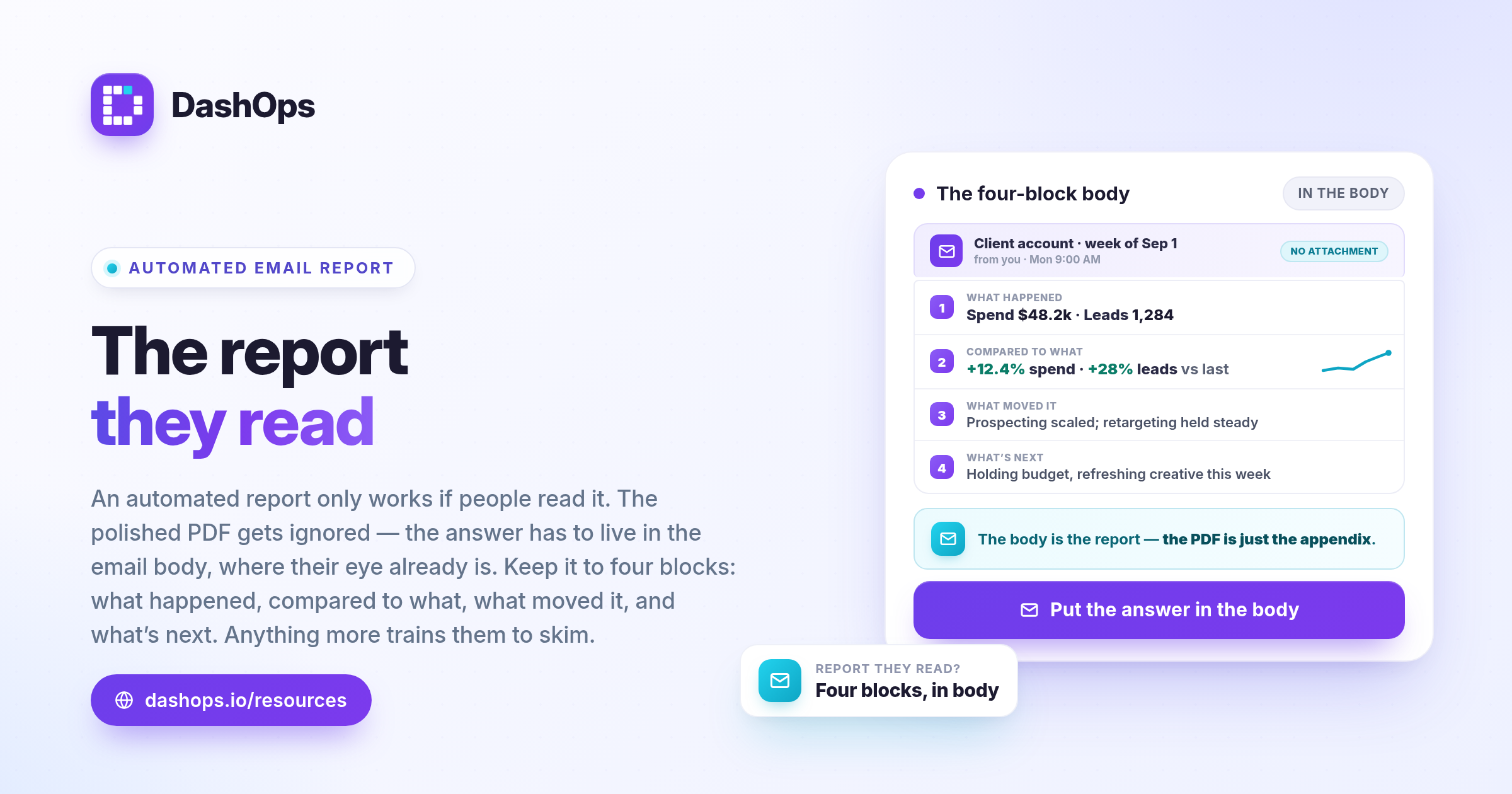
Think of the email as answering four questions in order, top to bottom, without the reader having to hunt.
- What happened. Spend, plus the two or three outcome metrics that matter for this account. For a lead-generation account that is leads and cost per lead. For an ecommerce account it is purchases, revenue and ROAS. Do not send the same metric set to both.
- Compared to what. Every headline number needs its previous-period equivalent beside it. A number on its own is trivia. A number with a direction is information.
- What moved it. One or two lines naming the campaign or ad set responsible for the biggest change, up or down. This is the part people actually read.
- What happens next. A single sentence on what you are doing about it, or what you need from them.
That is the whole thing. Four blocks. If your automated report has a fifth block, ask what it is for.
Two things worth adding when the format allows: a small spend trend chart so the shape of the period is visible at a glance, and a plain link back to the live dashboard for anyone who wants to click through. DashOps email digests include a per ad account card with a spend chart drawn in the email body itself, so it renders without images being enabled and without a download.
Who should receive which report
The most common mistake is sending one report to everyone. The client, your account manager and the person who owns the budget all need different things, and a single email serves none of them well.
The client contact wants outcomes and reassurance. Spend, results, direction of travel, and one sentence of interpretation. They do not need placement breakdowns. If they want more, the link is right there.
Your own team wants the operational view: which accounts are pacing oddly, which campaigns changed, where attention is needed this week. This is a different report with a different cadence, and it should never be a client-visible one.
The budget holder, when that is a different person from your day-to-day contact, usually wants the monthly view only. Weekly emails to a finance director tend to earn unsubscribes.
There is a fourth recipient people forget: yourself. A daily digest to your own inbox is a monitoring tool. It is how you notice a campaign spending oddly before the client does. That report can be dense and ugly because you are the only reader.
If different people at the same client need different depth, the cleanest answer is separate logins rather than separate emails. In DashOps a Client role sees only the ad accounts assigned to them, read-only, with the option to hide spend entirely. Send the light email, let the detail live behind a login. The agency workflow guide covers how that fits into the wider handover between roles.
How often, honestly
Cadence should match how quickly the account can meaningfully change, not how often you want to look busy.
Daily is for internal monitoring and for accounts spending fast enough that a wasted day matters. Daily reports to clients almost always backfire: you invite reactions to noise, and daily variance in Meta Ads is mostly noise.
Weekly is the workhorse for client-facing reporting. It is long enough for a trend to be real and short enough to still act on. A weekly email should be short by design. We wrote more on shaping this in the weekly digest post.
Monthly is where the depth belongs: the full comparison, the PDF, the strategic commentary. The monthly report guide goes into how to structure that one properly.
A workable default for most accounts is a weekly email to the client, a monthly PDF to the client, and a daily digest to yourself. Add or remove from there based on what people actually respond to.
Making it readable in an email client
Email is a hostile rendering environment. Clients strip CSS, block images by default, override your fonts and force their own dark mode. Design accordingly.
- Assume images are blocked. If your key number lives in a rendered image, a meaningful share of recipients see an empty box. Numbers should be real text.
- Assume a narrow screen. Single column. A four-column metric table becomes an unreadable smear on a phone.
- Put the headline in the first sentence. Many people read the preview pane and nothing else. If your email opens with a logo and a greeting, the preview text is wasted.
- Write a subject line that carries information. “Weekly report” tells the reader nothing. Something closer to the account name plus the period gives them a reason to open, and makes the email findable later when they search for it.
- Keep the visible email short. If it takes more than one screen on a phone, the bottom half is decoration.
- Do not rely on colour alone. Some people read in dark mode, some are colour blind. Green and red arrows without a label are ambiguous. Put a plus or minus sign in.
- Send yourself a test on a phone before you schedule it. Every time you change the template.
Where automation genuinely helps, and where it does not
Automation removes the assembly. It pulls the numbers, formats them, and sends them on schedule so nobody has to remember. That is a real saving and it compounds across every account you run. Our post on reducing reporting time goes into the mechanics.
What automation cannot do is interpretation. A machine can tell a client that cost per lead rose. It cannot tell them you deliberately widened targeting to test a new audience and expected exactly that. Without that sentence, the client sees a bad number and quietly worries.
So the practical shape is: let the report generate itself, and add one human line before or after it. Some agencies do this by sending the automated email as-is and following up in a shared channel. Others send the automation only to themselves, then forward with a comment. Both work. What does not work is fully hands-off reporting on accounts where the client has questions.
In DashOps you can configure digests per ad account with a chosen frequency, and separately schedule white-labelled client reports that go out under your own branding. The digest is the fast pulse. The scheduled report is the formal record.
A note on what you are training the client to expect
Every report you send sets an expectation. If you send a dense weekly email full of metrics nobody asked about, you are training the client to skim. Later, when something genuinely needs their attention, they will skim that too.
Sending less, consistently, keeps attention available for when it matters. This is the same instinct behind not paging your team for every minor alert.
What to do next
Pick one client account and do this in order:
- Open the last report you sent them. Ask honestly whether it answers the four questions above in the first screen. Most do not.
- Cut it to spend, two outcome metrics, previous-period comparison, and one line of interpretation.
- Set it to send weekly to the client contact only. Move everyone else to monthly, or to a dashboard login instead.
- Set up a daily digest to your own inbox for the same account so you keep operational visibility without inflicting it on anyone else.
- Send yourself a test and read it on your phone. Fix whatever is unreadable.
- Wait three weeks, then check whether they reply to it. If they never do, the format is still wrong.
Once one account works, copy the pattern to the rest. The setup cost is paid once, and the version you settle on will be shorter than the one you started with. That is the point.
Frequently asked questions
What should an automated Meta Ads email report include?
How often should I send an automated ads report email?
Should I attach a PDF or put the report in the email body?
Who should receive the report?
Can an automated report replace writing a client update?
See it in your own dashboard
DashOps brings Meta Ads reporting, campaign management, and white-label client portals into one place. Pick the plan that fits how you run ads.