Facebook Ads Manager vs a Reporting Dashboard: What's the Difference?
If you run Facebook and Instagram ads, you already live in Facebook Ads Manager. It is powerful, it is free, and it is where campaigns get built. So why do so many advertisers end up adding a separate reporting dashboard on top of it?
The short answer: Ads Manager is built to run ads, not to report on them. Those are two different jobs, and the gap between them is where a lot of wasted hours hide. Here is how the two compare, and how to tell when you have outgrown Ads Manager for reporting.
What Facebook Ads Manager is great at
Ads Manager is the control room. It is the right tool for:
- Building campaigns, ad sets, and ads.
- Editing budgets, audiences, and creative.
- Reviewing delivery and approval status.
- Deep, granular breakdowns when you want to dig into one account.
For the act of managing a single account, nothing replaces it. It is the source of truth, and any good dashboard reads from the same Meta data underneath.
Where it gets painful for reporting
The friction shows up the moment reporting becomes a recurring task, especially across more than one account.
- Account switching. Managing several ad accounts means logging in and out, or flipping accounts one at a time. There is no single screen that rolls everything up.
- It is built for operators, not clients. Columns, jargon, and dense tables make sense to you. Hand that to a client or a boss and you will spend the call explaining what CPM means instead of what the results mean.
- Reports are manual. Exporting, formatting, and emailing a clean summary every week is a recurring chore that is easy to forget and easy to get wrong.
- No history of your own. Ads Manager shows the current state. Keeping a tidy record of how each account trended month over month falls back on spreadsheets.
- No branding. Everything carries Meta’s look, not yours. For anyone reporting to clients, that is a missed chance to look professional.
None of this means Ads Manager is broken. It means reporting is simply not the job it was designed for.
What a reporting dashboard adds
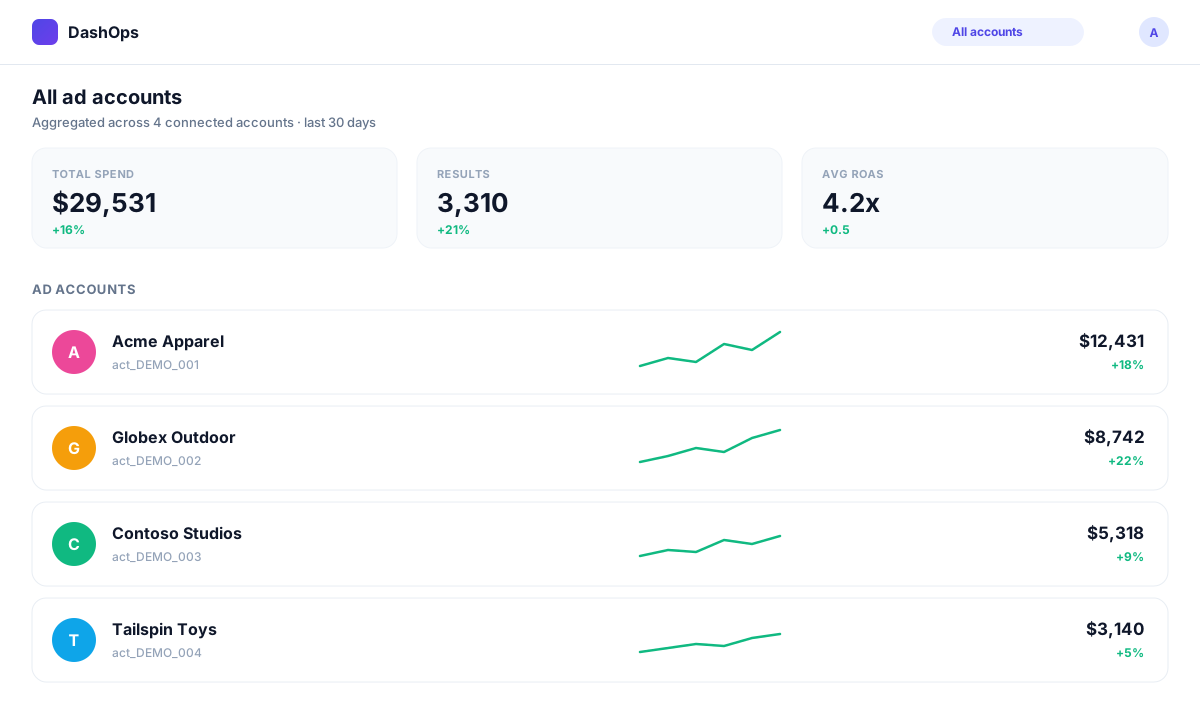
A dedicated Meta Ads reporting dashboard sits on top of the same Meta data and fills the gaps:
- One view across every ad account. See aggregate spend, results, and trends without switching logins, then drill into any single account.
- Goal-aware metrics. Lead-gen accounts lead with leads and cost per lead. E-commerce accounts lead with purchases and ROAS. You see the number that matters first.
- Automated reports and email digests. Schedule a daily, weekly, or monthly summary that lands in the right inboxes on its own, with no manual export.
- Branded, client-ready output. PDF and Excel reports, plus a simplified client portal, presented in plain language instead of operator jargon.
- White-label options. Put your own logo, colours, and even your own domain on the whole experience, so clients see your brand.
The point is not to replace Ads Manager. You still build and edit campaigns where it makes sense. The dashboard handles the part Ads Manager was never meant to: turning raw ad data into something you can read at a glance and share with confidence.
When you actually need one
You can happily live in Ads Manager alone if you run one account and never report to anyone but yourself. Consider a dashboard when:
- You manage more than one ad account and switching is eating your time.
- You report to clients or stakeholders and want it to look professional.
- You send the same report on a schedule and want it to send itself.
- You want a clean record over time, not just today’s snapshot.
If two or more of those sound familiar, you have outgrown manual reporting.
DashOps connects to your Meta Business account with a single secure sign-in, then brings reporting, campaign management, audiences, lead forms, and white-label client portals into one place. On Growth and Enterprise plans you can create and edit campaigns directly too, so the dashboard becomes both your reporting layer and your day-to-day workspace.
See how it works in the help center, or compare plans on the pricing page.
Frequently asked questions
Does a reporting dashboard replace Facebook Ads Manager?
Can I manage campaigns from DashOps, or only report?
Is my Meta data safe in a third-party dashboard?
Do I need a separate dashboard if I only run one ad account?
See it in your own dashboard
DashOps brings Meta Ads reporting, campaign management, and white-label client portals into one place. Pick the plan that fits how you run ads.