How to Automate Facebook Ads Reports Step by Step
You built the report by hand again this month. You opened Meta Ads Manager, set the date range, remembered which columns you actually need, copied the numbers into a spreadsheet, took a screenshot of the trend chart, wrote three paragraphs of context, saved it as a PDF, and emailed it. Then you did the same thing for the next account. Nothing about that work is difficult. It is just slow, repetitive, and easy to get slightly wrong when you are tired on a Friday afternoon.
Automating it is not a single switch you flip. It is a sequence: standardise what the report contains, get the data flowing without you touching it, schedule the delivery, then add a check so nothing goes out unreviewed until you trust it. This walkthrough covers the mechanics of setting that up for the first time, including the parts that should stay manual on purpose.
Start by writing down what your report actually contains
You cannot automate a report you have not defined. Most manual reports are slightly different every time because you rebuild them from memory. Before you automate anything, open your last three reports side by side and write down what they have in common.
You are looking for four things:
- The metrics that appear every single time. Spend, results, cost per result, and whatever your client cares about most. If a metric appeared once because someone asked a question that month, it is not part of the standard report.
- The time period. Last 7 days, last 30 days, calendar month, or the same period as the previous cycle for comparison.
- The level of detail. Account summary only, or a breakdown down to campaign, ad set and ad.
- The narrative. The two or three sentences of context you write every time, and whether they are genuinely different each month or just reworded.
That last one matters more than people expect. If your commentary is the same shape every time (“spend was steady, leads were up, we tested new creative”), the report is doing the informing and the commentary is decoration. If it genuinely changes, that is the part you keep writing yourself.
Write the definition down somewhere. This becomes the template. Without it, you will automate an inconsistent report and end up with a fast version of a muddled one.
Automate delivery of the raw numbers first
The single highest-value thing to automate is not the polished PDF. It is the recurring delivery of the numbers, to you, on a schedule, without you asking.
In DashOps this is the email digest. You pick the ad accounts you want covered, choose daily, weekly or monthly, set the day and the hour in your own timezone, and it arrives with the headline figures and a spend chart per account. That is it. No login, no date range, no copying.
Start here because it changes your habits before it changes your deliverables. Once a weekly digest lands in your inbox every Monday morning, you stop opening Ads Manager to answer “how did last week go”. You already know. And when a number looks wrong in the digest, you catch it days before it would have surfaced in a client report.
Set it up for yourself first, not for clients. Run it for two or three cycles and see whether the numbers match what you would have pulled by hand. If they do, you have a foundation. If something looks off, you have found a problem in your setup rather than in the automation. There is a fuller walkthrough of digest setup in the automated Meta Ads email report guide, and a look at what belongs in a weekly cadence specifically in the Facebook Ads weekly digest post.
Then automate the client-facing report
Once you trust the numbers, move to the document your client actually receives.
The mechanics in DashOps look like this. You generate a report on demand as a PDF or Excel file, choosing the date range, which metrics appear, and whether it drills into campaigns, ad sets and ads. That is the manual version, and it is a few choices in a dialog rather than a sequence you have to reassemble from memory. Then you set up a scheduled client report so that same document goes out on a recurring basis, branded with your logo and colours, sent from your own domain if you are on the plan that includes it.
Two things worth getting right at this stage.
Pick the drill-down level deliberately. A report that includes every ad in every ad set is complete and unreadable. Most clients want the account summary and the campaign level. Anyone who wants ad-level detail will ask, and they can be given a share link or a login instead. Adding depth to a scheduled report is easy; removing it after the client has got used to it is awkward.
Set the schedule to land after the data settles. Meta continues attributing conversions after the fact, so a report generated at one minute past midnight on the first of the month will differ from the same report generated three days later. Pick a delivery time a few days into the new period rather than the instant it starts. Consistency matters more than immediacy: the same lag every cycle is fine, a different lag every cycle is what makes numbers look unreliable.
What should stay manual
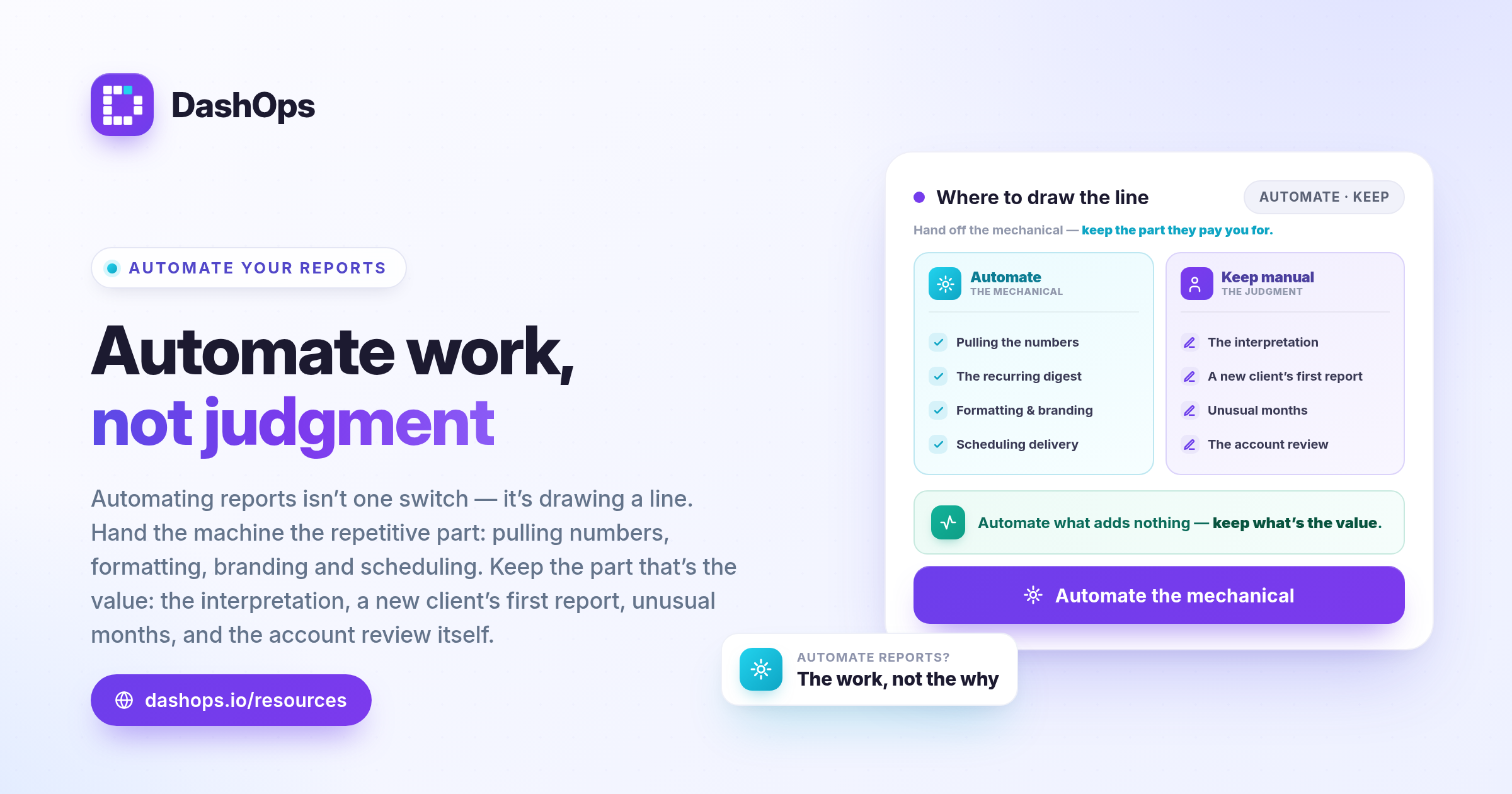
Automation is worth doing because it removes work that adds nothing. It is worth resisting where the work is the value.
Keep writing the interpretation yourself. The report tells the client what happened. It cannot tell them why, what you did about it, or what you plan next. That is the part they are paying you for. A perfectly formatted automatic report with no human sentence attached reads as though nobody looked at the account.
Keep the first report to any new client manual. You do not yet know what they care about, what language they use internally, or which metric they will fixate on. Send two or three by hand, listen to the questions that come back, then automate the version that answers them.
Keep anything unusual manual. A month where you launched a new offer, changed the budget structure, or had a week of disapproved ads is not a month to let a scheduled report speak for you. Send the scheduled version, then follow it with your own note. Or pause the schedule for that cycle and write the whole thing yourself.
Keep the account review manual. Automation delivers the report. It does not look at the account. Those are different jobs and only one of them can be scheduled.
Check the automated report before it goes out
The risk with automation is not that it breaks loudly. It is that it keeps working while quietly being wrong, and you find out when a client asks about a figure you have not looked at in six weeks.
Build a check into the first few cycles:
- Send the first scheduled reports to yourself only. Add the client as a recipient after you have seen two or three land correctly.
- Compare one automated report against a manual pull. Same account, same date range, built both ways. If the figures match, you have verified the pipeline once and you never need to do it again unless something changes.
- Confirm the date range is what you think it is. “Last 30 days” and “last calendar month” are different reports and the difference is invisible until someone notices the totals do not match their invoice.
- Check the branding renders. Logo, colours, and the sending address. A report that arrives from an unfamiliar address gets filed as spam or as somebody else’s.
- Open it on a phone. Plenty of clients will read it there first.
Once it has run cleanly for a couple of cycles, downgrade the check to a glance. You are looking for anything that jumps out as impossible rather than reconciling every row.
Watch for the report that silently stops
The other failure mode is a report that stops arriving and nobody notices, because an absent email is easy to miss. This usually happens for a mechanical reason: a Meta connection needs reauthorising, an ad account was removed from the Business Manager, or someone changed the account the report points at.
Two habits protect against it. First, keep yourself on the recipient list for every scheduled report, so a missing one is a gap in your own inbox. Second, turn on alerts for sync and connection problems. DashOps can push those to in-app notifications, desktop, Slack or Discord, so a broken connection reaches you rather than waiting to be discovered.
If you want a broader view of where reporting time actually goes and what else is worth cutting, this post on reducing time spent on Facebook Ads reporting covers the surrounding workflow.
What to do next
Do this in order and do not skip ahead.
- Open your last three reports and write down what they have in common. That definition is your template.
- Set up a recurring email digest for your own ad accounts. Let it run for two or three cycles and confirm the numbers match what you would have pulled by hand.
- Generate one report manually as a PDF, with the metrics and drill-down level from your template, and check it reads the way you want.
- Schedule that report, sending it to yourself first.
- Add the client as a recipient once it has landed correctly twice, and keep writing your own commentary alongside it.
The goal is not a dashboard that emails people. It is getting the mechanical part of reporting off your desk so the time you spend on a client account is spent on the account, not on describing it.
Frequently asked questions
How do I automate Facebook Ads reports without a developer?
What should I automate first when setting up reporting?
What parts of Facebook Ads reporting should stay manual?
When should a scheduled Meta Ads report be sent?
How do I make sure an automated report has not silently broken?
See it in your own dashboard
DashOps brings Meta Ads reporting, campaign management, and white-label client portals into one place. Pick the plan that fits how you run ads.