Why Do Two Facebook Ads Reports Show Different ROAS? Time Zone, Window and Date Range Gotchas
Two reports showing different ROAS for the same campaign is rarely a sign of broken data. The reason Facebook Ads reports show different ROAS almost always comes down to three settings that quietly differ between the reports: the time zone, the attribution window, and the exact date range. ROAS is conversion value divided by spend, so anything that changes which conversions or which spend land in the comparison will move the number. Before you assume one report is lying, check those three settings. When they match, the numbers usually reconcile.
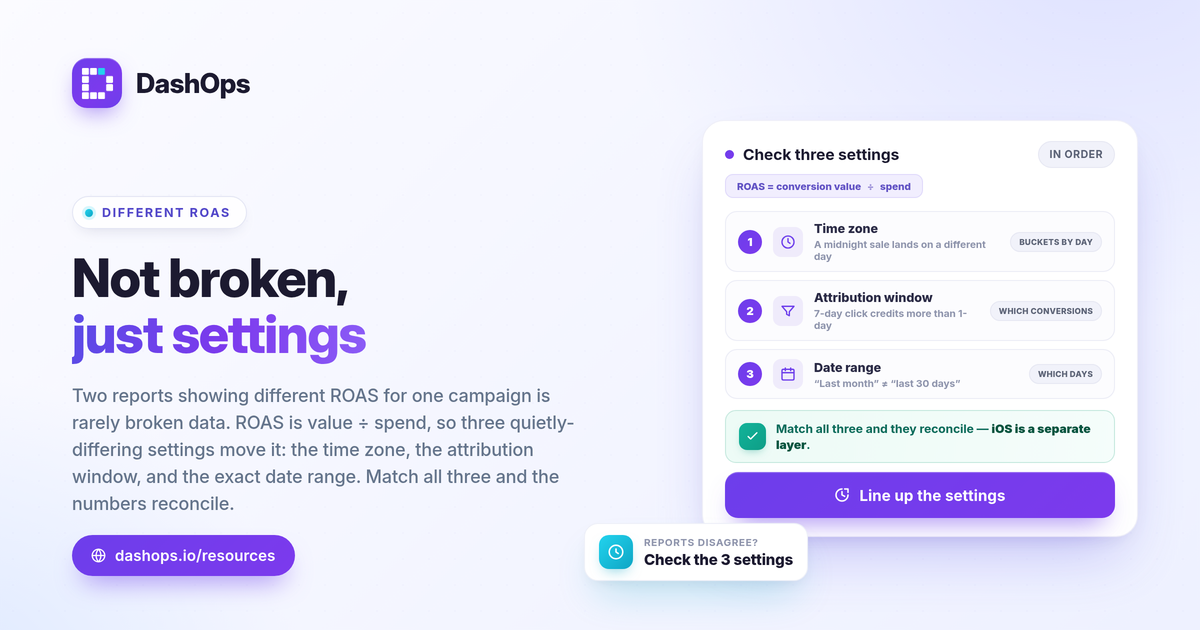
The three usual reasons two reports disagree
A ROAS mismatch between reports is almost never random. It traces back to one of these:
- Time zone. Meta buckets spend and conversions by day using the ad account time zone. A different time zone shifts events between calendar days.
- Attribution window. The window decides which conversions get credited to an ad and when. A 7-day click window credits more purchases than a 1-day click window.
- Date range. Even a one-day difference at the start or end of a range pulls in different spend and different value.
Work through them in this order. Most conflicting ad report numbers resolve at one of these three steps.
Time zone: the same day is not the same day
Every Meta ad account has a reporting time zone, set when the account was created. Meta groups spend and conversions into daily buckets based on that time zone. If one report uses the account time zone and another (a connected tool, a spreadsheet export, or a second account) uses a different one, a purchase that happened near midnight can fall on a different calendar day in each.
Over a long range this barely matters, because the edge days average out. Over a short range, a single day, or a week, a few conversions sliding across the midnight boundary can move ROAS visibly. This is the most common cause of time zone ad reporting confusion, and the fix is simple: confirm both reports use the same time zone, and prefer the ad account time zone as your single source of truth.
Attribution window: which conversions get counted
The attribution window is the period after someone sees or clicks your ad during which a resulting conversion is credited back to that ad. Meta’s common settings are 1-day click, 7-day click, and combinations that add 1-day view. The window you pick changes the conversion value attributed to your spend, which directly changes ROAS.
- A 7-day click window credits purchases that happen up to a week after the click, so it attributes more value and shows a higher ROAS.
- A 1-day click window credits only same-day-style conversions, so it attributes less and shows a lower ROAS.
Neither is wrong. They answer slightly different questions. The mistake is comparing a report built on one window against a report built on another and concluding the data broke. If you want to understand how the window itself shifts your reported results, our guide on attribution windows explained walks through each setting. For the deeper question of why Meta’s conversions can sit below your actual sales, see why Facebook ad conversions are lower than sales.
Date range: off-by-one is easy
This one sounds obvious and still catches people. “Last month” in one tool can mean the calendar month, while “last 30 days” in another rolls back from today. A report run on the 1st includes different days than the same report run on the 3rd. Presets like “this week” depend on whether the week starts Sunday or Monday.
When two reports disagree, write down the literal start and end dates each one used, not the preset label. A date range discrepancy in Meta reporting often hides behind a friendly label like “last 7 days” that resolves to two different actual ranges.
The iOS and Conversions API layer
There is a fourth source of variation worth naming, because people often blame it first. Since Apple’s App Tracking Transparency changes, some conversions from iOS users cannot be observed by the Pixel, which causes Meta to undercount conversions and therefore understate ROAS. The Conversions API (CAPI) sends events server to server and can recover some of what the browser Pixel misses, so an account running CAPI may report more conversions than one relying on the Pixel alone.
This matters for reconciliation, but keep it separate from the three settings above. The iOS effect changes how many conversions Meta can see at all. Time zone, window, and date range change how the conversions Meta did see get bucketed and credited. If you want the mechanics, Pixel vs Conversions API reporting and iOS Facebook ads underreporting cover them in plain terms.
One thing to be clear on: a dashboard does not invent a more accurate number than Meta provides. DashOps reports Meta-native numbers. It does not perform its own blended or server-side attribution. What it does is keep the settings consistent so two reports stop disagreeing for avoidable reasons.
A quick checklist when two reports fight
Run this the next time numbers will not line up:
- Confirm the time zone on both reports, and standardize on the ad account time zone.
- Match the attribution window setting across both before comparing.
- Compare literal dates, not preset labels like “last month.”
- Note whether each is Pixel-only or Pixel plus CAPI, since that changes how many conversions are visible.
- Re-run both with identical settings and see if the gap closes.
How a dashboard keeps numbers consistent
The value of pulling reporting into one place is not a different ROAS, it is the same ROAS every time. When the time zone, attribution window, and date range are fixed at the dashboard level, every export, share link, and scheduled digest reads from the same settings, so a client report and your internal view agree by construction. DashOps reads your Meta KPIs across one or many ad accounts with period-over-period comparison, and applies one consistent attribution setting and date range across PDF, Excel, and CSV exports. See what each plan includes on the pricing page, and the help center covers connecting accounts and choosing your reporting settings. If you also want to understand which metrics belong in a report, the Meta KPIs worth tracking is a good companion.
The practical takeaway: when two reports disagree on ROAS, check time zone, attribution window, and date range before anything else, because once those three match the numbers almost always do too.
Frequently asked questions
Why do two Facebook Ads reports show different ROAS for the same campaign?
Does the attribution window change my ROAS number?
How does time zone cause a ROAS mismatch between reports?
See it in your own dashboard
DashOps brings Meta Ads reporting, campaign management, and white-label client portals into one place. Pick the plan that fits how you run ads.