Meta Ads Dashboard for In-House Marketing Teams: Centralizing Reporting Across Campaigns
An effective Meta Ads dashboard for in-house marketing teams does one thing above all: it gives everyone who cares about ad performance the same numbers at the same time. Instead of a marketer rebuilding a deck each week and fielding the same questions from finance, leadership, and creative, the team points to one shared view that updates on its own. The work then shifts from assembling reports to acting on them. Below is how to centralize in-house marketing reporting across campaigns and ad accounts, set the right access for each person, and keep stakeholders informed without manual sends.
Decide what the shared view answers first
Before connecting anything, agree on the questions the dashboard exists to answer. A team Facebook Ads dashboard works when it leads with outcomes, not every field Meta returns.
- Did the money work. Spend against results, with cost per result next to it.
- What changed. Period-over-period comparison so this week or month is read against the last one.
- Where it is going. Spend pacing and trend charts so nobody is surprised at month end.
Pick the KPIs tied to your goal. Lead-gen teams lead with leads and cost per lead; e-commerce teams lead with purchases and ROAS. DashOps adapts KPIs to whether an account is lead-gen or e-commerce, so the headline numbers match the objective without manual setup. If you want a fuller list to choose from, the post on Meta Ads KPIs to track walks through each one.
Centralize every ad account in one place
In-house teams rarely run a single account. There is often a brand account, a regional account, maybe a separate one for a product line. Internal Meta Ads reporting falls apart when each lives in its own tab and someone stitches them together by hand.
Bring them into one dashboard. With multiple Meta ad accounts connected, the team reads spend, results, and efficiency across all of them in a single marketing team KPI dashboard, with the same period comparison applied everywhere. That removes the copy-paste step where errors creep in and where last quarter’s formatting quietly drifts from this quarter’s.
If consolidating accounts is new to your team, the guide on managing multiple Meta ad accounts covers how to structure it.
Set role-based access so each person sees the right thing
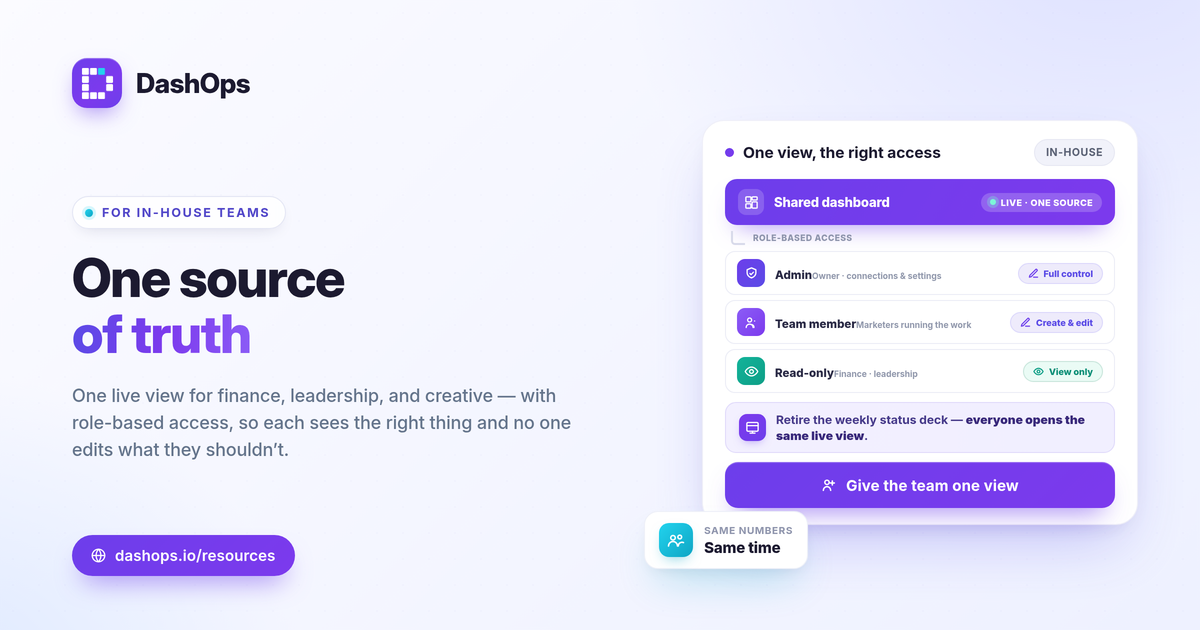
The reason teams hesitate to share a dashboard is access. You do not want a stakeholder editing budgets, and you do not want to email screenshots forever. Roles solve this.
- Admin. The owner, with full control over connections, campaigns, and settings.
- Team member. The people running the work, who need edit access on Growth and Enterprise plans to create and edit campaigns.
- Client user. Read-only. This is the role for executives, finance, or anyone who needs to see performance but should not touch it.
For stakeholders who only want a glance, a public read-only share link or the simplified client portal gives visibility with no login friction and no edit risk. The marketer keeps control of campaigns while leadership keeps a live window into results. This is the same access model agencies use for clients, explained in white-label client reporting, and it maps cleanly onto internal stakeholders.
Replace status meetings with scheduled digests
The recurring reporting meeting often exists only because the numbers were not visible otherwise. Once a shared dashboard is live, you can shift routine updates to scheduled email digests.
- Weekly digest. A short cadence that surfaces pacing and cost shifts early, sent automatically to the distribution list.
- Monthly digest. The wider view against goals, useful for leadership reviews.
- Live link for anyone in between. Stakeholders who want to check mid-week open the dashboard instead of asking.
You can also wire Slack or Discord alerts for the moments that need attention now, such as a spend spike or a sharp ROAS drop, so the team reacts in the channel where it already works. For more on the tradeoff between pushed digests and live links, see scheduled email digests vs live dashboard links.
Use breakdowns to turn reporting into decisions
A shared source of truth is most valuable when it explains the why, not just the what. Meta-native breakdowns give the team that depth without leaving the dashboard.
- Demographic breakdown. Age and gender splits show which segments your results come from and where spend is wasted.
- Placement breakdown. Where impressions land across Facebook and Instagram surfaces, so you can see what each placement returns.
- Frequency and trend. Frequency as a KPI plus period-over-period trends help the team spot fatigue early, when a previously strong campaign starts costing more for the same result.
These are reported as Meta’s own numbers. Worth noting for any in-house team: iOS privacy changes and the App Tracking Transparency prompt cause conversion undercounting, so on-platform results can read lower than what your back end shows. That is a measurement reality to explain to stakeholders, not a reporting bug. If lead-gen is your focus, also remember that Meta only lets you download Instant Form leads directly from the Page for a limited window, about 90 days, after which leads must be retrieved through the API or a connected tool, so do not rely on the Page export as your archive.
Keep the format consistent over time
The quiet failure of in-house reporting is drift. The deck looks different every month, a metric gets renamed, and trends become impossible to read. A dashboard fixes the format once. Everyone sees the same KPIs, defined the same way, compared the same way, every period. That consistency is what lets leadership actually track progress instead of relearning the report each time.
For more on how a dashboard differs from working inside Ads Manager, the comparison in Facebook Ads Manager vs a reporting dashboard is a useful reference.
DashOps brings all of this into one place for in-house teams: every Meta KPI across your ad accounts with period-over-period comparison, role-based access for Admins, team members, and read-only client users, plus scheduled digests and Slack or Discord alerts. Campaign create and edit live on Growth and Enterprise. See what each plan includes on the pricing page, and the help center covers connecting accounts and inviting your team.
Centralizing Meta Ads reporting is less about new tools and more about everyone reading the same numbers at the same time, so build one shared view and point your stakeholders to it.
Frequently asked questions
What is the difference between a Meta Ads dashboard and exporting reports from Ads Manager?
How do you give executives access without exposing the ad account?
Should an in-house team report weekly or monthly?
See it in your own dashboard
DashOps brings Meta Ads reporting, campaign management, and white-label client portals into one place. Pick the plan that fits how you run ads.