How to Automate Meta Ads Reporting and Save Hours Every Week
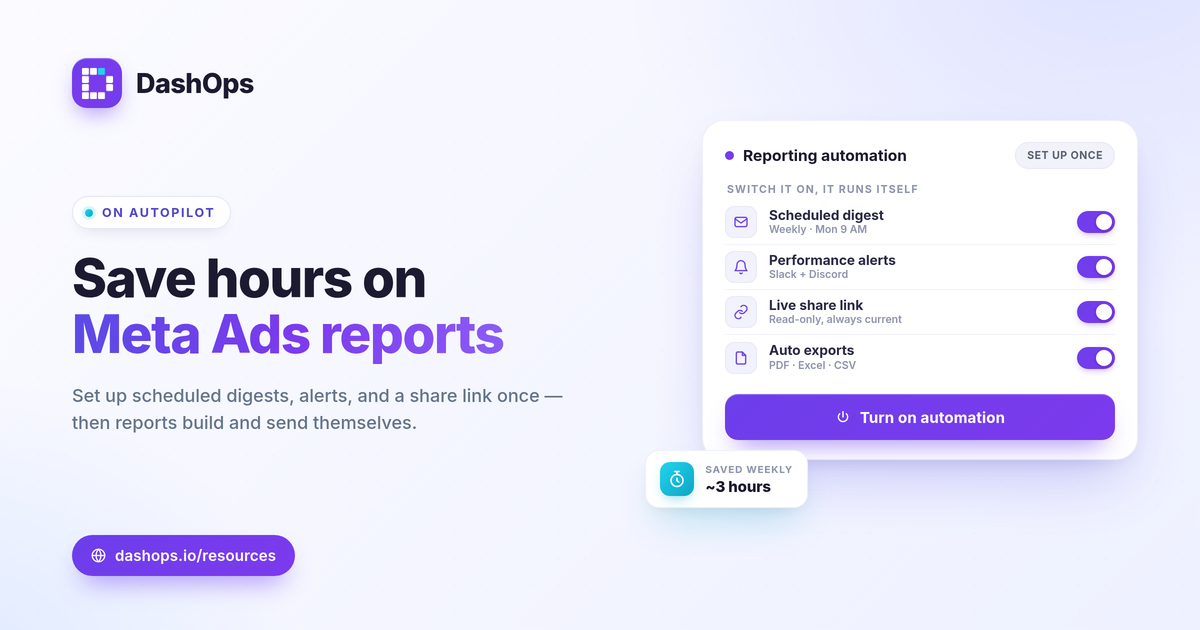
Automating Meta Ads reporting means setting up your KPIs, schedule, and recipients once, then letting the system build and deliver every report on its own. The manual version, screenshotting Ads Manager and pasting numbers into a spreadsheet every Monday, is where the hours go. To automate Facebook Ads reporting, you connect your ad accounts to a reporting tool, lock in the metrics and date range, and switch on scheduled digests, performance alerts, and a share link. From then on the report runs itself. This guide walks through that exact setup, step by step.
Why manual reporting eats your week
The manual loop looks small but compounds. Log in, set the date range, screenshot the spend chart, copy the KPI tiles, paste into a deck or sheet, write a short summary, repeat for every ad account, then email each recipient. Do that weekly across a few accounts and it is hours you never get back.
Worse, manual reports break quietly. A wrong date range, a missing account, a stale figure copied from last week: nobody notices until someone asks. Meta Ads reporting automation removes the copy-paste step entirely, which removes the place errors creep in.
Step 1: Connect your ad accounts once
The foundation of automated Facebook Ads reports is a single live connection to your Meta data. Instead of exporting from Ads Manager each time, you authorize your ad accounts once and the dashboard reads them directly.
- Add every account you report on. Solo advertisers may have one, agencies and in-house teams often have many. Pull them into one place so reporting is uniform.
- Let the numbers refresh on their own. Once connected, KPIs update without anyone exporting anything.
If you juggle several accounts, see managing multiple Meta ad accounts for how to keep them organized before you automate.
Step 2: Decide what each report actually shows
Automation is only useful if it sends the right numbers. Pick the KPIs tied to the goal rather than every metric Meta returns.
- For sales: spend, purchases, ROAS, cost per purchase. ROAS = conversion value / spend.
- For lead gen: spend, leads, cost per lead, lead volume trend. Cost per lead = spend / leads.
- For everyone: the efficiency and reach metrics that explain the result, such as CPC, CPM, CTR, and frequency.
A good dashboard adapts to whether you run lead gen or e-commerce, surfacing the relevant KPIs automatically. If you are still settling which metrics belong in the report, the Meta Ads KPIs to track covers the core set and the formulas behind them. The aim is for “what is good” to be judged against your own goals, margin, and last period’s trend, not a universal benchmark.
Step 3: Turn on scheduled email digests
This is the core of automation. A scheduled digest is a recap that builds and sends itself on a set cadence, so you never assemble a report by hand again.
- Set the cadence to match the audience. Weekly suits active management; monthly suits a higher-level recap. If you are unsure, weekly vs monthly Meta Ads reports breaks down when each fits.
- Include period-over-period comparison. A single total hides the story. Showing this period against the last answers the real question: did it get better or worse.
- Add the recipients once. Stakeholders, clients, or your own inbox. After setup, delivery is hands-off.
For agencies and freelancers sending to clients, the digest can carry white-label branding so the report looks like it came from you. White-label client reporting explains how that works across plans.
Step 4: Add alerts so you do not have to watch the dashboard
Scheduled reports cover the routine. Alerts cover the surprises that happen between reports. Instead of logging in to check whether something broke, you get pinged only when a number crosses a line you care about.
- Spend spikes. Catch a budget running hot before it burns the day’s allocation.
- Performance drops. A ROAS or cost-per-result move worth knowing about the same day, not next Monday.
- Pacing. Whether spend is tracking ahead of or behind plan for the period.
Alerts can land in Slack or Discord, so they reach you where you already work. This is the difference between reporting that tells you what happened last week and automation that tells you what is happening now.
Step 5: Replace “can you send me the numbers” with a share link
Even with scheduled digests, people ask for numbers off-cycle. A public read-only share link ends those requests. You send the link once and anyone can view the current period without logging in or waiting for the next digest.
- Read-only by design. Viewers see the numbers, nothing else, and cannot change anything.
- Always current. Unlike a static export, the link reflects live data every time it is opened.
- A client portal for ongoing access. For recurring relationships, a simplified portal gives clients a clean, permanent view.
Digests and share links solve different habits: a digest pushes the recap to the inbox, a link lets people pull the latest whenever they want. Using both means almost no one needs to ask you for a status update again.
Step 6: Keep scheduled exports for the formats people expect
Some recipients still want a file. Automation does not mean abandoning PDF and spreadsheet reports, it means generating them without manual work.
- PDF for a polished, send-ready report or client deliverable.
- Excel and CSV for anyone who wants to slice the data themselves.
For lead-gen advertisers, exporting leads matters on its own timeline. Meta only lets you download Instant Form leads directly from the Page for a limited window, about 90 days, after which leads must be retrieved through the API or a connected tool. Automating that export keeps leads flowing into your records before the window closes.
A note on accuracy before you hit send
Automated reports are only as trustworthy as the data behind them, and that data is Meta-native. iOS and ATT opt-outs cause some conversion undercounting, so the numbers can read lower than your actual sales or CRM totals. This is not a flaw in automation, it is how Meta measures. Reconcile against your own records when the gap matters, and the report stays honest.
DashOps brings these steps into one place: connect your Meta ad accounts, choose your KPIs with period-over-period comparison, and switch on scheduled email digests, Slack or Discord alerts, share links, and PDF, Excel, and CSV exports. White-label digests and a client portal are there for anyone reporting to clients. See what each plan includes on the pricing page, and the help center walks through setup. If you are weighing this against working straight out of Ads Manager, Facebook Ads Manager vs a reporting dashboard lays out the trade-offs.
Set the schedule, the alerts, and the share link once, and your weekly reporting moves from a recurring chore to something that runs in the background.
Frequently asked questions
What is the fastest way to automate Facebook Ads reporting?
Should I send scheduled digests or share a live dashboard link?
Are automated Meta Ads reports accurate enough to send clients?
See it in your own dashboard
DashOps brings Meta Ads reporting, campaign management, and white-label client portals into one place. Pick the plan that fits how you run ads.