Weekly vs Monthly Meta Ads Reports: Which Cadence Should You Use?
Choose your cadence by goal and budget, not by habit. Use weekly Meta Ads reports when you are actively optimizing, running tests, spending more, or working against a deadline, because a week is short enough to catch waste before it compounds. Use monthly when the account is stable, the budget is modest, and the reader wants the trend rather than the noise. The weekly vs monthly Meta Ads reports decision is really about how fast you act on what you see. Most advertisers land on a hybrid: a quick weekly pulse plus a fuller monthly review. Below is how to pick, and how to run either rhythm without it eating your week.
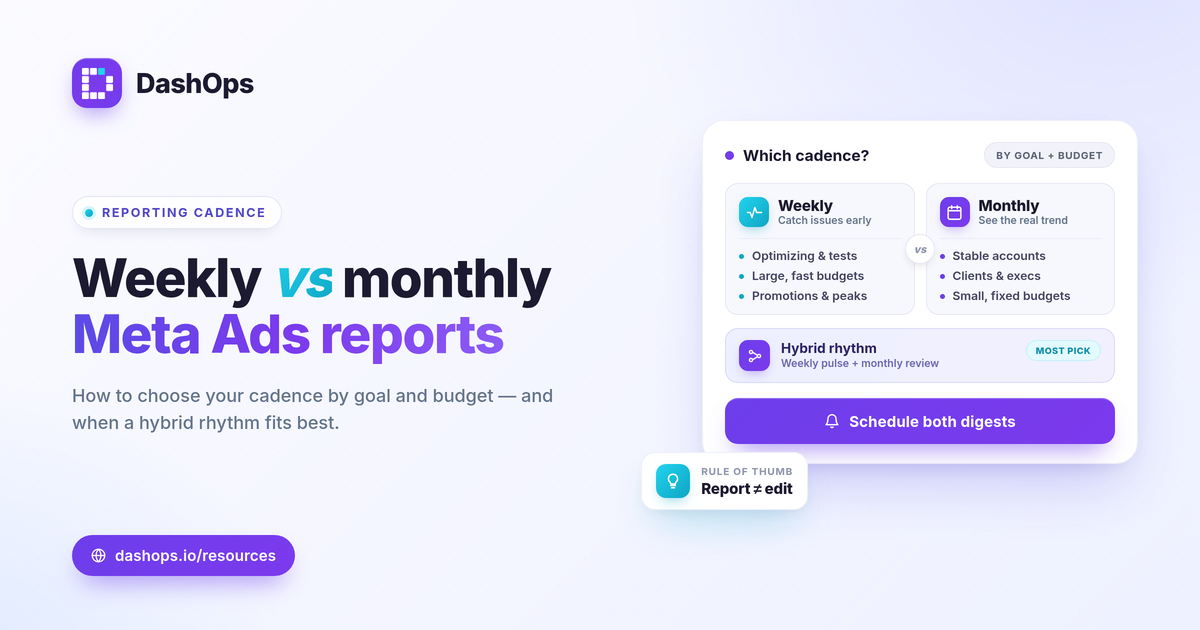
What weekly and monthly reports each do well
Both cadences pull from the same Meta KPIs. The difference is the question each one answers.
- Weekly reports answer: is anything going wrong right now. They surface a rising cost per result, a sudden drop in clicks, or a campaign quietly eating budget, while there is still time to react.
- Monthly reports answer: did the money work, and what changed. They smooth out daily swings and show the real direction across a fuller window, which is what most stakeholders and clients actually want to know.
A week of data is a smaller sample, so it moves around more. A month is steadier but slower to flag a problem. Neither is more correct. They are tuned for different jobs.
Match the cadence to your goal
Start from what you are trying to do with the account, not from a calendar default.
- Active optimization or testing. If you are launching new creatives, testing audiences, or adjusting budgets, weekly keeps you close to the results so a losing test does not run for a month before you notice.
- Steady, mature campaigns. If the account is running evergreen and performing, weekly reporting mostly produces noise. Monthly is enough, with alerts covering anything urgent in between.
- Lead generation. Watch cost per lead and lead volume. If your sales cycle is short and you act on leads quickly, a weekly view helps. If leads convert over weeks, monthly aligns better with when you can actually judge quality.
- E-commerce and ROAS. ROAS = conversion value / spend. During a steady season, monthly captures the real return. During a promotion or peak period, switch to weekly so you can pace spend against demand.
For a refresher on which numbers belong in either report, see Meta Ads KPIs to track.
Match the cadence to your budget
Budget size changes how much a single bad week costs, which changes how often you should look.
- Larger or fast-moving budgets. More spend per day means a problem gets expensive faster. Weekly, or even a mid-week check, protects the budget by catching drift early.
- Smaller or fixed budgets. With limited daily spend, weekly numbers are thin and jumpy. Monthly gives you enough volume to read a real signal instead of reacting to randomness.
- Multiple ad accounts. If you manage several accounts, a uniform monthly cadence is easier to sustain, with weekly reserved for the accounts that are mid-launch or under pressure.
How often to report Facebook Ads results also depends on who reads them. A hands-on operator can use weekly detail. A busy client or executive usually wants the monthly summary, with the weekly view kept internal.
A quick decision guide
Use this as a starting point, then adjust to how your account actually behaves.
| Situation | Suggested cadence |
|---|---|
| Launching, testing, or scaling | Weekly |
| Stable evergreen campaigns | Monthly |
| Large or time-sensitive budget | Weekly |
| Small or fixed budget | Monthly |
| Reporting to a busy client | Monthly, weekly optional |
| Promotion or peak season | Weekly during the push |
The hybrid rhythm most advertisers settle into
You do not have to choose one Meta Ads report frequency forever. The pattern that holds up is a light weekly pulse plus a deeper monthly review.
- Weekly pulse. A short look at spend, cost per result, and any KPI moving the wrong way. The goal is to catch problems, not to redesign the account.
- Monthly review. The full picture with period-over-period comparison, top campaigns, demographic and placement breakdowns, and the narrative of what changed and why.
This split keeps you responsive without drowning in reports. It also separates two decisions that get confused: how often you report and how often you change the ads. Reporting weekly does not mean editing weekly. Frequent edits on small samples can reset learning and add variance, so let a clear trend, not a single noisy week, drive changes. For comparing one period to the next cleanly, compare Facebook Ads month over month walks through the approach.
Reading either report honestly
Whatever cadence you pick, two cautions apply.
- Short windows are noisier. A single weekly figure can look alarming or excellent and mean very little. Always read it against the prior period and the longer trend before acting.
- iOS and ATT cause undercounting. Since the App Tracking Transparency changes, Meta cannot see every conversion, so reported purchases and ROAS can sit below reality. This matters more in tight weekly windows where one delayed or missing conversion swings the number. Judge “good” against your own margin, goals, and prior-period direction rather than a universal benchmark.
A dashboard makes the cadence question less stressful, because the numbers are already current whenever you look. DashOps reads your Meta KPIs across one or many ad accounts with period-over-period comparison built in, and its scheduled email digests can deliver a weekly pulse, a monthly review, or both, so the cadence runs itself. White-label client reports let you send the same on either rhythm without manual rebuilding. See what each plan includes on the pricing page, and the help center covers setup. If reporting is your bottleneck, how to automate Meta Ads reports shows how to take the manual step out entirely.
Pick the cadence your decisions actually run on, then let automation deliver it so reporting never becomes the work.
Frequently asked questions
Is weekly or monthly better for Meta Ads reporting?
How often should I send reports to clients?
Does reporting weekly mean I should change my ads weekly?
See it in your own dashboard
DashOps brings Meta Ads reporting, campaign management, and white-label client portals into one place. Pick the plan that fits how you run ads.