Free Facebook Ads Reporting Templates vs Paid Dashboards: What Are You Actually Giving Up?
What a free template actually saves, and where it stops
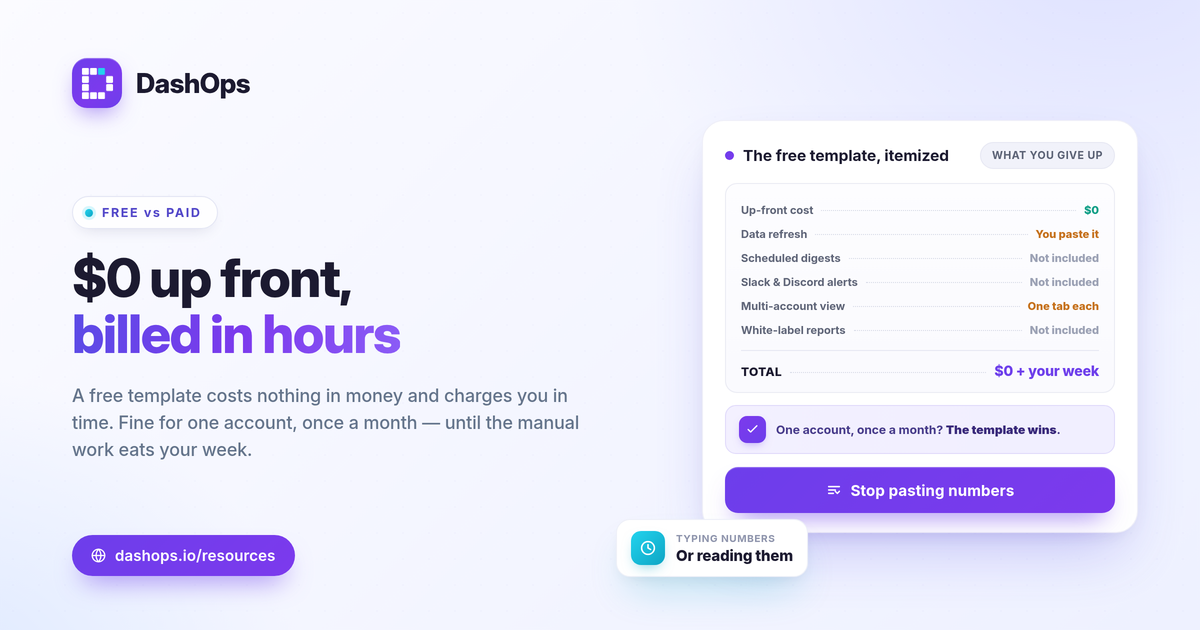
A free Facebook Ads reporting template vs paid dashboard decision comes down to one trade: a free template costs you nothing in money but charges you in time, while a paid dashboard reverses that. A free Meta Ads report template (a spreadsheet or a Looker Studio file) can show clean numbers once you fill it. What it cannot do on its own is pull fresh data automatically, schedule itself to send, or rebrand for a client. If you run one ad account and report once a month, a template is often enough. If you report often, across several accounts, or to clients, the manual labour and the missing automation start to outweigh the zero price tag.
What you get from a free template
Free templates are genuinely useful for what they are, and you should not feel you must pay before they ever make sense.
- A clean layout. A free Meta Ads report template in Excel or Google Sheets gives you a tidy structure: spend, results, cost per result, and a place for period-over-period notes.
- Full control of the math. You own every formula. CTR = clicks / impressions, CPC = spend / clicks, ROAS = conversion value / spend, and cost per lead = spend / leads are all yours to define exactly how you want.
- No cost and no lock-in. Nothing to cancel, nothing to expense. A Looker Studio template can even connect to Meta and refresh on view.
- Easy to share once. Export a PDF, attach it to an email, done.
For a single account and an occasional report, that covers most of the job. The friction shows up when you scale.
Where free templates start to cost you
The price of a free template is paid in three places: your time, the gaps in automation, and the absence of white-label.
- Manual data entry. A spreadsheet template does not pull data by itself. Every reporting cycle, you copy numbers out of Ads Manager and paste them in. That is slow and error-prone, and the chance of a typo or a stale figure grows with every account you add.
- No scheduled delivery. A template sits where you saved it. Nobody is reminded it exists. You have to remember to update it, export it, and send it, every single time.
- No real alerting. A static file cannot tell you a budget is pacing hot or that ROAS dropped overnight. You only find out at the next manual refresh.
- Limited multi-account view. Reporting across several ad accounts in one sheet means more tabs, more copy-paste, and more reconciliation. Looker Studio handles connections better than Excel but still needs careful setup per account.
- No client-grade branding. A free template carries your spreadsheet styling, not a client’s logo on a custom domain.
Free template vs paid dashboard at a glance
The honest comparison is about approach, not a winner. Here is how the two stack up on the things that matter for Meta reporting.
| Capability | Free template (Sheets, Excel, Looker Studio) | Paid Meta dashboard |
|---|---|---|
| Up-front cost | None | Paid; see pricing |
| Data refresh | Manual paste, or Looker connector on view | Automated pull from connected ad accounts |
| Scheduled email digests | Not built in | Built in |
| Multiple ad accounts | Manual per account | One dashboard across accounts |
| Slack and Discord alerts | No | Yes |
| White-label client reports | No | Yes, on the right tier |
| Demographic and placement breakdowns | Manual build | Built in |
| PDF, Excel and CSV export | Manual export | One-click exports |
When automation changes the math
The Facebook Ads dashboard free vs paid question really turns on how often you report and to whom. Automated Meta Ads reporting is the dividing line. A free template is static by nature: it shows what you last typed in. A paid dashboard reads your connected accounts and keeps the numbers current, then delivers them on a schedule without you touching anything.
That matters most in three situations:
- You report weekly or more. Manual entry that is tolerable once a month becomes a real chore every week. See weekly vs monthly Meta Ads reports for how cadence drives the choice.
- You manage several accounts. Each added account multiplies the copy-paste. A single dashboard removes that entirely.
- You report to clients or stakeholders. They expect consistency and on-time delivery, which scheduled digests handle and a manual file does not.
If most of your value is in pulling and formatting numbers by hand, an automated report frees that time for analysis instead.
The white-label gap
A white-label Facebook Ads report is the one thing a free template essentially cannot give you. Freelancers and agencies need reports that carry the client’s brand, not a spreadsheet’s default look. You can manually restyle a template, but you are redoing that work for every client and every cycle, and you still cannot host it on a custom domain or behind a read-only client portal.
This is where paid tooling earns its keep for client work. A white-label report, a simplified client portal, and per-client access roles are structural features, not formatting you can fake in Sheets. If client reporting is your use case, white-label client reporting walks through what that involves.
Choosing what fits your situation
Match the tool to your reporting reality, not to a general rule.
- Solo, one account, monthly. A free Meta Ads report template is reasonable. Make sure it tracks the right metrics first; Meta Ads KPIs to track covers what belongs in any report.
- Multiple accounts, or frequent cadence. The manual hours tip the balance toward automation.
- Client-facing work. White-label and scheduled delivery are close to non-negotiable, and templates do not provide them.
It is also worth understanding what a dashboard adds beyond the report itself. Facebook Ads Manager vs a reporting dashboard explains why a dedicated layer exists on top of Meta’s native numbers.
DashOps sits on the paid side of this comparison as a Meta-specialized dashboard: it connects your ad accounts and pulls 17+ KPIs with period-over-period comparison, demographic and placement breakdowns, scheduled email digests, Slack and Discord alerts, white-label client reports, and PDF, Excel and CSV exports, so the manual work a template demands largely disappears. You can see what each plan includes on the pricing page, and the help center covers connecting an account and setting up your first scheduled report. Whether a template or a dashboard is right comes down to one honest question: is your time better spent typing numbers or reading them.
The practical takeaway: stay on a free template while you run one account and report rarely, and move to a paid dashboard the moment automation, multiple accounts, or white-label delivery start eating your week.
Frequently asked questions
Is a free Facebook Ads report template enough for my reporting?
What does a paid Meta Ads dashboard do that a free template cannot?
When is it worth moving from a free template to a paid dashboard?
See it in your own dashboard
DashOps brings Meta Ads reporting, campaign management, and white-label client portals into one place. Pick the plan that fits how you run ads.