Facebook Lead Ads Reporting for Law Firms: Cost Per Case Lead and Intake Tracking
A law firm reporting on Facebook lead ads needs three things from every report: what each new client inquiry costs, whether intake volume is holding steady, and proof that the leads were captured before Meta deletes them. Everything else is secondary. Good Facebook lead ads reporting for law firms ties ad spend to case leads, watches the trend rather than a single month, and gets every inquiry exported into your intake system on a schedule. This guide covers the metrics that matter for legal Meta ads reporting, how to judge cost per case lead without chasing a benchmark, and the export discipline that keeps client inquiries from slipping away.
Lead the report with cost per case lead
For a law firm, the headline metric is not impressions or clicks. It is what you paid to put a real potential client in front of your intake team.
- Spend and leads. What you spent on Meta and how many form submissions came back, side by side.
- Cost per lead. Your law firm cost per lead is simply spend divided by leads (cost per lead = spend / leads). It is the cleanest efficiency number you have.
- Lead volume. The raw count of inquiries, which tells you whether the pipeline is full enough to keep intake busy.
Cost per lead alone does not tell the whole story, because a personal injury inquiry and a simple will inquiry are worth very different amounts to the firm. Report cost per lead per practice area or per campaign where you can, so a cheap-but-low-value source does not flatter the average.
How to judge whether your cost per lead is good
There is no universal “good” number for attorney lead tracking, and chasing a published benchmark will mislead you. Judge your cost per lead against your own economics instead.
- Your case value. A practice area with high matter value can sustain a much higher cost per lead than a volume practice.
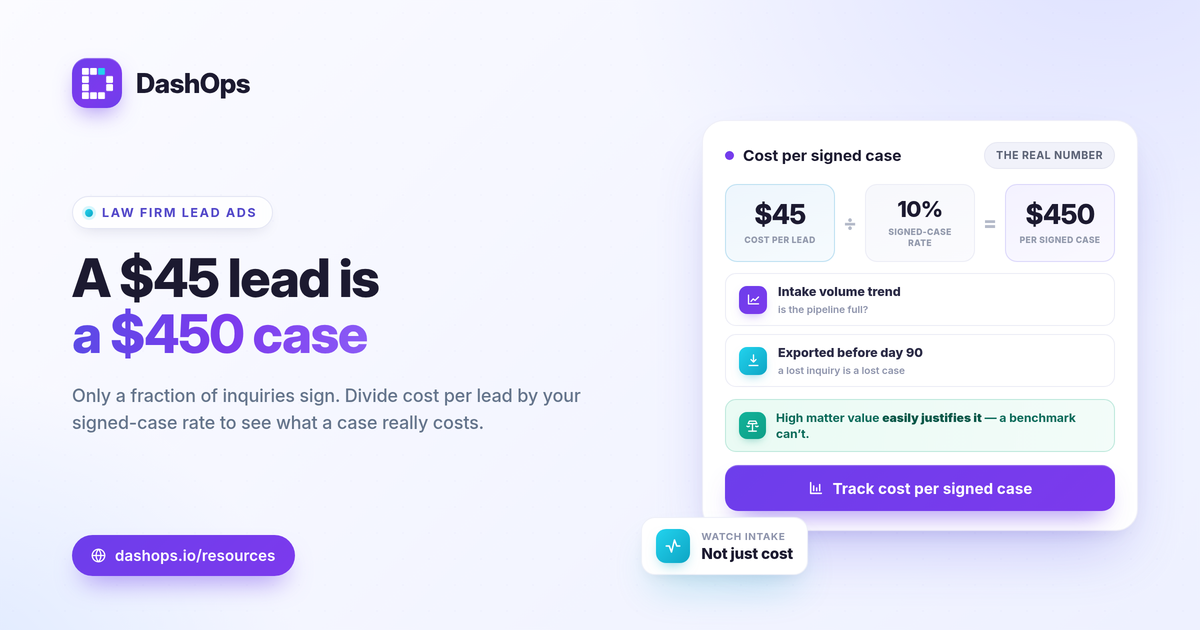
- Your signed-case rate. If only a fraction of raw inquiries become signed clients, your true cost per signed case is your cost per lead divided by that rate. Track this, because it is the number that decides whether the spend pays.
- Your prior periods. The most honest comparison is your own trend. Period-over-period comparison shows whether this month beat last month at the same quality, which matters more than any external figure.
If you want a structured walk through the metrics behind this, the KPIs worth tracking in Meta Ads covers the full set, and the difference between ROAS, CPL and CPA is worth getting straight before you present to partners.
Monitor intake volume, not just cost
A law firm can quietly starve its intake team without noticing if it only watches cost. A cheaper cost per lead is no win if the number of inquiries collapsed at the same time.
- Track the volume trend. Plot lead count week over week and month over month. A falling line is a signal to investigate before the pipeline runs dry.
- Watch frequency. When the same audience sees your ads too often, response can soften. Frequency is a real KPI you can report, and rising frequency alongside falling leads is a classic fatigue pattern.
- Use breakdowns to find waste. Demographic (age and gender) and placement breakdowns show where leads actually come from. If a placement spends heavily but returns few inquiries, that is budget to redirect.
These breakdowns are also how you spot quality issues early. A surge of cheap leads from one region or age band can mean the form is attracting the wrong audience, not better performance.
Export client inquiries before Meta purges them
This is the part law firms most often get wrong, and it carries real risk. A missed inquiry can be a missed case.
Meta only lets you download Instant Form leads directly from the Page for a limited window, about 90 days, after which the leads must be retrieved through the API or a connected tool. If your intake process depends on someone occasionally logging in to pull a CSV, leads will eventually age out of reach.
- Export on a schedule, not on a whim. Decide on a regular cadence so no inquiry sits unclaimed near the retention edge.
- Get every field. Name, phone, email, and any qualifying questions on the form belong in your export so intake can act fast.
- Route into your system. Move inquiries into your CRM or intake software so follow-up does not depend on the Meta window at all.
A connected dashboard removes the manual step. DashOps captures Meta Instant Form leads and lets you export them to CSV or Excel, so inquiries are out of Meta and in your hands well before the 90-day limit. If you run intake for more than one firm or location, see how managing multiple Meta ad accounts keeps it in one place.
Reconcile Meta numbers with real intake
The lead count in Ads Manager will rarely match exactly what your intake team experiences, and that is expected. Meta reports its own attributed conversions, and iOS privacy changes cause undercounting, so the platform tends to show fewer conversions than the inquiries you actually field.
Treat the Meta figure as directional. Use it to compare campaigns, watch efficiency trends, and judge cost per lead over time. For the true signed-case picture, reconcile against your CRM or intake log, where the matter actually gets opened. Reporting both, the Meta efficiency view and the real intake outcome, gives partners an honest read without overstating or underselling the channel.
A simple monthly structure for partners
Partners want a clear answer, not a data dump. A tight legal Meta ads reporting layout reads top to bottom like this.
| Section | What it answers |
|---|---|
| Spend and leads | What we invested and how many inquiries it produced |
| Cost per lead | Efficiency this period versus last |
| Volume trend | Is the pipeline growing or shrinking |
| Practice area split | Where the valuable leads came from |
| Export confirmation | Every inquiry captured and routed to intake |
If you report for clients or multiple offices under one brand, white-label client reporting lets you present this with your own look, and the difference between Ads Manager and a reporting dashboard explains why a dedicated view saves time over the native interface.
DashOps reads every Meta KPI across your ad accounts in one law firm lead gen dashboard, with period-over-period comparison, lead capture, and CSV or Excel export built in, so cost per case lead, intake volume, and inquiry retention all live in the same place. See what each plan includes on the pricing page, and the help center walks through connecting an account and scheduling exports.
The single habit that protects a law firm here is exporting inquiries on a set schedule, so a strong cost per lead never turns into a lost case.
Frequently asked questions
What is a good cost per case lead for a law firm?
How long can I download Facebook lead ads data before it disappears?
Why are my Facebook conversions fewer than the leads my intake team sees?
See it in your own dashboard
DashOps brings Meta Ads reporting, campaign management, and white-label client portals into one place. Pick the plan that fits how you run ads.