AgencyAnalytics Alternative for Meta Ads: How DashOps Compares on Price and Features
If you are looking for an AgencyAnalytics alternative for Meta Ads, the real question is scope, not just price. AgencyAnalytics is a broad, all-channel reporting suite that pulls SEO, PPC, social, and many other integrations into one platform. DashOps is a Meta-native dashboard built only for Facebook and Instagram Ads, priced per ad account. If Meta is your only or main channel, a focused tool means you pay for the surface area you actually use and get deeper Meta detail. If you report across many channels at once, a multi-channel suite may still suit you better. This post compares the two on approach so you can decide which fits.
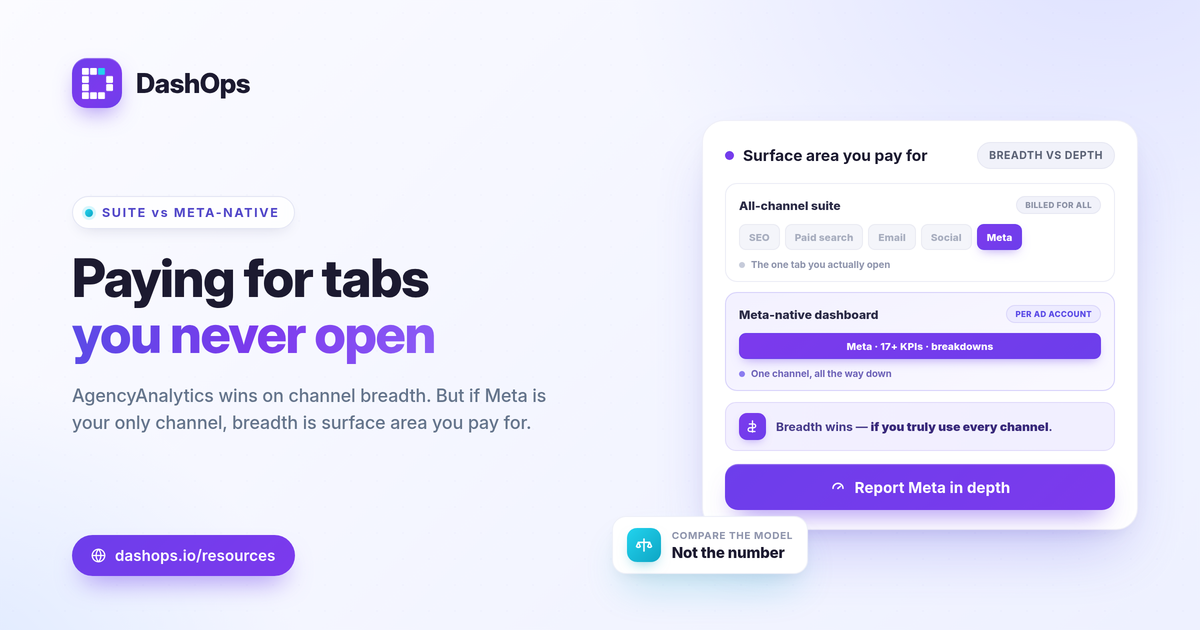
The core difference: all-channel suite vs Meta-native dashboard
AgencyAnalytics positions itself as a single place to report on dozens of marketing channels. That breadth is its main selling point, and for teams managing SEO, paid search, email, and social together, one platform across all of it has real appeal.
DashOps takes the opposite approach on purpose. It does one thing: turn your Meta ad account data into clean, accurate reports. Because it is not trying to cover every channel, the Meta module goes deeper. You get 17+ Meta KPIs including spend, impressions, reach, clicks, CPC, CPM, CTR, ROAS, purchases, leads, and cost per lead, plus demographic and placement breakdowns that are native to how Meta reports.
The trade-off is straightforward. A suite gives you one login for everything at the cost of depth in any single channel. A Meta-native dashboard gives you depth in one channel at the cost of not covering the others. Neither is wrong. It depends on what you actually report on. For more on this general trade-off, see cross-channel reporting suite vs Meta-only dashboard.
AgencyAnalytics vs DashOps: capability comparison
The table below compares approach and positioning, not invented numbers. Always confirm current pricing and feature limits on each vendor’s own pricing page, since plans change.
| Area | AgencyAnalytics | DashOps |
|---|---|---|
| Primary focus | All-channel reporting suite | Meta (Facebook and Instagram) Ads only |
| Channels covered | Many marketing channels | Meta Ads, in depth |
| Pricing model | Tiered, multi-channel | Per ad account |
| Meta KPIs | Part of a broad metric set | 17+ Meta KPIs with period-over-period |
| Breakdowns | General reporting widgets | Demographic, placement, top campaigns, spend pacing |
| Lead-gen vs e-commerce | Generic dashboards | Adaptive KPIs that switch by account type |
| Exports | Report builder exports | Native PDF, Excel, and CSV |
| White-label | Available | Lite on Growth, Full with custom domains on Enterprise |
| Client access | Client view options | Read-only share links and a client portal |
The honest summary: AgencyAnalytics wins on channel breadth. DashOps wins on Meta depth and per-account pricing simplicity.
Pricing: compare the model, not a single number
This is usually the reason people search for an AgencyAnalytics pricing alternative, so it deserves a clear answer. The two tools price on different logic, which means a single headline figure does not tell you much.
- DashOps prices per ad account. Your cost tracks how many Meta accounts you actually report on. Add an account, the cost reflects that. Report on one, you pay for one.
- All-in-one suites usually price by tier. Plans bundle many channels and often scale by client count or feature level, whether or not you use every channel.
Neither model is automatically cheaper. A team reporting on many channels for several clients may find a suite economical. A team reporting only on Meta across several ad accounts may find per-account pricing leaner, because they are not paying for SEO and PPC integrations they never open. To see what each DashOps plan includes, check the pricing page, and look at AgencyAnalytics current pricing directly for an up-to-date comparison.
Meta-native depth: what a focused tool reports
Because DashOps only handles Meta, the reporting maps to how Meta actually structures data. That matters for a few practical things.
- Adaptive KPIs. A lead-gen account surfaces leads and cost per lead. An e-commerce account surfaces purchases and ROAS. You are not forced to read e-commerce metrics on a lead-gen account. See lead-gen vs e-commerce Meta KPIs for how this split works.
- Breakdowns that explain results. Demographic (age and gender) and placement breakdowns, top campaigns, and spend pacing show not just what happened but where. Frequency as a KPI and period-over-period trends help you spot fatigue before it shows up as a rising cost per result.
- Honest, Meta-native numbers. DashOps reports the figures Meta returns. It does not invent a blended attribution model. Worth remembering: iOS and ATT changes cause Meta to undercount some conversions, so judge results against your own goals, margin, and prior-period trend rather than any universal benchmark.
For the metrics worth prioritizing in any Meta report, see Meta Ads KPIs to track.
Client reporting and white-label
Both tools are built with client reporting in mind, so this often decides the choice for freelancers and teams.
DashOps offers white-label Lite on the Growth plan and white-label Full, including custom domains, on Enterprise. You can export native PDF, Excel, and CSV reports, schedule email digests, and send Slack or Discord alerts. Clients can get a public read-only share link or a simplified client portal, with roles that separate Admin, Team member, and read-only Client user access. The difference from a cross-channel suite is that DashOps white-labels Meta reporting specifically, rather than a general multi-channel report builder. For the deeper version of this, read white-label client reporting.
Which one should you choose
Pick based on what you report on, not on which tool has the longer feature list.
- Choose an all-channel suite if you genuinely report across many channels in one place and want a single platform for SEO, paid search, social, and Meta together.
- Choose DashOps if Meta is your primary or only paid channel, you want deeper Meta breakdowns, per-ad-account pricing, and clean white-label client reports without paying for integrations you will not touch.
A lot of advertisers default to a big suite and then use only the Meta tab. If that sounds like you, a focused tool removes the clutter. If you are weighing tools more broadly, Facebook Ads Manager vs a reporting dashboard covers why a dedicated dashboard beats exporting from Ads Manager by hand.
DashOps reads every KPI across your Meta ad accounts into one dashboard with period-over-period comparison, native exports, and white-label client reports built in. See what each plan includes on the pricing page, and the help center walks through connecting an account.
The practical takeaway: if Meta is your main channel, compare these tools on depth and per-account cost, not on how many other integrations you will never open.
Frequently asked questions
Is DashOps a full AgencyAnalytics alternative for Meta Ads?
How does DashOps pricing compare to AgencyAnalytics?
Can DashOps produce white-label client reports like AgencyAnalytics?
See it in your own dashboard
DashOps brings Meta Ads reporting, campaign management, and white-label client portals into one place. Pick the plan that fits how you run ads.