Who Should Have Access to Your Ad Accounts
A client emails on a Monday morning asking why yesterday’s ads stopped. You check, and someone has paused a campaign. Not you. Not the media buyer. The client’s cousin, who “does a bit of marketing” and was added to the ad account by a previous agency, long before you took over. Nobody remembers granting the access. Nobody removed it. And now it is your reputation attached to a paused campaign you did not pause.
This is the everyday cost of an unanswered question: who actually needs access to this ad account, and at what level? It rarely gets answered deliberately. Access gets granted in the moment, by whoever is closest to the problem, and it accumulates. Below is a way to decide it once, per person, and stop guessing.
Start from the account, not from the person
The instinct is to work outward from people. Someone asks for access, you decide yes or no. That is how the mess forms, because every decision is made in isolation and none of them get revisited.
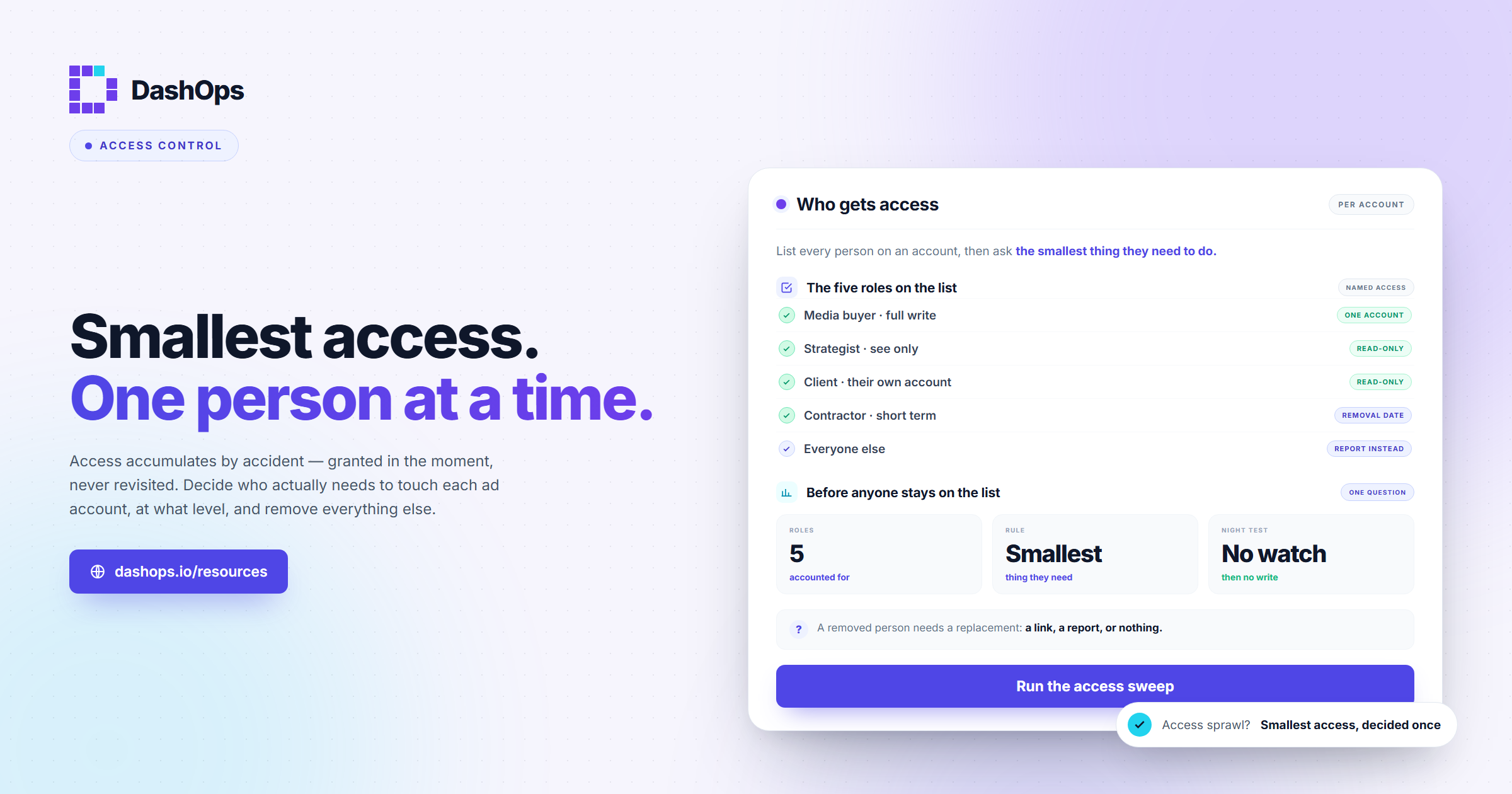
Work the other way. Take one ad account and list every human who currently touches it. Then, for each one, answer a single question: what is the smallest thing this person needs to be able to do for the account to keep working?
Not what they might want. Not what would be convenient. The smallest thing. Almost everyone in that list needs to see numbers, and almost nobody needs to change budgets. That gap is where over-granted access lives.
The five people who usually appear on the list
Across agency and freelance setups, the same roles turn up. Here is who they are and what they genuinely need.
- The media buyer running the account day to day. This person creates campaigns, edits budgets, swaps creative, and pauses things that are not working. Full write access to that specific ad account, and only that one. They should not have access to accounts they are not assigned to, even if they work for the same agency.
- The strategist or account manager who does not touch the build. They pull numbers for client calls, read performance, and decide what to recommend next. They need to see everything and change nothing. Read access is the correct answer here, and it is the one most often over-granted because “they are senior”.
- The client themselves. They want to know what their money bought. They do not need the ability to edit a campaign, and if they had it they would rarely use it. Read-only access to their own account, with the option to hide spend if you bill on a retainer and would rather discuss cost separately from performance.
- The client’s finance or ops contact. Occasionally there is a second person on the client side who only cares about invoices and totals. Either give them the same read-only view, or send them a report and give them no dashboard access at all. A report is often the better answer.
- The freelancer or contractor on a short engagement. A designer feeding creative, a copywriter, a contract buyer covering a holiday. These need the narrowest access for the shortest time, and they need a removal date decided the same day the access is granted. This is the category that most reliably becomes a stale login.
Everyone else who asks, and people will ask, gets a report instead of a seat.
The question that settles most arguments
When someone requests access and you are unsure, ask this: if this person made a change in the middle of the night with nobody watching, would that be fine?
If the honest answer is no, they do not need write access. That covers the client’s cousin, the eager junior, the client’s own marketing hire who wants to “just have a look at settings”, and the developer who needs the pixel checked once. Every one of them can be served by read access or by a report.
The second question, for the people who pass the first: do they need this on every account, or on one? Agency staff almost always need one, or a handful. Blanket access across the whole client roster is convenient for you and terrible for everyone whose data is sitting in the accounts they will never work on.
Nobody should be a permanent guest
Access decisions age badly. The freelancer finishes. The account manager moves to a different client. The client’s employee leaves and nobody tells you.
Two habits fix almost all of this. First, decide the removal date at the same moment you decide the access. If there is no natural end, that is fine, but write down that the access is open-ended so it shows up in a review rather than hiding. Second, run a scheduled sweep of every account and read the list of people on it out loud. Anyone you cannot immediately justify comes off. Our ad account access review checklist walks through that sweep step by step.
It also helps to record who granted each person their access and why, even as a line in a shared note. When you reach the sweep, the entries you cannot explain are the ones to remove, and the ones with a reason attached are quick to confirm.
While you are in there, check that the people with write access have two-factor authentication switched on. An account with strong role boundaries and one buyer using a reused password is not a secure account. There is more on that in our guide to two-factor authentication for ad accounts.
Where this gets awkward, and how to handle it
Two situations come up repeatedly.
A client asks for edit access to their own account. They own the ad spend, so refusing outright feels wrong. The framing that works: explain that you are accountable for performance, and shared editing makes it impossible to know what changed and why. Offer them full visibility instead, plus a clear route to request a change. Most clients want reassurance, not a build tool. If they genuinely want to run their own ads, that is a different commercial conversation, not an access setting.
A colleague needs access “just for a minute”. Someone is on holiday, something is broken, and the fastest fix is to hand over a login or grant a temporary role. Handing over a login is the worse option every time, because you lose any record of who did what. Grant the narrowest role you can, note it, and remove it when the emergency ends. Temporary access that nobody removes is how permanent access happens.
How DashOps handles this
DashOps was built around exactly this split. The Main Admin has full control of the agency. On Growth and Enterprise, a Team member is agency staff and is restricted to the ad accounts you assign them, so a buyer working on Acme Apparel does not see Globex, and a Client user is read-only on the accounts assigned to them, with a switch to hide spend if you would rather keep cost out of that login.
You invite people by email and assign their ad accounts at the same moment, so scope is a decision you make once rather than something you clean up later. An audit log records who changed what, so the paused-campaign mystery at the top of this post becomes a lookup rather than an investigation.
For the people who should not have a seat at all, share a read-only link to a dashboard snapshot, or schedule a report by email. Our post on automating Meta Ads reports covers that route, and it removes the most common reason people are granted access they do not need.
What to do next
Pick your busiest client account and do this today. It takes one sitting.
- Open the account and list every person with access, including anyone who inherited it from a previous agency or a previous employee.
- For each name, write down the smallest capability they need. Read or write. One account or several.
- Downgrade anyone whose access exceeds that. Remove anyone you cannot justify.
- For the people you removed, decide what replaces the access: a shared link, a scheduled report, or nothing.
- Put a recurring reminder in your calendar to repeat this, and note a removal date for anyone temporary.
Then apply the same shape to the next account. Once you have done a couple, the pattern is obvious and the rest go quickly.
If you want the full picture of how Meta’s access model works underneath these decisions, including how roles sit across Business Manager, ad accounts and Pages, read our main guide to role-based access for Facebook Ads. This post decided who gets in. That one explains the machinery you use to enforce it.
Frequently asked questions
Should my client have access to their own ad account?
What access should a freelancer or contractor get?
How do I decide if someone needs edit access or read access?
Someone needs access urgently. Can I just share my login?
How often should I review who has access?
See it in your own dashboard
DashOps brings Meta Ads reporting, campaign management, and white-label client portals into one place. Pick the plan that fits how you run ads.