How to Route Facebook Instant Form Leads Into Your CRM and Still Report on Them
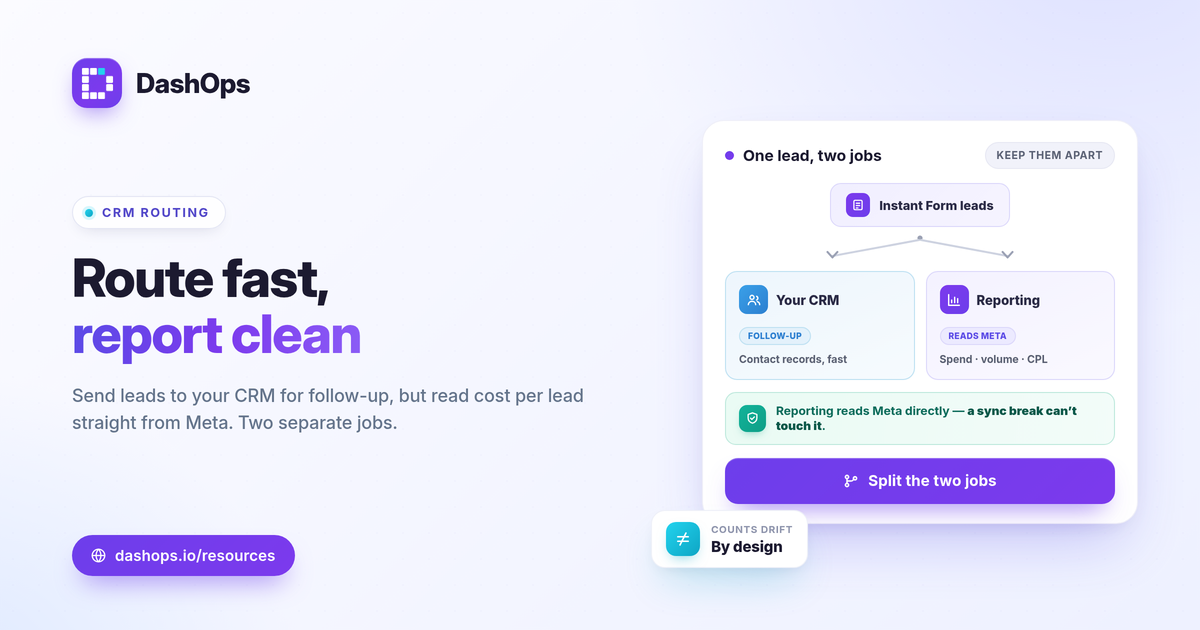
A Facebook Instant Form lead is only useful if someone follows up on it fast, which means the lead has to reach your CRM quickly, and it is only measurable if you keep a cost-per-lead layer that does not depend on the CRM. The goal is to route Facebook Instant Form leads to CRM for follow-up while preserving Meta lead ads CRM reporting so you can still see spend, lead volume, and cost per lead per campaign. Do both jobs separately. Let the CRM own the contact record and the sales follow-up, and let a reporting dashboard own the cost and volume numbers read straight from Meta. Here is how to set that up without losing attribution.
Why the routing and the reporting are two different jobs
It helps to stop thinking of “getting leads into the CRM” and “reporting on leads” as one task. They have different owners, different speeds, and different sources of truth.
- The CRM job is about speed and follow-up. A new lead needs to land in front of a salesperson or an automation within minutes, with the contact fields intact.
- The reporting job is about cost and volume. You need to know what each campaign spent, how many leads it produced, and the cost per lead, ideally compared to the prior period.
When you collapse these into one pipeline, a broken CRM sync quietly takes your reporting down with it. Keep them independent and a sync hiccup only delays follow-up, while your cost-per-lead numbers stay clean because they come from Meta directly.
Step 1: Choose how leads reach the CRM
There are three common ways to sync Facebook leads to CRM, and the right one depends on volume and how technical your setup is.
- Native CRM connector. Many CRMs offer a direct Facebook Lead Ads integration that pulls new leads in near real time. This is the cleanest option when your CRM supports it.
- Automation platform. A workflow tool sitting between Meta and your CRM can map form fields, add tags, and trigger follow-up. Useful when the native connector is missing fields you need.
- Manual CSV import. You export leads and upload them on a schedule. This works for low volume, but it is slow and easy to forget, and Meta only lets you download leads from the Page directly for about 90 days before you need the API or a connected tool.
Whichever you pick, map your form fields deliberately. Name, email, phone, and any qualifying questions should land in the right CRM fields so follow-up and segmentation work on day one.
Step 2: Keep a reporting layer that reads Meta directly
This is the part people skip, and it is what protects your attribution. Your Instant Forms CRM integration moves contacts, but it is not your reporting source. The numbers that answer “did this campaign work” should come from the Meta ad account itself, not from whatever made it through the sync.
- Lead volume per campaign. How many leads each campaign and ad set produced, straight from Meta.
- Spend per campaign. What you paid to generate those leads.
- Cost per lead. Calculated as spend divided by leads, so you can compare campaigns on efficiency.
Reading these from Meta rather than from the CRM matters because CRM counts drift. Deduplication, spam filtering, and sync gaps all change the number that lands in your CRM. For lead gen reporting CRM workflows, the cleanest practice is to treat Meta’s native lead count as your top-of-funnel source of truth and the CRM count as the qualified or follow-up layer downstream.
Step 3: Reconcile the two counts on purpose
Your CRM lead count and your Meta lead count will rarely match exactly. That is normal, not a bug. The fix is to decide what each number means before anyone asks.
- Meta count is your raw demand and the basis for cost per lead.
- CRM count is what survived sync, dedupe, and any spam filtering.
- Qualified count, if you track lead quality, is the subset worth a salesperson’s time.
Naming these tiers stops the awkward conversation where a client or manager sees two different totals and assumes something is broken. If you want to go deeper on the quality side, measuring lead quality alongside cost per lead keeps cheap-but-useless leads from looking like a win.
Step 4: Handle the iOS and attribution gaps qualitatively
Some leads will be undercounted in Meta’s conversion reporting because of iOS and App Tracking Transparency limits, which suppress part of the signal. For Instant Forms specifically you are in better shape than for off-platform conversions, because the form is filled out inside Meta. Still, do not promise a client perfect parity between Meta, your CRM, and your eventual closed deals. Report Meta-native lead numbers as what they are, set the expectation that downstream counts shrink, and you avoid the trap of explaining a mismatch you implied would never happen.
What to put on the report
Once routing and reporting are split, the report itself stays simple. For a lead-gen account, the metrics that earn their place are spend, leads, and cost per lead, shown against the previous period so the trend is visible. If you are deciding which numbers belong, the Meta KPIs worth tracking guide covers the lead-gen set. And if you have wondered why your dashboard and Ads Manager show different figures, the difference between Ads Manager and a reporting dashboard explains where each number comes from.
DashOps fits the reporting half of this cleanly. It reads lead volume and cost per lead straight from your Meta ad accounts with period-over-period comparison, captures Instant Form leads, and exports them to CSV or Excel, so your cost-per-lead layer holds even when the CRM sync lives elsewhere. For agencies and teams reporting to clients, white-label client reporting puts those numbers in a branded portal. See what each plan includes on the pricing page, and the help center walks through connecting an account and exporting leads.
Route leads to your CRM for speed, but keep cost per lead reading straight from Meta, and your attribution survives no matter what happens to the sync.
Frequently asked questions
Do I need a CRM integration to report on Instant Form leads?
How quickly do Instant Form leads need to reach my CRM?
Why does my CRM lead count not match Meta's reported leads?
See it in your own dashboard
DashOps brings Meta Ads reporting, campaign management, and white-label client portals into one place. Pick the plan that fits how you run ads.