Looker Studio vs a Dedicated Facebook Ads Dashboard: Which Is Better for Meta Reporting?
Looker Studio vs a Facebook Ads dashboard comes down to a single trade-off: Looker Studio is free and endlessly customizable, but you build and maintain everything yourself, including a third-party Meta connector. A dedicated Facebook Ads dashboard costs money but arrives pre-built, with Meta KPIs, breakdowns, period-over-period comparison and exports already wired up. If you enjoy building reports and run one ad account, Looker Studio can serve you well. If you want Meta reporting that works on day one, especially across multiple accounts or for clients, a purpose-built tool usually wins on setup time, connector reliability and white-label.
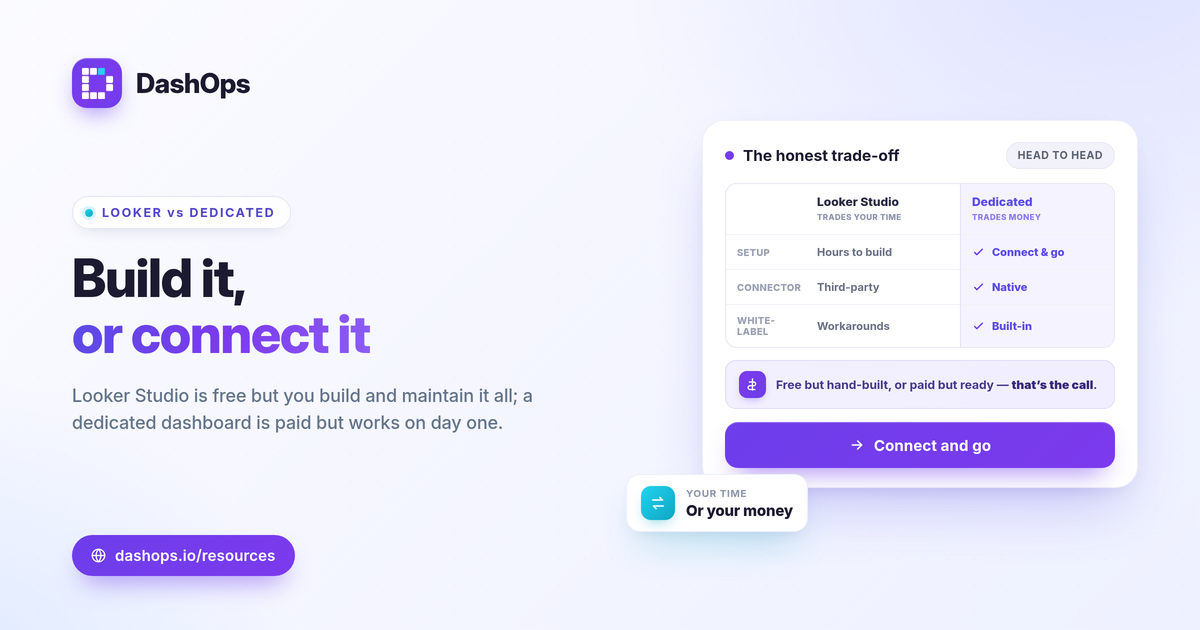
The honest head-to-head
Here is how the two approaches compare on the things that actually decide the outcome, not on feature checklists.
| What matters | Looker Studio | Dedicated Facebook Ads dashboard |
|---|---|---|
| Cost to start | Free tool, but connectors may charge | Paid, see pricing |
| Meta connector | Third-party, you choose and maintain | Native Meta connection included |
| Setup time | Hours to days to build | Connect account, dashboard appears |
| Breakdowns | You build each chart | Demographic and placement built in |
| White-label | Partial, needs workarounds | Built-in tiers including custom domain |
| Maintenance | You own it when it breaks | Handled for you |
The pattern is consistent: Looker Studio trades your time for flexibility, and a dedicated dashboard trades money for time saved.
Setup time: build it yourself or connect and go
With Looker Studio Meta Ads reporting, there is no first-party Meta data source. You pick a third-party connector, authenticate your ad account, pull in the fields you want, then design every scorecard, table and trend chart by hand. Getting spend, CPC, CPM, CTR, ROAS and cost per lead laid out cleanly takes real effort the first time, and more effort each time you want a new view.
A dedicated Facebook Ads reporting dashboard inverts that. You connect your Meta ad account and the standard KPIs render immediately, already organized. There is nothing to design before you can read your numbers. For a deeper look at which numbers belong on the page, see Meta Ads KPIs to track.
Connector reliability: the hidden cost of Google Data Studio Meta Ads
This is where free gets expensive in time. Because Looker Studio depends on a third-party connector for Google Data Studio Meta Ads data, you inherit that connector’s behavior:
- Row and query limits. Some connectors cap rows or API calls, which can truncate data on large accounts or long date ranges.
- Refresh delays and caching. Data may lag, and stale caches can make a report look wrong until it refreshes.
- Schema changes. When Meta updates fields or the connector changes, charts can break and need fixing.
- Separate billing. Many reliable Meta connectors carry their own subscription, so “free” Looker Studio is not actually free for serious use.
A purpose-built tool maintains the Meta connection as part of the product. When something on Meta’s side changes, that is the vendor’s problem to solve, not your weekend. If your numbers ever look off, the usual culprit is attribution and timing rather than a broken chart, which we cover in why Facebook Ads reports show different ROAS.
Breakdowns and analysis you would otherwise build by hand
In Looker Studio, every demographic split, placement comparison and campaign table is a chart you assemble and a blend you configure. That is powerful and fully yours, but it is work, and it has to be repeated or templated carefully to stay consistent.
A Meta-specialized dashboard ships these as standard:
- Age and gender breakdowns to see who is actually converting.
- Placement performance across Facebook, Instagram and the rest, so you can spot where budget is wasted.
- Top campaigns and spend pacing without writing a single calculated field.
- Frequency as a KPI alongside period-over-period trends, which together make it easier to spot creative fatigue before performance slips.
None of this requires that you remember formulas, though stating them is fine: CTR = clicks / impressions, CPC = spend / clicks, ROAS = conversion value / spend, and cost per lead = spend / leads. A good dashboard simply computes and displays them.
White-label and client delivery: the limit most people hit
If you report to clients, white-label is usually where Looker Studio runs out of road. You can remove some Google branding, drop in a logo and embed a report, but a fully branded experience on your own domain typically needs extra workarounds or paid add-ons, and the editing surface still feels like a Google product.
Dedicated tools treat white-label as a first-class feature. DashOps provides white-label Lite on Growth and white-label Full with custom domains on Enterprise, plus a simplified client portal and public read-only share links. If client-facing reporting is your goal, read white-label client reporting for what a branded setup should include.
So which is better for Meta reporting?
Choose based on scope and where you would rather spend effort.
- Looker Studio fits when you are technical, enjoy building dashboards, manage one or a few accounts, and want total layout control at no tool cost, accepting connector setup and upkeep.
- A dedicated Facebook Ads dashboard fits when you value time over customization, manage multiple ad accounts, report to clients, or want native PDF, Excel and CSV exports and white-label without engineering effort.
A Looker Studio alternative for Facebook Ads is not always the right call. If you genuinely report across many channels, an all-in-one multi-channel suite may suit you better than either option here. The decision is really about whether Meta is your center of gravity. For a related comparison on raw Ads Manager versus a reporting layer, see Facebook Ads Manager vs a reporting dashboard.
DashOps sits on the dedicated side of this comparison: a Meta-focused dashboard that reads Facebook and Instagram KPIs across your ad accounts, with demographic and placement breakdowns, period-over-period comparison, native exports and white-label tiers, all without building or maintaining a connector. Pricing is per ad account, so you can see what each plan includes on the pricing page, and the help center walks through connecting your first account.
The practical takeaway: if you only manage one account and like building, Looker Studio is fine, but the more accounts, clients and reliability you need, the more a purpose-built Meta dashboard earns its cost.
Frequently asked questions
Is Looker Studio good for Facebook Ads reporting?
Can you white-label Looker Studio reports for clients?
What is the best Looker Studio alternative for Facebook Ads?
See it in your own dashboard
DashOps brings Meta Ads reporting, campaign management, and white-label client portals into one place. Pick the plan that fits how you run ads.