How Agencies Justify Retainers With Better Meta Ads Reporting
A retainer is easiest to justify when the client never has to wonder what they are paying for. Clear, branded, on-time Meta Ads reporting does that work every month: it shows the money worked, explains what changed, and frames the next move. To justify a retainer with Meta Ads reporting, you are not dumping every metric Meta returns. You are answering the one question a client carries between calls: is this still worth it. This guide walks through how to build client-facing reports that prove ad results, support agency reporting retention, and reduce client churn before a cancellation email is ever drafted.
Why reporting drives retention, not just transparency
Clients rarely churn because results dipped for one month. They churn because they stopped being able to see the value. Silence reads as decline. A report that lands on schedule, in your brand, with the result tied to their goal, keeps the value visible even in a flat month.
- Reporting is the proof of work. The strategy and optimization happen behind the scenes. The report is where the client sees it.
- Absence creates doubt. When a client has to ask “how are the ads doing,” you are already behind.
- Consistency compounds trust. A report that always arrives builds more confidence than an occasional impressive one.
Lead with the result, not the activity
A retainer is defended by outcomes, not effort. Open every report with the metrics tied to the client’s goal, then show whether they moved.
- Spend and results, side by side. What they paid and what they got.
- Cost per result. Cost per purchase for e-commerce, or cost per lead for lead gen.
- Return. ROAS for sales (ROAS = conversion value / spend), or pipeline value and cost per lead for lead gen (cost per lead = spend / leads).
Match the metrics to the model. An e-commerce client cares about ROAS and cost per purchase. A lead-gen client cares about lead volume and cost per lead. Reporting both sets to both clients dilutes the story. What counts as a “good” number is not a universal figure: judge it against the client’s own margin, their goal, and the prior period’s trend. For a deeper breakdown of which numbers earn their place, see the Meta Ads KPIs worth tracking and ROAS vs CPL vs CPA explained.
Show the trend, so a flat month still tells a story
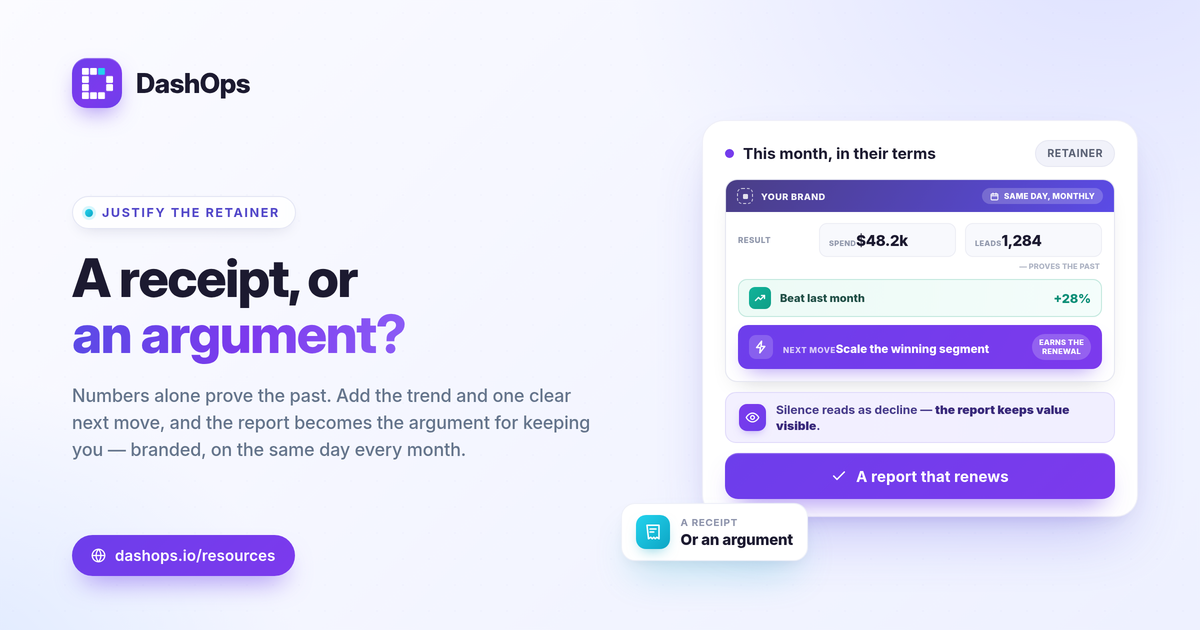
A single number invites the wrong question. A period-over-period comparison answers the right one: did this month beat last month, and why. This is what turns a report from a receipt into an argument for keeping you.
- Compare like for like. This month against last, or against the same month last year.
- Explain the change in plain language. If cost per lead rose, say whether it was rising costs, audience fatigue, or a seasonal dip, and what you are doing about it.
- Use breakdowns to show control. Demographic (age and gender) and placement breakdowns let you point to where budget is working and where you trimmed waste. Frequency as a KPI helps you flag fatigue before the client feels it in their results.
When you can show that you saw a problem, named it, and acted, a soft month becomes evidence of active management rather than a reason to leave.
Brand the report so the value points back to you
A client-facing report in Meta Ads Manager’s raw export looks like a platform did the work. A report carrying your logo, colors, and a clean layout looks like you did. White-label reporting is one of the quietest retention levers an agency has.
- Your brand, not the platform’s. The report should read as a product of your agency.
- A simple client view. A read-only portal or share link lets clients check in without logging into anything technical or seeing raw ad-account controls.
- Client-appropriate access. A Client user role that is read-only keeps the experience clean and safe, while Admin and Team member roles keep the working access on your side.
For the full picture on setting this up, see white-label client reporting. If you are weighing the raw platform against a reporting layer, Facebook Ads Manager vs a reporting dashboard covers the trade-offs.
Let scheduled digests carry the cadence
The hardest part of reporting is doing it on time, every time, for every client. Manual assembly is where consistency breaks, and broken consistency is where churn starts. This is the work to automate first.
- Schedule the summary. A monthly digest that goes out on the same day each cycle removes the “I forgot to send it” failure mode entirely.
- Add a lighter weekly touch. A short weekly digest or a live share link keeps the relationship warm between monthly reports.
- Wire up alerts for the swings. Slack or Discord alerts for spend pacing or a sudden change mean the client hears about issues from you first, framed and explained, rather than discovering them on their own.
Automation does not make the report less valuable. It frees you to spend your time on the analysis and recommendations, which is the part the retainer actually pays for. The assembly and delivery should run themselves.
Make the report a conversation, not a file dump
The strongest retention signal is a report that ends with a point of view. Numbers prove the past. Recommendations earn the next month.
- Close with what is next. One or two concrete moves for the coming period.
- Tie spend to the goal. Remind the client what the budget is buying in their terms, whether that is revenue or qualified leads.
- Keep it scannable. A client should grasp the headline in thirty seconds and find the detail if they want it.
If you manage several clients, the time cost of doing all of this by hand is the real enemy. DashOps reads every Meta KPI across your ad accounts in one dashboard with period-over-period comparison, demographic and placement breakdowns, and white-label PDF, Excel, and CSV exports. Scheduled email digests, share links, and Slack or Discord alerts handle the cadence so your reports arrive branded and on time without manual assembly. White-label is available on Growth (Lite) and Enterprise (Full, with custom domains), and pricing is per ad account. See what each plan includes on the pricing page, and the help center covers setup.
The retainer defends itself when the client opens a branded report on the same day every month and sees, in their own terms, that the money worked.
Frequently asked questions
What should a retainer-justifying Meta Ads report include?
How often should agencies send client-facing ad reports?
Do automated reports look less valuable to clients?
See it in your own dashboard
DashOps brings Meta Ads reporting, campaign management, and white-label client portals into one place. Pick the plan that fits how you run ads.