What Meta Ads Manager Does Well (And Where It Stops)
Most posts about Meta Ads Manager are written by people trying to sell you something else, so they open by listing everything wrong with it. That framing is useless when you are the person who actually has to launch a campaign on Monday morning. You are not really choosing between Ads Manager and a replacement. Every campaign you run lives inside Meta, and Ads Manager is Meta’s own window onto it. What you are actually deciding is which parts of your week belong in that window and which parts do not.
So it is worth being honest about what the tool is genuinely good at. Knowing that makes it much easier to spot the tasks that are fighting the tool rather than using it.
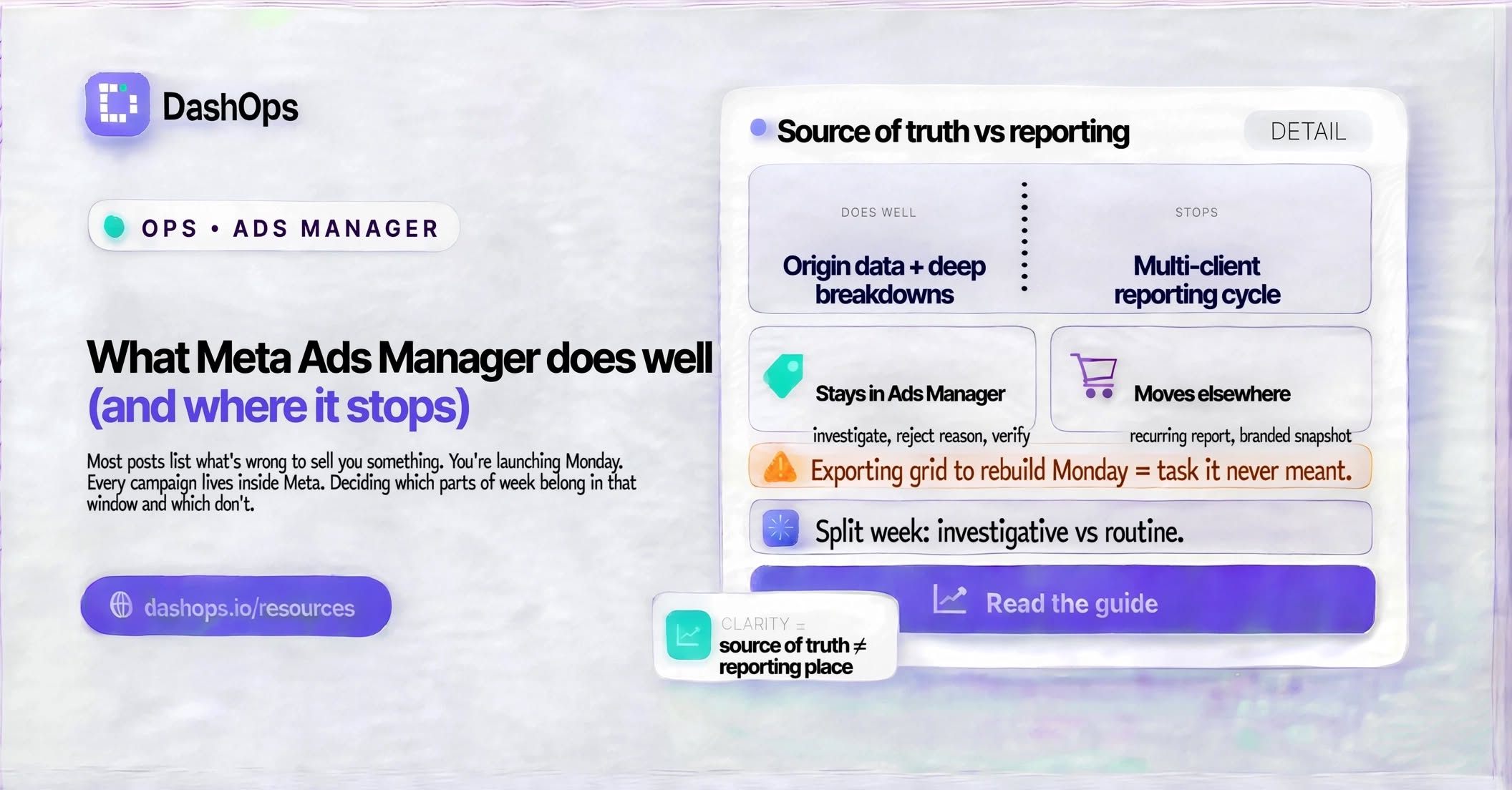
It is the source of truth, and that matters more than any feature
Every number you report on a Meta campaign originates inside Meta. Ads Manager is not a copy of that data, it is a direct view of it. When a campaign delivers, when Meta restates a figure after filtering invalid traffic, when an ad is rejected in review, Ads Manager reflects it first and reflects it exactly.
That single fact settles a lot of arguments. Any tool that reads Meta’s Marketing API, including DashOps, is downstream of it. The useful question is never “which one is right”, it is “how recently did this pull happen”. Ads Manager is the reference point you check against when something looks off, and it should stay that way.
It gives you the full depth of Meta’s data model
This is the part people undersell. Ads Manager exposes an enormous amount of detail that most reporting layers never surface:
- Breakdowns by age, gender, placement, platform, device, country, region and time of day, several of which can be viewed together.
- Attribution setting comparisons, so you can see the same conversions counted different ways side by side.
- Every action type Meta tracks, not just the headline conversion, which is how you spot that your “leads” are a mix of on-site form fills and Instant Form submissions.
- Delivery diagnostics: whether an ad set is still in the learning phase, whether it has left it, and the status Meta assigns when delivery is being held back.
- Audience overlap between your own ad sets, and frequency detail, which is where creative fatigue and audience cannibalisation actually show up.
If you have a specific question about why delivery changed, Ads Manager can almost certainly answer it. The catch is that it answers on its own terms, in a grid, one account at a time. That is a different job from routine reporting, and it helps to keep the two separate. Our post on the Ads Manager columns worth using covers how to set up a preset that surfaces this depth without drowning in it.
Campaign structure and editing are genuinely strong
Building in Ads Manager is fast once you know the layout. Duplicating an ad set into a new campaign, editing several ads at once with the multi-select toolbar, using quick edit to change a budget without opening the full editor, drafting a set of changes and publishing them together: these are well designed workflows built by people who watched advertisers work.
Creative setup deserves specific credit. Per-placement asset customisation, where you supply a square, a vertical and a landscape version and Meta serves the right one for each surface, is handled cleanly. Instant Forms have a real builder with conditional logic. Catalog ads connect to product sets without you touching anything technical.
None of that is trivial to reproduce, which is why any serious tool built on top of Meta should mirror these capabilities rather than offer a thinner version of them. That principle sits behind how DashOps handles campaign creation and editing, including per-placement creative, carousels and catalog ads: if you can do it in Ads Manager, you should be able to do it without leaving your dashboard.
Diagnosis and troubleshooting live here
When an ad stops spending, when a campaign will not leave the learning phase, when something is disapproved, Ads Manager tells you why. The rejection reason, the policy cited, the appeal path, the delivery status with its explanatory tooltip: all of it is right there, and none of it is guessing.
This is the work that genuinely belongs in Ads Manager. It is investigative, it is account specific, it is a response to something unexpected, and it is the reason you should never treat the tool as something to escape from.
Where it stops being the right tool
The pattern in everything above is that Ads Manager is built for one advertiser managing their own ads inside one Business Manager. It is excellent at that. It was never designed for the shape of agency work: many clients, many accounts, a recurring reporting cycle, and an audience of people who do not have logins and would not know what CPM means if they did.
That is where the friction starts. Exporting a grid and rebuilding it in a spreadsheet every Monday is not a failure of Ads Manager, it is a task the tool was never meant to carry. We go into the specifics in where Ads Manager reporting runs out, and the fuller picture of when a layer on top starts earning its keep is in our guide to choosing a Meta Ads Manager alternative.
A cleaner division of labour
Once you accept that Ads Manager is the build and diagnose surface, the split becomes obvious.
Stays in Ads Manager:
- Investigating unexpected delivery changes.
- Checking a specific breakdown you only need once.
- Reading a rejection reason and appealing a review decision.
- Verifying a number when something looks wrong.
Moves elsewhere:
- The recurring client report.
- The branded snapshot a client can open without a login.
- The scheduled email that lands in a client contact’s inbox.
- The roll-up across several accounts.
- The audit trail of who changed what.
The second list has one thing in common. Every item is repeated, predictable and aimed at someone other than you. That is exactly what should be automated. DashOps exists for that half: it reads the same Meta data, presents it under your own branding, and sends it on a schedule, while campaign work carries on wherever you prefer to do it.
If you want to see how the reporting half gets automated in practice, automating your Meta Ads reports walks through it.
What to do next
Take your last full week and split it in two. Write down every task you did inside Ads Manager, then mark each one as either investigative, meaning something surprised you and you went looking, or routine, meaning you would have done it regardless of what happened in the account.
The investigative work is Ads Manager doing exactly what it is good at. Leave it alone. The routine work is where your time is leaking, and it is the part worth changing first. If most of your week lands in the routine column, the signs you have outgrown Ads Manager reporting is the right next read.
Frequently asked questions
What does Meta Ads Manager do better than any other tool?
If Ads Manager is the source of truth, why would I use anything else?
Which tasks should stay in Ads Manager?
Does using a reporting dashboard mean I stop opening Ads Manager?
How do I tell whether my Ads Manager time is well spent?
See it in your own dashboard
DashOps brings Meta Ads reporting, campaign management, and white-label client portals into one place. Pick the plan that fits how you run ads.