How to Share a Read-Only Facebook Ads Report Link With Clients
A read-only Facebook Ads report link is a single URL you send a client that opens a live, always-current view of their Meta Ads results, with no login and no attachment. They click it, the dashboard loads, and they see spend, results, and trends as they stand right now. To share a read-only Facebook Ads report link, you point a public link at the reporting view you want them to see, set who can open it and for how long, and send the URL. That is the whole flow. Below is how to do it well, when to use a link versus a client login, and what to put in the view before you send.
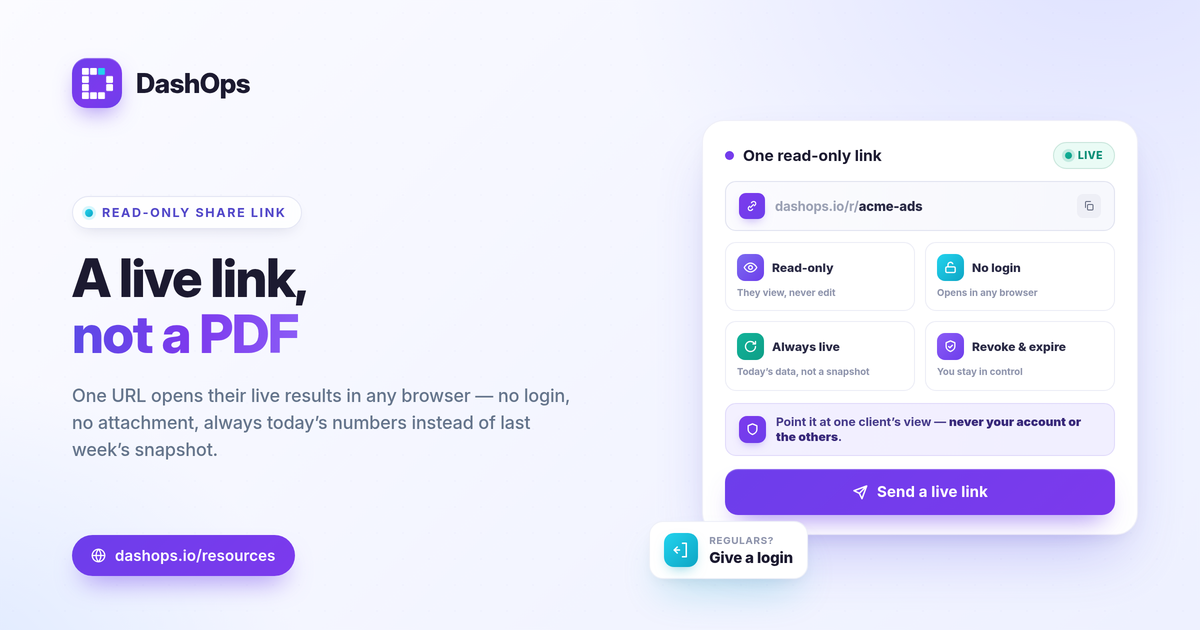
Why a live link beats a PDF attachment
A PDF is a photograph of the numbers at the moment you exported it. The minute Meta refreshes attribution or a campaign keeps spending, the file is out of date, and the client is reading history while asking you about today. A shareable Facebook Ads report fixed in a document also means a new email every time something changes.
A live read-only link removes that loop:
- Always current. The page reads the latest Meta data when the client opens it, so there is no stale-snapshot problem.
- No login friction. The client does not create an account, reset a password, or learn a new tool. They click and read.
- One URL, reused. You send it once. Next week they open the same link and see next week’s numbers.
How to share a read-only link, step by step
The exact buttons vary by tool, but the shape is the same everywhere.
- Open the report or dashboard view you want to share. Set the date range and the ad account so the link lands on exactly what the client should see.
- Generate a share link. This creates a public, read-only URL tied to that view. The client cannot edit, sync, or navigate into your account from it.
- Set access controls. Where the tool allows, add an expiry date and the ability to revoke the link later. Treat the URL like any client document: anyone with it can open it, so send it deliberately.
- Send the URL. Email, Slack, a shared doc, wherever the client lives. They open it in any browser.
That covers the mechanics. The harder part is deciding what the client actually sees.
Choose a public link or a client login
A public read-only link and a named client login solve overlapping but different problems. Pick based on who the reader is and how often they look.
| Public share link | Client user login | |
|---|---|---|
| Best for | One-off or occasional viewing, forwarding to a client’s wider team | A regular stakeholder who checks in often |
| Access | Anyone with the URL, no account | Named, password-protected login |
| Control | Revoke or expire the link | Revoke the user, scope to specific ad accounts |
| Experience | The shared view you point at | A simplified, read-only client portal |
If the person is a recurring contact who wants their own door into the numbers, a read-only Client user is the cleaner fit: it is scoped to the ad accounts you assign and can be revoked per person. If they just need to glance at this month’s performance or forward it to their boss, a share link is faster and lighter.
What to put in the view before you send
The link is only as good as what it points at. A client opening a wall of seventeen metrics learns nothing. Lead with what answers their one real question: did the money work.
- The headline trio. Spend, results, and cost per result, side by side. For lead gen that is leads and cost per lead; for e-commerce it is purchases and ROAS.
- The trend, not just the total. A period-over-period comparison shows whether this month beat last month, which is the actual question behind every report.
- Only the supporting metrics that explain the headline. CTR, CPC, and frequency help diagnose why a number moved. Keep the rest off the shared view.
Frame “good” against the client’s own goals and margin and against last period, not against a universal benchmark. A ROAS that is healthy for one product is thin for another, and cost per lead means nothing without the value of a lead. If you are deciding which numbers belong on a client-facing view in the first place, our guide to the Meta Ads KPIs that matter is a useful starting point.
Keep the link clean and on-brand
Two things make a shared link feel professional rather than improvised.
- Strip the jargon. A client portal that renames CPM to plain language, hides the metrics they do not need, and leads with results reads as built for them, not handed down from an ad platform. Ads Manager was never designed for this, which is the whole case for a dedicated reporting dashboard over raw exports.
- Make it yours. White-label reporting puts your logo and colors on the shared view so the link looks like your studio, not a third-party tool. That matters most when the client forwards it onward. Our piece on white-label client reporting covers when this is worth setting up.
A note on sharing safely
A read-only link is read-only, but it is still a URL anyone with it can open. Keep two habits:
- Scope tightly. Point the link at the one client’s view, not a roll-up that exposes other accounts.
- Expire and revoke. Set an expiry where you can, and revoke a link when an engagement ends or you suspect it has been forwarded too widely. For a stakeholder who needs durable access, move them to a named read-only login instead.
DashOps supports both paths: public read-only share links for quick, no-login viewing, and a simplified read-only client portal for named Client users scoped to the ad accounts you assign, both white-labeled on Growth and Enterprise. See what each plan includes on the pricing page, and the help center walks through generating a link and inviting a client. The practical takeaway: send a live link instead of a PDF, and your client always sees today’s numbers without ever logging in.
Frequently asked questions
Can a client open a read-only Facebook Ads report link without an account?
Is a live share link safe to send to clients?
What is the difference between a share link and a PDF report?
See it in your own dashboard
DashOps brings Meta Ads reporting, campaign management, and white-label client portals into one place. Pick the plan that fits how you run ads.