How Often Should You Export Your Facebook Lead Ads Data? A Reporting Cadence Checklist
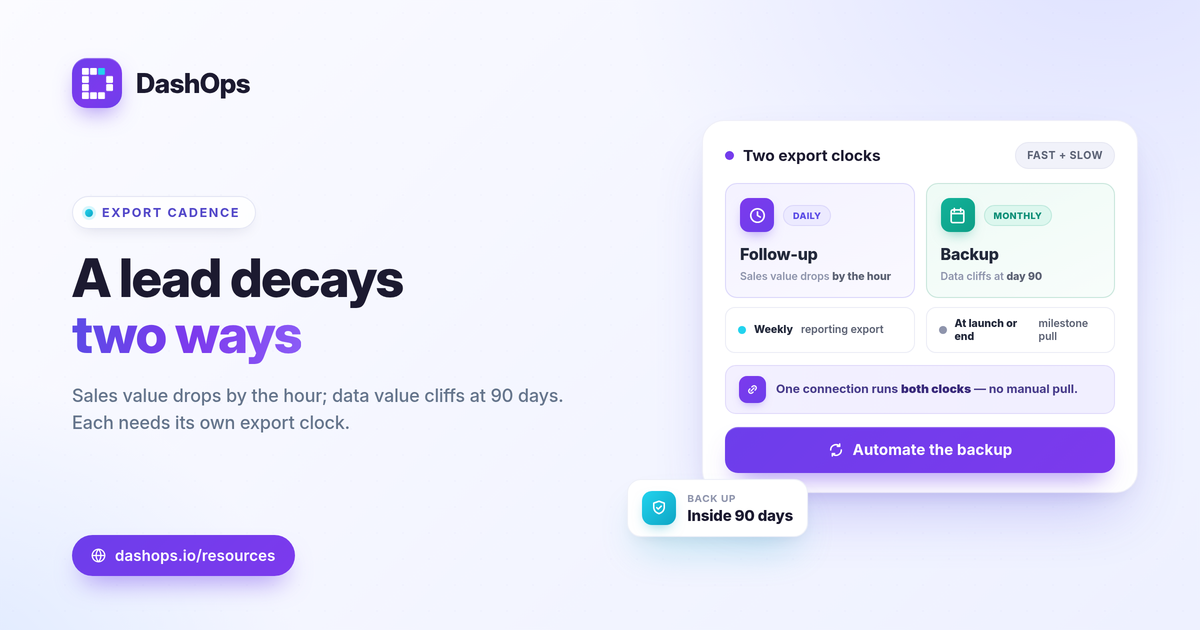
Export your Facebook lead ads data on two clocks at once: a fast one for follow-up and a slow one for safety. The short answer to how often to export Facebook lead ads data is daily or near real time for sales handoff, weekly for performance reporting, and at least monthly for a full backup. That monthly backup is the non-negotiable part, because Meta only lets you download Instant Form leads directly from the Page for a limited window of about 90 days. Miss that window and the only way back is the API or a tool that already captured the data. The checklist below sets a lead export schedule that covers both jobs without creating busywork.
Why cadence matters more than volume
A lead has two values that decay on different timelines. Its sales value drops by the hour, because a contact who filled a form an hour ago is far easier to reach than one from last week. Its data value drops on a cliff, because of the roughly 90-day limit on direct Page downloads. A single monthly export protects your reporting but leaves fresh leads sitting unworked for weeks. A single daily export keeps follow-up sharp but, if it ever fails silently, you can lose a whole batch before anyone notices. The fix is layering exports at different frequencies so each job is covered.
The lead export schedule checklist
Work through these in order. Most teams will use the first three; the last two depend on how you report.
-
Daily or near real time: leads for follow-up. The highest-frequency pull exists to get contacts into the hands of whoever works them. Speed to first contact is the whole game in lead gen, so route new Instant Form submissions out of Meta the same day, ideally automatically. This is where an automated lead export earns its keep: a connected tool drops new submissions into a file or your CRM without anyone remembering to log into Ads Manager.
-
Weekly: a reporting export. Once a week, export the leads tied to your campaigns alongside the cost numbers so you can see lead volume and cost per lead moving together. Cost per lead is simply spend divided by leads, and a weekly view is short enough to catch a rising trend before the month ends. This is your Facebook leads reporting cadence for steering spend, not for backup.
-
Monthly: a full backup well inside 90 days. At least once a month, take a complete export of every lead from the period and store it somewhere you control, such as a spreadsheet, a CRM, or a reporting tool’s archive. Running this monthly means even your oldest leads are captured roughly two months before the direct-download window closes. Treat this as the safety net that makes the 90-day limit a non-issue.
-
Per campaign launch or end: a milestone export. When a lead campaign ends or you turn off a form, pull its leads immediately rather than waiting for the next scheduled run. Paused campaigns are easy to forget, and a forgotten form is exactly the kind of thing that quietly ages past 90 days.
-
On demand: client or stakeholder requests. Keep the ability to produce a clean CSV or Excel file whenever someone asks. If your monthly backup already exists, this is a quick filter rather than a fresh pull from Meta.
How to judge whether your cadence is working
There is no universal right frequency, so judge yours against your own situation rather than a benchmark.
- Follow-up speed. If leads regularly wait more than a day for first contact, your fast clock is too slow. Tighten it toward real time.
- Backup age. Ask how old your oldest un-backed-up lead is right now. If that answer is ever close to 90 days, your slow clock is too slow.
- Reporting friction. If building your weekly or monthly numbers means manually stitching exports together, the cadence is fine but the method needs automation.
The point is to match cadence to goals and margin, not to copy someone else’s schedule. A high-volume e-commerce remarketing form and a low-volume, high-value B2B lead form have very different reporting needs even though both face the same 90-day clock.
What to capture in every export
Frequency only helps if the export is complete. Each pull should keep the lead’s contact fields, the submission timestamp, the form name, and the campaign or ad account it came from, so you can tie leads back to spend later. If you report on more than one form or account, the source labels are what let you compare them. For the metrics side of reporting, the Meta ad KPIs worth tracking covers which numbers belong next to your lead counts, and if you are weighing native exports against connected tools, Ads Manager versus a reporting dashboard lays out the trade-offs.
Make the slow clock automatic
The export people forget is almost always the backup, because it feels less urgent than working today’s leads. That is the dangerous one, since a forgotten backup is the one that ages past the direct-download window. The reliable fix is to stop relying on memory: a scheduled, automated pull keeps a copy safely on hand without anyone logging in. The same setup that handles your daily follow-up export can hold the monthly archive, which means one connection covers both clocks.
DashOps captures Meta Instant Form leads and supports CSV and Excel lead export, so submissions land in a file you control well before the 90-day download window closes, and scheduled email digests keep reporting moving without a manual pull. You can manage leads across multiple ad accounts in one place and hand clients a read-only view through white-label reports. See what each plan includes on the pricing page, and the help center walks through connecting an account. For agencies layering this into a wider workflow, white-label client reporting shows how the lead data fits a branded report.
Set two export clocks, fast for follow-up and slow for backup, and the 90-day limit stops being a risk you have to remember.
Frequently asked questions
How often should I export my Facebook lead ads data?
What happens to Facebook leads after 90 days?
Can I automate Facebook lead ads exports instead of doing them manually?
See it in your own dashboard
DashOps brings Meta Ads reporting, campaign management, and white-label client portals into one place. Pick the plan that fits how you run ads.