How to Export Meta Instant Form Leads to CSV and Excel Before They Are Deleted
A lead you cannot find is a lead you did not pay for. The safest way to export Meta Instant Form leads to CSV is to pull them on a regular cadence rather than waiting until you need them, because Meta only keeps Instant Form leads downloadable from your Facebook Page for a limited window of about 90 days. After that window, the manual download disappears and older leads have to be retrieved through the Meta API or a connected tool. This guide walks through the manual export, the Meta 90-day lead deletion limit, and how to keep a fresh copy so no lead is ever stranded.
Why the 90-day window matters
When someone submits one of your Instant Forms, Meta stores that lead and lets you download it directly from the Page. That direct download is not permanent. Meta only makes Instant Form leads available to download from the Page for roughly 90 days. Once a lead passes that window, the simple manual route is gone, and recovering it means going through the Meta API or a tool that already captured the data while it was live.
This catches people out in predictable ways:
- A campaign you forgot about. Leads kept arriving on an old form while your attention was elsewhere, and by the time you check, the earliest ones have aged out.
- A handover. A team member leaves or a client changes agencies, and nobody downloaded the back catalogue of leads first.
- Slow follow-up. You meant to nurture older leads later, but later arrived after the deletion window closed.
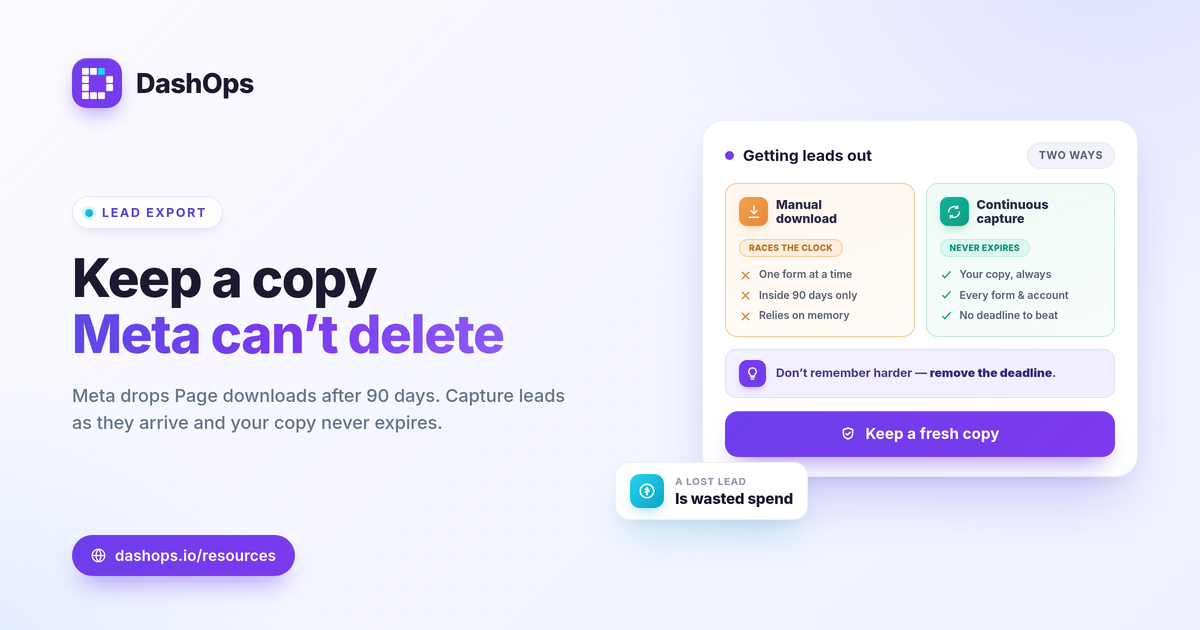
The fix is not to remember harder. It is to remove the deadline from the equation by exporting before the window closes, or by capturing leads continuously so they are never only inside Meta’s window.
How to manually download Instant Form leads
If you only need a one-time pull and your leads are still inside the window, the native route is straightforward.
- Open your Facebook Page and go to the section that holds your forms and leads, often found under publishing or lead tools depending on your Page setup.
- Find the Instant Form tied to the campaign you care about.
- Download the leads as a CSV file. This gives you each submission as a row, with the form field answers as columns.
- Open the CSV in Excel or Google Sheets. To export Facebook leads to Excel as a proper workbook, open the CSV and save it as an XLSX file.
This works, but it has clear limits. It is manual, it has to be repeated for every form, it only reaches leads inside the 90-day window, and it depends on a person remembering to do it. For a single short campaign that is fine. For anything ongoing, the manual download is the thing that eventually fails you.
Capture leads continuously so they never expire
The reliable approach is to stop relying on a deadline you have to beat by hand. When leads are captured on a cadence comfortably shorter than the deletion window, or captured as they come in, no lead ever gets close to aging out, and you always hold your own copy outside Meta.
Capturing leads continuously gives you three things the manual download does not:
- A permanent record. Your leads live in your own CSV or Excel files, not only inside Meta’s 90-day window.
- No dependence on memory. The data is preserved whether or not anyone remembers to download it.
- Consistency across forms and accounts. Every form on every connected account is captured the same way.
DashOps captures Meta Instant Form leads as they come in and lets you export them to CSV or Excel, so the data is yours well before the Meta 90-day lead deletion point. Because the leads are stored as they arrive, you are not racing the window each time you need a Facebook lead ads CSV export.
Choose the right export cadence
How often you should download Instant Form leads depends on your lead volume and how fast you follow up. The guiding principle is simple: pull leads on a cadence comfortably shorter than the retention window, so even your oldest unexported lead is nowhere near expiring.
- Daily suits high-volume lead campaigns or any business where speed of follow-up decides whether a lead converts.
- Weekly is a sensible default for most advertisers and keeps you far inside the window with room to spare.
- Monthly is the loosest cadence that still stays safely inside the 90-day window, but it leaves less margin if a month is skipped.
If you want a deeper look at cadence trade-offs, see how often to export Facebook lead ads data.
What to do with the exported file
An export is only useful if the data goes somewhere. Once you have the CSV or Excel file, route it to where the work happens.
- Into a CRM or sheet. Import the rows so sales or follow-up teams can act on fresh leads. For a structured approach, see routing Facebook Instant Form leads to a CRM.
- Into your reporting. Lead counts on their own tell you volume, not value. Pairing exported leads with cost data lets you track cost per lead, calculated as spend divided by leads, alongside the rest of your Meta KPIs.
- Into client deliverables. If you report to clients, the lead export becomes evidence of the results you generated, which pairs naturally with white-label reporting.
A quick note on counts: Meta’s reported lead numbers can be undercounted because of iOS and App Tracking Transparency changes, which suppress some signal. Your exported list of actual form submissions is the ground truth for who to follow up with, so treat the export as your contact source even when dashboard counts and CRM counts differ slightly.
Where DashOps fits
DashOps connects your Meta ad accounts, captures Instant Form leads as they arrive, and exports them to CSV or Excel so you stay ahead of the Meta 90-day lead deletion limit without depending on manual downloads. The same dashboard reads your spend, leads, and cost per lead across every connected account with period-over-period comparison, and you can package it all into scheduled report digests or share links. See what each plan includes on the pricing page, and the help center covers connecting your accounts and exporting leads. For the metrics worth pairing with your lead data, the guide to Meta ads KPIs to track is a useful next read.
Keep a fresh copy of your leads instead of racing the clock, and the 90-day window stops being something you have to think about.
Frequently asked questions
How long do Meta Instant Form leads stay available to download?
Can I export Facebook lead ads to Excel and not just CSV?
How often should I export Instant Form leads to avoid losing them?
See it in your own dashboard
DashOps brings Meta Ads reporting, campaign management, and white-label client portals into one place. Pick the plan that fits how you run ads.