DashThis Alternative for Facebook and Instagram Ads: Features, Pricing, and Who Each Suits
If you are evaluating a DashThis alternative because your reporting is centered on Facebook and Instagram, the real question is not which tool has more connectors. It is which tool gives you Meta numbers, the right way, with the least setup. DashThis is a broad multi-channel reporting platform that assembles many data sources into preset dashboards. DashOps takes the opposite approach: it is a Meta-focused dashboard with Facebook and Instagram KPIs, demographic and placement breakdowns, and adaptive lead-gen versus e-commerce metrics ready on day one. This post compares the two on approach, not invented numbers, so you can decide which fits how you actually work.
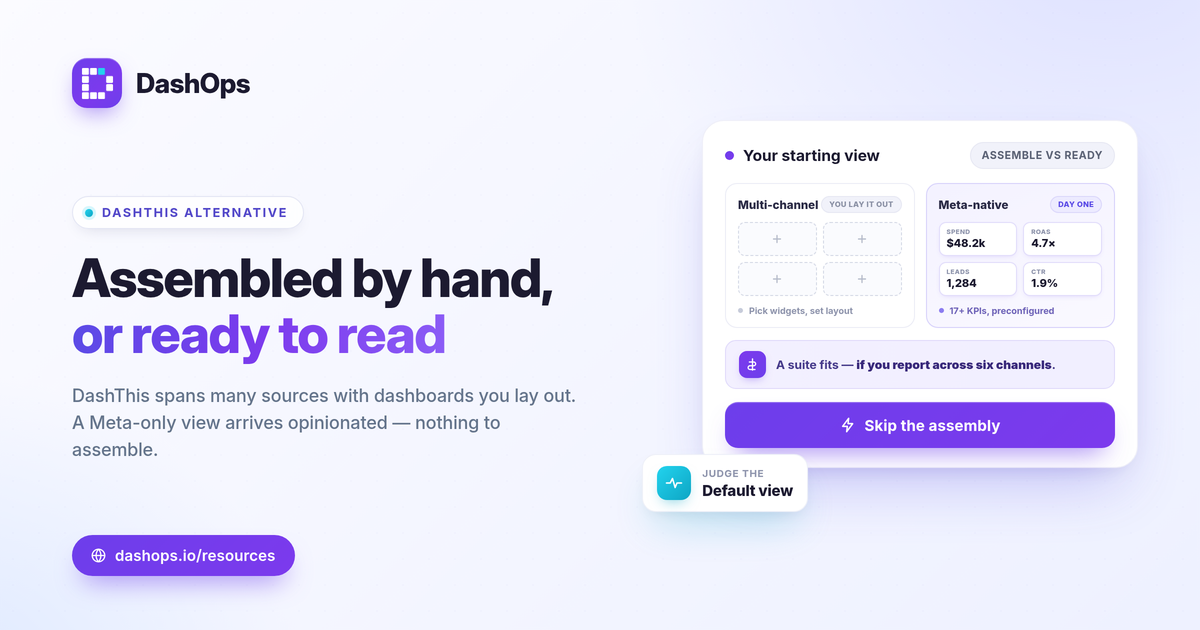
DashThis vs DashOps: the core difference in approach
DashThis and DashOps solve overlapping problems from different starting points, and that starting point shapes everything downstream.
- DashThis is multi-channel by design. It connects to many advertising, analytics, SEO, and social sources and brings them together in preset or custom dashboards. That breadth is the point if you report across Google, Meta, email, organic, and more in one view.
- DashOps is Meta-specialized. Every screen, KPI, and breakdown is built for Facebook and Instagram Ads. There is no channel switching, no generic widget library to assemble, and no mapping Meta fields into a cross-channel template.
Neither approach is universally better. A team reporting on six channels has a genuine reason to want an all-in-one suite. An advertiser, brand, or agency whose performance lives almost entirely on Meta often finds a dedicated dashboard faster to set up and easier to read.
Meta KPIs out of the box, not assembled by hand
The clearest practical gap shows up in how Meta data is presented. In a general-purpose tool, you frequently choose which widgets to add and how to lay them out. In DashOps, the Meta view is opinionated and ready.
- 17+ Meta KPIs preconfigured. Spend, impressions, reach, clicks, CPC, CPM, CTR, frequency, ROAS, purchases, leads, cost per lead, and more, each with period-over-period comparison and trend charts.
- Adaptive KPIs by goal. DashOps detects whether an account is lead-gen or e-commerce and surfaces the right headline metrics, so a lead-gen account leads with cost per lead and lead volume while an e-commerce account leads with ROAS and purchases. The formulas are standard: cost per lead = spend / leads, ROAS = conversion value / spend, CTR = clicks / impressions.
- Breakdowns built in. Age and gender demographics, placement performance, top campaigns, and spend pacing are native views, not custom builds.
If you want a deeper list of what to watch and why, see the Meta Ads KPIs to track.
Pricing model: per ad account vs per data source
Cost structure matters as much as the sticker price, and the two tools price on different axes. We will not quote any numbers here, since both vendors update plans over time. Always confirm current figures on each provider’s own pricing page.
- Multi-channel suites often price around data sources or connectors. That can make sense when you genuinely report across many channels, but it can add up if Meta is your main focus and you are paying for breadth you do not use.
- DashOps prices per Meta ad account. If you run several Meta ad accounts and want them in one place, this keeps cost tied to the thing you actually manage. See what each plan includes on the pricing page.
For the full breakdown of what a Meta dashboard should cost you in time as well as money, the comparison in Facebook Ads Manager vs a reporting dashboard is a useful companion.
Capability and approach comparison
This table compares positioning and approach, not specific competitor pricing or limits, which you should verify directly with each vendor.
| Area | DashThis (multi-channel suite) | DashOps (Meta-focused dashboard) |
|---|---|---|
| Primary scope | Many channels and data sources | Facebook and Instagram Ads only |
| Meta KPIs | Built via widgets and templates | 17+ preconfigured, period-over-period |
| Lead-gen vs e-commerce | Configured by the user | Adaptive KPIs detected automatically |
| Breakdowns | Depends on setup | Native age, gender, placement, campaigns |
| Pricing axis | Typically per data source | Per Meta ad account |
| Exports | Report exports | Native PDF, Excel, CSV |
| White-label | Vendor-dependent | Lite on Growth, Full on Enterprise |
| Lead capture | Channel connectors | Meta Instant Forms with CSV/Excel export |
White-label and client reporting
If you report to clients, white-label and access control are not extras, they are the job. DashOps Growth includes white-label Lite, and Enterprise adds white-label Full with custom domains, a simplified client portal, and read-only Client user roles alongside scheduled email digests, Slack and Discord alerts, and public share links. That covers most freelancer and agency workflows without a separate add-on. The deeper walkthrough lives in white-label client reporting.
Lead capture: a Meta-specific advantage
For lead-gen advertisers, one detail is easy to overlook until it bites. Meta only lets you download Instant Form leads directly from the Page for a limited window, about 90 days, after which leads must be retrieved through the API or a connected tool. DashOps captures Instant Form leads and lets you export them to CSV or Excel, so you are not racing that retention clock manually. A multi-channel suite may treat Meta as one connector among many and not foreground this lead workflow at all.
Who each one suits
- Choose a multi-channel suite like DashThis if you genuinely report across many channels and want one dashboard spanning paid, organic, email, and analytics together.
- Choose DashOps if Meta is your primary or only paid channel, you want preset Meta KPIs and breakdowns without building widgets, you manage one or more ad accounts, and you need clean white-label client reports.
DashOps is built for the second case: a Meta-specialized dashboard with adaptive lead-gen and e-commerce KPIs, native PDF, Excel, and CSV exports, and white-label tiers for client work. You can see what each plan includes on the pricing page, and the help center walks through connecting your first ad account.
The practical takeaway: if your reporting lives on Facebook and Instagram, pick the tool whose default view already answers your Meta questions rather than one you have to assemble.
Frequently asked questions
Is DashOps a direct DashThis alternative?
Does DashOps charge per channel like multi-channel suites?
Can I white-label client reports in DashOps?
See it in your own dashboard
DashOps brings Meta Ads reporting, campaign management, and white-label client portals into one place. Pick the plan that fits how you run ads.