CPA vs CPL in Meta Ads: Which Cost Metric Should You Track?
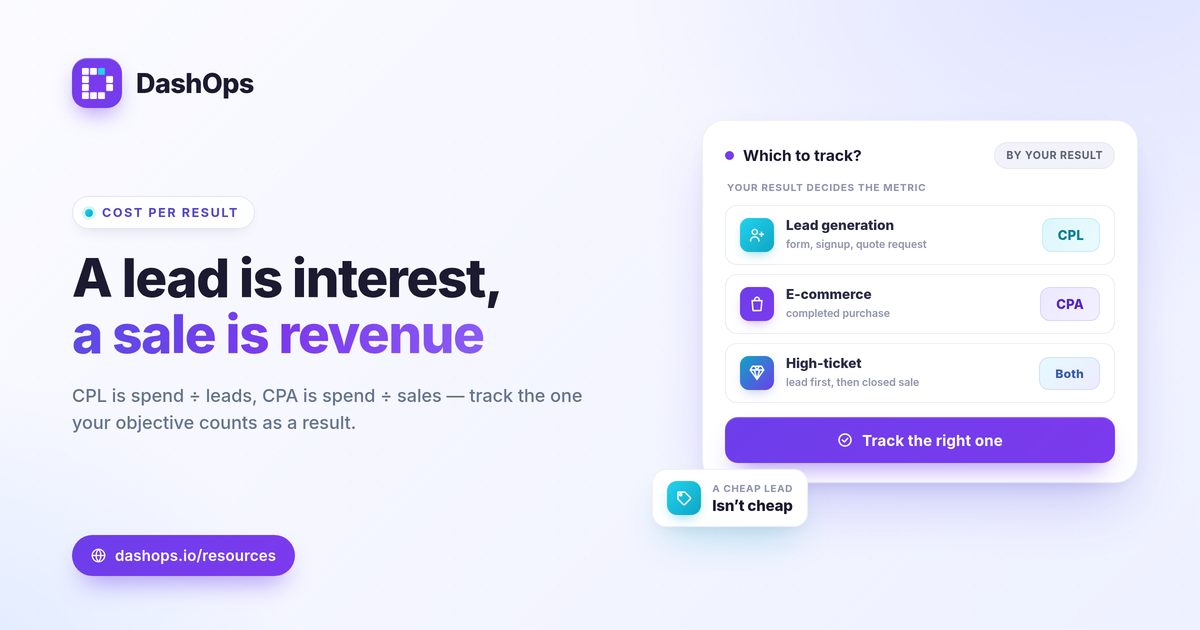
CPA vs CPL in Meta ads measures two different things, and tracking the wrong one makes your reporting misleading. CPA, or cost per acquisition, tells you what you paid for a completed conversion such as a purchase or a paid signup. CPL, or cost per lead, tells you what you paid for a contact who handed over their details but has not bought yet. The short answer: e-commerce accounts track CPA, lead-gen accounts track CPL, and many businesses watch both at different stages. Picking the right one comes down to what counts as a result for your campaign objective.
What CPA and CPL actually measure
The difference is the event you are paying for. A lead is an expression of interest. An acquisition is a finished transaction or qualified conversion. Confusing the two inflates or deflates your apparent efficiency depending on which way you slip.
- Cost per lead (CPL) counts the price of a top-of-funnel contact: a Meta Instant Form submission, a newsletter signup, a quote request. The person is in your pipeline but has not committed money.
- Cost per acquisition (CPA) counts the price of a bottom-of-funnel result: a purchase, a booked appointment that closed, or a paid subscription. This is the outcome tied to revenue.
For a lead-gen business, a CPL of a few dollars can look great while the real cost of a closed customer is far higher, because only a fraction of leads convert. For an e-commerce brand, CPA and cost per purchase are usually the same conversation. Knowing which metric maps to your goal is the foundation of reading Meta results honestly, a theme covered in Meta ads KPIs to track.
The CPA formula and the CPL formula
Both are simple division. The trick is being precise about the numerator and the denominator.
- CPL formula: CPL = total spend / number of leads. If you spent 400 and Meta recorded 80 leads, your CPL is 5.
- CPA formula (Facebook ads): CPA = total spend / number of acquisitions. If you spent 400 and recorded 16 purchases, your CPA is 25.
The CPA formula for Facebook ads uses whatever conversion you have defined as the acquisition event in Meta: a purchase, a complete registration, or a subscription. Cost per result in Ads Manager will mirror CPA when your selected result is that conversion, and mirror CPL when your result is a lead. The number on screen only means what you think it means if you know which event the column is counting.
Lead-gen vs e-commerce metrics: which to track
The right cost metric follows your objective, not your preference. Lead-gen and e-commerce accounts care about different events, so they read different KPIs.
| Account type | Primary cost metric | The result event |
|---|---|---|
| Lead generation | CPL | Form submission, quote request, signup |
| E-commerce | CPA / cost per purchase | Completed purchase |
| Considered or high-ticket | Both, by stage | Lead first, then closed sale |
If you run lead gen, CPL is your day-to-day signal, but it is only half the picture. A cheap lead that never converts is not cheap. Pair CPL with downstream conversion and lead quality, a distinction explored in cost per lead vs lead quality in Meta ads. If you run e-commerce, CPA paired with ROAS tells you whether the acquisition was profitable, not just affordable.
How DashOps switches KPIs for lead-gen vs e-commerce
A reporting tool that shows every account the same KPI grid forces you to hunt for the metric that matters. DashOps takes an adaptive approach: it detects whether an ad account is oriented toward lead generation or e-commerce and surfaces the cost metric that fits.
- Lead-gen accounts foreground leads, cost per lead, and lead volume trends, with Meta Instant Forms lead capture so you can see and export the actual contacts.
- E-commerce accounts foreground purchases, cost per purchase, ROAS, and spend efficiency.
- Both views keep the shared fundamentals visible: spend, impressions, reach, clicks, CPC, CPM, and CTR, with period-over-period comparison so you see whether this period beat the last.
This matters when you manage more than one account with different goals. Instead of mentally translating columns, each account reports in its own language. If you want the broader reasoning behind adaptive KPIs, see lead-gen vs e-commerce Meta KPIs.
Reading the numbers without fooling yourself
A cost metric in isolation tells you very little. Two habits keep CPA and CPL honest.
- Judge against your own goal, not a universal number. A good CPL or CPA is one that leaves room for profit given your margin and your conversion rate from lead to sale. Compare this period to your prior period and to your own target rather than to a benchmark you read somewhere.
- Watch attribution gaps. iOS privacy changes cause Meta to undercount some conversions, which can make CPA and CPL look worse than the real picture. Reconciling Meta-reported results with your own sales or CRM data closes that gap.
One platform detail worth planning around for lead gen: Meta only lets you download Instant Form leads directly from the Page for a limited window, about 90 days, after which you need the API or a connected tool to retrieve them. Exporting on a schedule keeps your CPL denominator complete and your contacts safe.
DashOps reads all 17 plus Meta KPIs, including the cost metrics above, across every connected ad account in one dashboard, then adapts the view to lead-gen or e-commerce so the right number is front and center. You can export those numbers to PDF, Excel, or CSV and share them through white-label client reports. See what each plan includes on the pricing page, and the help center walks through connecting an account.
The practical takeaway: track CPL when a lead is your result and CPA when a sale is your result, and always read either one against your own margin and prior-period trend rather than a number from elsewhere.
Frequently asked questions
Is CPA the same as CPL in Meta ads?
What is the CPA formula for Facebook ads?
Should lead-gen and e-commerce accounts track different cost metrics?
See it in your own dashboard
DashOps brings Meta Ads reporting, campaign management, and white-label client portals into one place. Pick the plan that fits how you run ads.