How to Calculate Cost Per Lead on Facebook Ads
The cost per lead formula, in one line
Cost per lead on Facebook ads is your ad spend divided by the number of leads you collected: CPL = spend / leads. If you spent $600 on a campaign and it brought in 40 leads, your cost per lead is $15. That is the whole calculation. The work is not the arithmetic, it is making sure both numbers are clean: the same date range, the same definition of a lead, and a count you trust. Get those right and CPL becomes one of the clearest signals you have for whether a lead-gen campaign is paying off.
How to calculate cost per lead step by step
Knowing how to calculate cost per lead on Facebook ads is mostly about deciding what goes into each side of the division. Follow these steps in order.
- Pick a date range. Choose the period you want to measure, for example last 30 days or a single campaign’s run. Both spend and leads must come from the exact same window, or the ratio is meaningless.
- Pull the spend. This is the amount spent for that range, at the level you care about: the whole account, one campaign, or one ad set. Use the real amount spent, not the budget you set.
- Count the leads. Decide what a lead is for this calculation. It might be every Instant Form submission, every pixel lead event, or only leads that passed a qualifying question. Be consistent.
- Divide. Spend divided by leads gives you CPL for that range and that level.
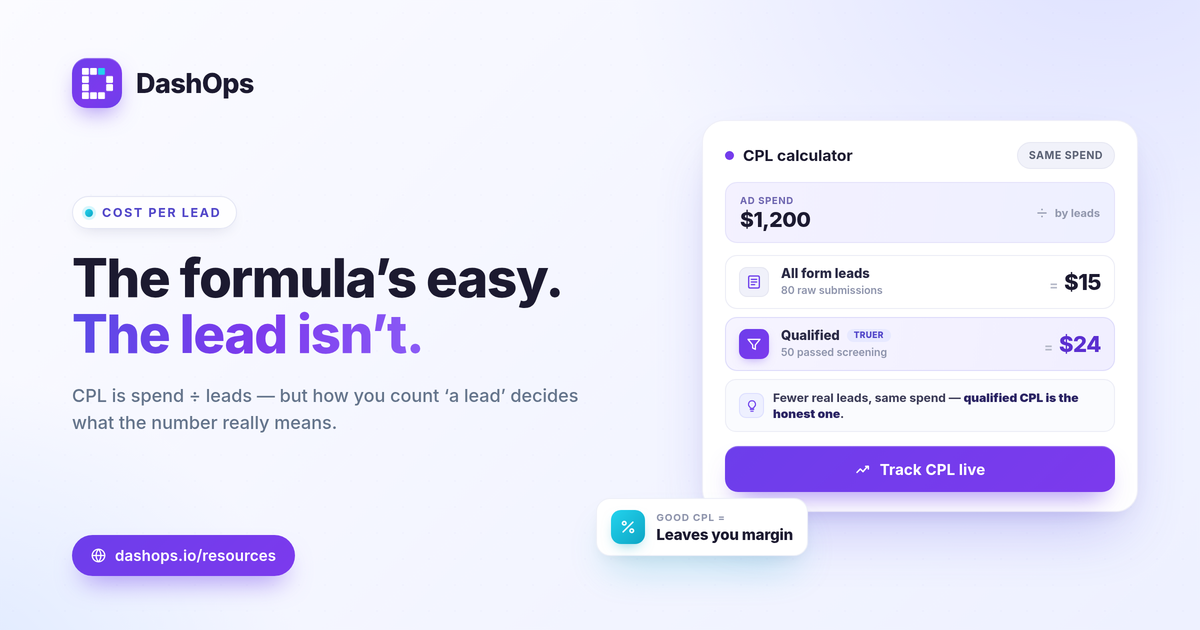
A quick worked example. Say Acme Apparel ran a lead-gen campaign for two weeks, spent $1,200, and Meta reported 80 leads. CPL is 1,200 / 80 = $15 per lead. If you also want cost per qualified lead and only 50 of those 80 passed your screening question, then qualified CPL is 1,200 / 50 = $24. Same spend, different denominator, very different number. This is why the definition of a lead matters as much as the formula.
Where the lead count comes from
Facebook ads collect leads in two main ways, and they count differently.
- Meta Instant Forms capture the lead inside Facebook or Instagram without sending the person to your site. Meta reports these as leads directly, so the count is usually reliable.
- Website leads via the pixel fire when someone submits a form on your landing page and the pixel records a Lead event. These depend on your pixel setup and are more affected by privacy restrictions.
The split matters because the two sources can produce different CPLs in the same account. Lead-gen campaigns on DashOps use adaptive KPIs that surface leads and cost per lead, so you can see how the metric is moving rather than recompute it by hand. If you want the underlying glossary, the post on the Meta Ads KPIs every advertiser should track walks through how leads, spend, and the cost-per-result metrics relate.
What is a good cost per lead on Facebook ads?
There is no single benchmark CPL that is “good,” and anyone who quotes one without context is guessing. A $5 lead can be terrible and a $90 lead can be excellent. What makes a CPL good is whether it still leaves you profitable after the rest of your funnel. Judge it three ways.
- Against your unit economics. Work backward from value. If you close 1 in 5 leads and a customer is worth $400, then a $40 CPL means $200 of ad spend per sale. Whether that works depends on your margin, not on an average.
- Against your own goal. Set a target CPL before the campaign, based on the math above, and measure against it. The target is yours, not the industry’s.
- Against your trend. A period-over-period comparison tells you more than any absolute number. If last month’s CPL was $18 and this month is $24 on the same offer, something changed and is worth investigating, even if $24 is “fine” in the abstract.
If you want to think through CPL alongside the related efficiency metrics, the ROAS vs CPL vs CPA explainer covers how they differ and when each one is the right lens.
Why your CPL can mislead you
The formula is simple, but a few things quietly distort the result. Watch for these.
- Mixing lead definitions. Counting raw form submits one month and qualified leads the next will make CPL swing for no real reason. Pick one definition and hold it.
- Lead quality, not just volume. A cheaper CPL that produces leads who never convert is more expensive than a higher CPL that closes. CPL measures cost, not value, so always pair it with what happens after the lead.
- Undercounting from iOS and privacy changes. Apple’s tracking restrictions cause Meta to miss some conversions, which can make pixel-based website leads look fewer and your CPL look higher than reality. Instant Form leads are less affected because they happen inside Meta.
- Duplicates and spam. Real leads in your CRM are usually fewer than the raw count Meta reports, after you strip out junk submissions.
The fix for most of this is reconciliation: compare what Meta reports against the leads that actually land in your system. That means exporting your leads.
Getting the lead data out to verify CPL
To trust your CPL you need to see the actual leads, not just the count. One practical constraint to plan around: Meta only lets you download Instant Form leads directly from the Page for a limited window, about 90 days, after which the leads must be retrieved through the API or a connected tool. If you rely on manual CSV downloads from the Page, older leads quietly become unreachable.
A reporting tool that pulls and stores those leads removes the deadline and gives you a clean export to match against your CRM, which is how you confirm your real, qualified CPL rather than the raw Meta figure. The post on the 90-day lead retention limit goes deeper on that window if you collect a lot of leads.
Bringing CPL into your reporting
Once you have a clean lead count and a trustworthy spend figure, CPL is something you want to see at a glance rather than recompute by hand each week. DashOps auto-computes cost per lead for lead-gen ad accounts that use Instant Forms, shows it next to spend and lead volume with period-over-period comparison, and lets you export the underlying leads to CSV or Excel for CRM reconciliation. You can connect multiple Meta ad accounts and read CPL across all of them in one dashboard. See what each plan includes on the pricing page, and the help center covers connecting an account and setting up lead capture.
The takeaway: divide spend by leads, hold your definition of a lead steady, and judge the result against your own margin and last period rather than a number you read somewhere.
Frequently asked questions
What is the formula for cost per lead on Facebook ads?
What counts as a good cost per lead on Facebook ads?
Why does my Facebook CPL look different from my CRM?
See it in your own dashboard
DashOps brings Meta Ads reporting, campaign management, and white-label client portals into one place. Pick the plan that fits how you run ads.