What Is Meta's 90-Day Lead Retention Limit and How to Stop Losing Instant Form Leads
Meta’s 90-day lead retention limit means you can download Instant Form leads directly from your Facebook Page for only about 90 days after someone submits. After that window, those leads must be retrieved through the Meta API or a connected tool, and if you have no copy anywhere else, they become very hard to recover. The fix is simple in principle: pull every lead off Meta automatically and keep a permanent copy somewhere you control. This post explains the Facebook lead deletion 90-day behavior, why it catches people off guard, and how an automated export pipeline makes the limit a non-issue.
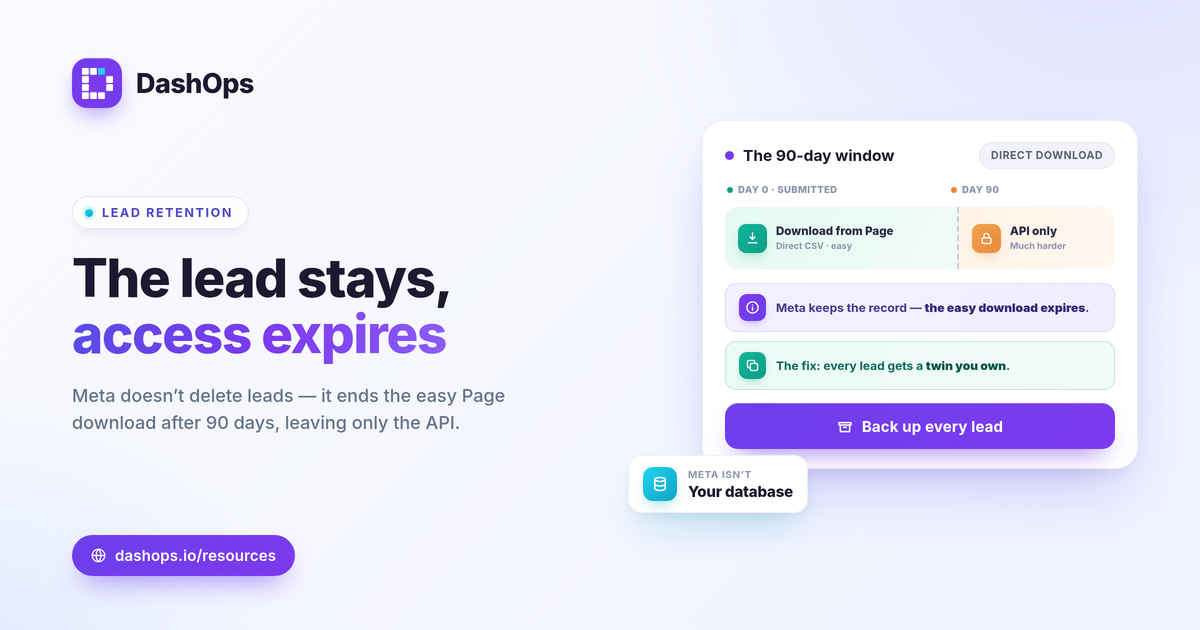
What the Meta 90-day lead retention limit actually means
When someone fills out a Meta Instant Form, the lead is held against your Facebook Page. You can open the Page or Meta Ads Manager and download those leads as a CSV. That direct download is the part with a time limit.
- The limit is on direct download, not the form. Your forms keep collecting leads indefinitely. What expires is your ability to grab the backlog straight from the Page.
- The window is roughly 90 days. After about three months, older leads drop out of the direct download, and you are pointed to the Meta API or a connected tool instead.
- No copy means real loss. If you never exported and never connected anything, leads past the window are effectively stranded. The record may still exist inside Meta, but getting it out becomes a developer task rather than a click.
This is the core of Instant Form lead retention: Meta is not your database. It is a collection point with an expiry on easy access.
Why advertisers get caught by Facebook lead deletion at 90 days
The limit rarely bites on day one. It bites later, quietly, when someone finally goes looking for older leads.
- Manual exports get skipped. Downloading a CSV every week is the kind of task that slips when you are busy. Miss enough weeks and the oldest leads age out.
- The leads look fine until they are gone. Recent submissions download normally, so nothing seems wrong. The gap only appears when you scroll back past the window.
- Sales follow-up runs on a delay. A lead from a campaign two or three months ago may only get worked now. If it has aged out and was never saved, the contact is lost at the exact moment it mattered.
- Account access changes. If a Page admin leaves, an ad account is reassigned, or a client relationship ends, un-exported leads can disappear with that access.
None of this is dramatic in the moment, which is why it is dangerous. The cost is invisible until you need a lead you no longer have.
How an automated export pipeline keeps a permanent copy
The way to save Facebook leads reliably is to stop relying on memory. An automated export pipeline pulls each new lead off Meta and stores it somewhere you own, on a schedule, so the 90-day clock never matters.
- Pull continuously, not in batches. A connection that retrieves new submissions as they arrive means every lead is captured the day it comes in, long before the window closes.
- Store outside Meta. The copy should live in your CRM, your spreadsheet, or your own exported files. The goal is that losing Page access never means losing leads.
- Keep the full record. A good lead capture backup keeps the form fields, the campaign and ad it came from, and the submission date, so the lead is still useful later, not just a name and email.
- Make export the default, not a chore. When the pipeline runs on its own, there is no weekly task to forget and no backlog creeping toward the limit.
Think of it as a one-way street out of Meta. Every lead that enters a form should immediately have a twin sitting in storage you control.
Choosing a cadence that stays safely inside the window
You do not need real-time capture to be safe, but you do need a rhythm that never lets un-exported leads approach 90 days.
- Continuous or daily is the safest. Each lead is backed up within hours, and a backlog never forms.
- Weekly works for lower-volume forms, as long as it actually happens every week without fail.
- Manual and occasional is the pattern that fails. If your export depends on someone remembering, treat that as a gap to close.
If you want to think through frequency for your own setup, the post on how often to export Facebook lead ads data walks through it in more depth.
Where reporting fits alongside the backup
Backing up leads and reporting on them are two different jobs, and it helps to keep them separate in your head.
- The backup answers “do I still have this person.” That is the 90-day problem, solved by export and storage.
- The report answers “is this working.” That is volume, cost per lead, and lead quality over time. Cost per lead is spend divided by leads, and judging whether it is good comes from comparing it against your own margin and your prior-period trend, not a universal benchmark.
You want both. A pile of saved leads with no reporting tells you nothing about performance, and a clean dashboard with no backup leaves you exposed when the window closes. For the metrics worth watching on the performance side, see the Meta ads KPIs to track, and for why a dashboard beats raw Ads Manager exports, see Ads Manager versus a reporting dashboard.
Putting it together in one place
DashOps connects your Meta ad accounts, captures Instant Form leads, and lets you export them to CSV or Excel so a permanent copy lives on your side rather than aging out of Meta. The same dashboard reports lead volume and cost per lead with period-over-period comparison, and white-label client reports let you share results without exposing the raw account. You can see what each plan includes on the pricing page, and the help center covers connecting an account and setting up lead capture.
The practical takeaway: treat Meta as a collection point with an expiry, and make a copy of every lead the moment it arrives so the 90-day limit never costs you a contact.
Frequently asked questions
Does Meta really delete my Instant Form leads after 90 days?
Where should I store Facebook leads so I never lose them?
How often should I export Facebook Instant Form leads?
See it in your own dashboard
DashOps brings Meta Ads reporting, campaign management, and white-label client portals into one place. Pick the plan that fits how you run ads.