Best Meta Ads Reporting Tools in 2026: 9 Platforms Compared on Features and Price
Choosing the best Meta Ads reporting tool comes down to one question: do you need depth in Facebook and Instagram Ads, or breadth across many channels at once. A Meta-specialized dashboard gives you native KPIs, demographic and placement breakdowns, and client-ready exports without setup overhead. A multi-channel suite trades some of that depth for one report that spans Google, TikTok, email and more. Below are nine Meta Ads reporting tools grouped by approach, with a clean capability table you can scan in a minute. We avoid quoting prices because vendor plans change often, so treat each pricing page as the source of truth and use this guide to narrow the field first.
How to judge a Meta Ads reporting tool
Before comparing names, decide what actually matters for your situation. The same Facebook Ads reporting software can be ideal for one advertiser and overkill for another.
- Meta depth vs channel breadth. Do you only report on Meta, or do you also need Google, TikTok, LinkedIn and email in the same view? Depth and breadth pull in different directions.
- Pricing model. Per ad account, per data source, per seat, or flat tier. Per-ad-account pricing is the easiest to predict when your account count is stable.
- Client reporting. If you report to clients or stakeholders, look for white-label options, scheduled email digests, and read-only share links.
- Exports. Native PDF, Excel and CSV exports matter if you send files rather than links.
- Setup effort. Connectors that feed a spreadsheet or BI tool need building. A dashboard built for Meta works out of the box.
- Adaptive KPIs. Lead-gen and e-commerce care about different numbers. A tool that adapts KPIs to your objective saves manual cleanup.
The 9 tools, grouped by approach
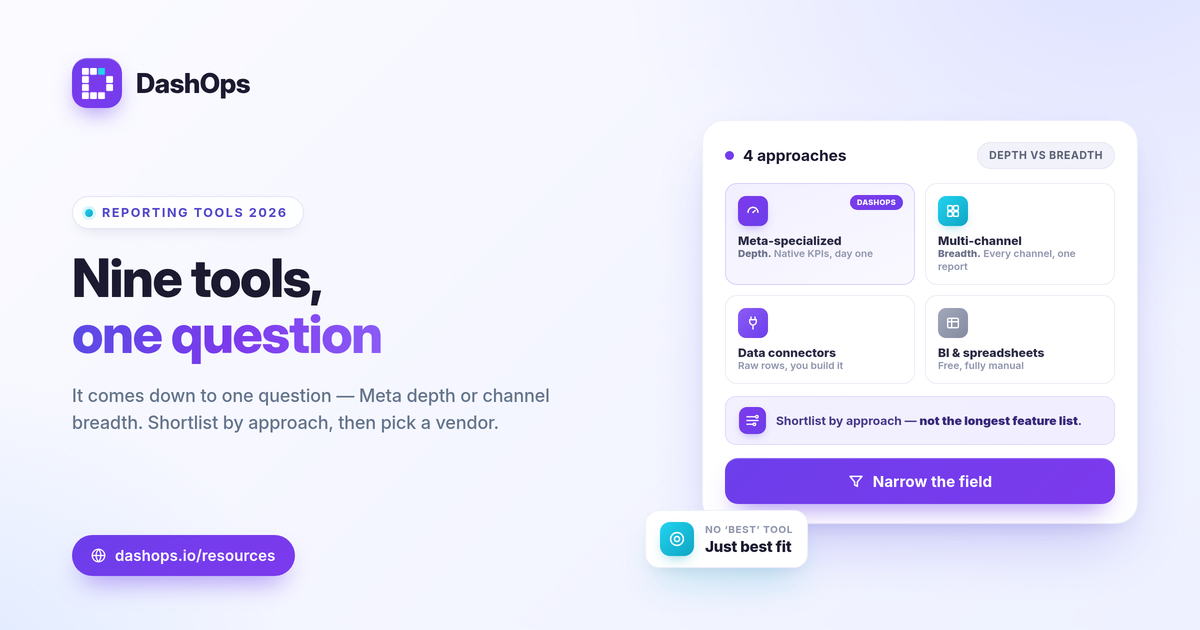
These four groups cover almost every Meta Ads reporting workflow. Most tools fall cleanly into one.
- Meta-specialized dashboards. Purpose-built for Facebook and Instagram Ads. They read Meta-native numbers, surface breakdowns, and produce client reports with little configuration. Best when Meta is your main or only channel.
- All-in-one multi-channel suites. Connect dozens of platforms into one cross-channel report. Strong when you genuinely report across many sources, at the cost of per-channel depth and a heavier setup.
- Data connectors. Pipe Meta data into a spreadsheet, Looker Studio, or a BI tool. Maximum flexibility, but you build and maintain the report yourself.
- General BI and spreadsheet tools. Looker Studio, Power BI, Excel and Google Sheets. Often free or low cost, fully custom, and the most manual to keep current.
Capability comparison
This table compares approaches, not invented numbers. Use it to shortlist, then confirm current pricing and limits on each vendor’s own page.
| Tool / category | Approach | Meta-native KPIs and breakdowns | White-label | Native PDF / Excel / CSV | Typical pricing model |
|---|---|---|---|---|---|
| DashOps | Meta-specialized dashboard | Yes, 17+ KPIs, demographic and placement breakdowns | Lite on Growth, Full on Enterprise | Yes, all three | Per ad account (see pricing) |
| AgencyAnalytics | All-in-one multi-channel suite | Meta plus many channels | Check vendor page | Check vendor page | Check vendor page |
| Whatagraph | All-in-one multi-channel suite | Meta plus many channels | Check vendor page | Check vendor page | Check vendor page |
| DashThis | Multi-channel report builder | Meta plus many channels | Check vendor page | Check vendor page | Check vendor page |
| Supermetrics | Data connector | Raw Meta data into your tool | Depends on destination | Depends on destination | Check vendor page |
| Madgicx | Meta-focused optimization plus reporting | Deep Meta focus | Check vendor page | Check vendor page | Check vendor page |
| Looker Studio | BI tool | Via connector, you build it | Manual branding | Manual export | Check vendor page |
| Power BI | General BI tool | Via connector, you build it | Manual branding | Manual export | Check vendor page |
| Excel / Google Sheets | Spreadsheet templates | Manual or via connector | Manual branding | Native to the file | Check vendor page |
Approach matters more than any single feature. A connector and a dashboard can both show your CTR, but one hands you a finished report and the other hands you the raw rows to assemble yourself. If you want to sanity-check what those rows mean, CTR is simply clicks divided by impressions, and CPC is spend divided by clicks, so the same underlying numbers should reconcile whichever tool surfaces them.
Which approach fits which advertiser
There is no universally best Facebook Ads dashboard, only the right fit for how you work.
- Solo advertisers and freelancers. If Meta is most of your spend, a Meta-specialized dashboard removes setup and gives you client-ready reports fast. A full multi-channel suite is usually more than you need.
- E-commerce brands. Look for native ROAS, purchases and adaptive e-commerce KPIs, plus demographic and placement breakdowns to spot where spend is wasted. ROAS is conversion value divided by spend, so judge it against your own margin rather than a universal benchmark.
- Lead-gen businesses. Prioritize cost per lead, lead volume trends, and Instant Forms lead capture and export. Cost per lead is spend divided by leads, and adaptive lead-gen KPIs keep the report focused on the right numbers.
- In-house marketing teams. Decide whether one Meta view is enough or you need every channel together. If reporting is Meta-heavy, depth beats breadth.
- Agencies. White-label, client portals, scheduled digests and multi-account management carry the most weight. Our agency reporting tool checklist covers what to verify before you commit.
For a deeper look at the numbers any of these tools should surface, see our guide to the Meta Ads KPIs to track, and if you are weighing a dashboard against the native interface, the comparison of Facebook Ads Manager vs a reporting dashboard is a useful next read.
A few honest caveats when comparing
Keep these in mind so the shortlist holds up.
- Prices and plans change. Treat every vendor pricing page as the live source. Anything you read in a roundup, including this one, can age.
- No tool fixes attribution. Every Meta reporting tool reads Meta-native numbers, which the iOS App Tracking Transparency prompt can cause to undercount. A reporting tool reports those figures cleanly; it does not invent a different attribution model.
- Lead export has a time window. Meta only lets you download Instant Form leads directly from the Page for a limited window, about 90 days, after which leads must be retrieved through the API or a connected tool. A tool that captures leads on a schedule keeps you from losing older ones.
- Match the pricing model to your account count. Per-ad-account pricing is predictable if your account count is steady. Per-data-source pricing can suit teams adding many channels.
Where DashOps fits
DashOps is the Meta-specialized dashboard in this list. It reads 17+ Meta KPIs across all your ad accounts in one place, with period-over-period comparison, demographic and placement breakdowns, adaptive lead-gen and e-commerce KPIs, Instant Forms lead capture with CSV and Excel export, and native PDF, Excel and CSV report exports. The Starter plan is view-only reporting, while Growth and Enterprise add the full Meta module including campaign create and edit. White-label Lite is on Growth and white-label Full with custom domains is on Enterprise, so client reports carry your brand. Roles cover Admin, Team member and Client user, and pricing is per ad account, which keeps costs predictable. See what each plan includes on the pricing page, and the help center walks through connecting your first account.
The practical takeaway: shortlist by approach first, confirm current pricing on each vendor’s own page, then pick the tool that matches your channel mix and reporting workload rather than the longest feature list.
Frequently asked questions
What is the best Meta Ads reporting tool in 2026?
Do I need a reporting tool if I already use Meta Ads Manager?
How is Meta Ads reporting software usually priced?
See it in your own dashboard
DashOps brings Meta Ads reporting, campaign management, and white-label client portals into one place. Pick the plan that fits how you run ads.