What Is the Best Meta Ads Reporting Tool for Freelancers and Solo Advertisers?
The best Meta Ads reporting tool for freelancers is usually a focused, Meta-specialized dashboard priced per ad account, not a full agency suite you pay for whether you use it or not. As a solo advertiser you need the metrics tied to your goal, period-over-period comparison, clean exports, and maybe a client-ready share link. You do not need cross-channel connectors, seat licenses, or a platform built for a ten-person media team. The right pick is the one that reports Meta numbers accurately, costs in proportion to the accounts you actually connect, and lets you send a tidy report in minutes.
What “best” actually means for a solo operator
For a freelancer or small business, the best tool is the cheapest capable one, not the most feature-dense. Two things drive the decision.
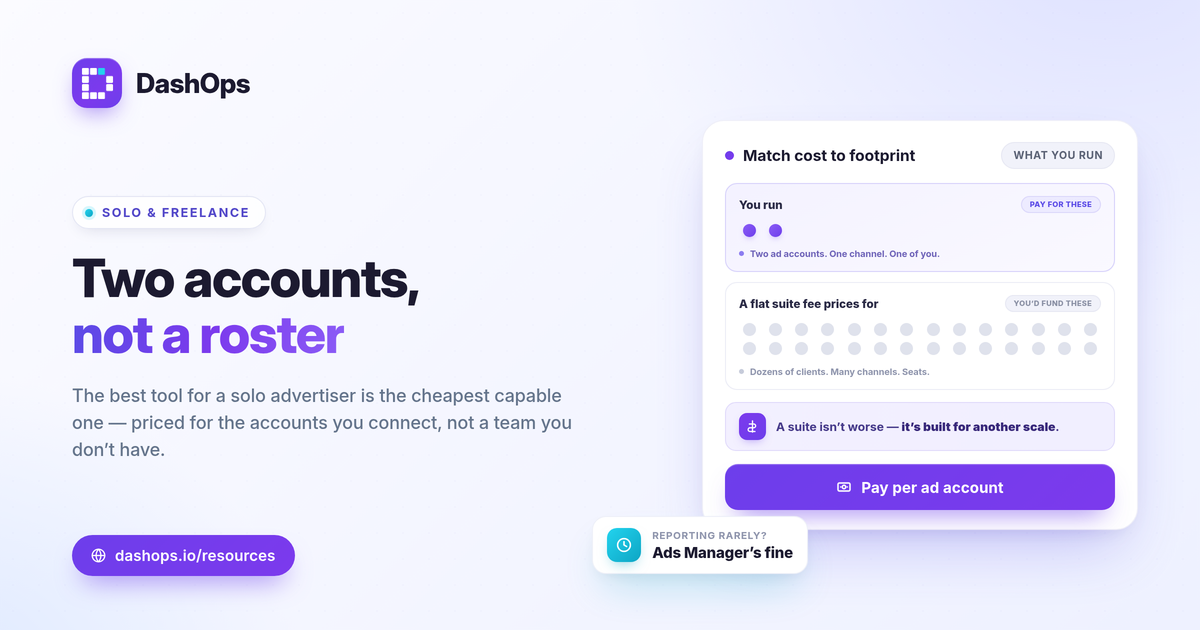
- Pricing model. Per ad account pricing means you pay for what you connect. A solo advertiser running one or two accounts should not subsidize a suite built around dozens of clients across many channels.
- Fit to your work. Facebook Ads reporting for solo advertisers usually means one or two accounts, a handful of KPIs, and reports you can read yourself or hand to a client without rebuilding them by hand.
If a tool charges a flat platform fee that assumes a full agency roster, it is rarely the right Meta Ads reporting for small business. Match the cost to your actual footprint.
Ads Manager, spreadsheets, or a dashboard?
Most solo advertisers start in one of these three places. Each has a clear best use.
- Ads Manager. Free and authoritative for live checks. It is built for running campaigns, not for sending repeatable reports, and it does not produce a branded client document. See Facebook Ads Manager vs a reporting dashboard for the full split.
- Spreadsheets and templates. Free upfront and flexible. The cost is your time: manual exports every period, formula upkeep, and no automatic period-over-period view. Fine for occasional one-off reports.
- A dedicated dashboard. Pulls KPIs automatically, compares periods, and exports a clean report. This is where a focused Meta Ads dashboard earns its keep once reporting becomes a recurring chore.
The honest answer: if you report once in a while, Ads Manager plus a template is fine. If you report on a schedule, a dashboard pays back its cost in saved hours.
The KPIs a freelancer’s tool must cover
Whatever you choose, it has to surface the numbers that map to your objective, not just a wall of metrics.
- Spend and results. What you spent and what you got, side by side.
- Efficiency. Cost per result, whether that is cost per lead (spend / leads) or cost per purchase.
- Return. ROAS (conversion value / spend) for sales, or pipeline value for lead gen.
- Reach and frequency. Watch frequency to spot fatigue before performance slides, and judge each number against your own goal, margin, and prior-period trend rather than a universal benchmark.
A good tool also adapts to what you run. Lead-gen and e-commerce care about different headline numbers, so the dashboard should switch its KPIs to match. For a deeper list, see Meta Ads KPIs to track.
How to compare tools without getting lost
Vendors differ more on approach than on raw features. Compare on positioning, then check each vendor’s current pricing page for exact, up-to-date figures.
| Approach | What it suits | Trade-off for a solo operator |
|---|---|---|
| Meta-only specialized dashboard | One channel, deep Meta breakdowns | Will not report other channels |
| All-in-one multi-channel suite | Teams reporting across many platforms | You pay for channels and seats you may not use |
| Free spreadsheet or template | Zero budget, occasional reports | Manual exports and ongoing upkeep |
| General BI or dashboard builder | Custom dashboards, technical users | Setup and maintenance time |
A solo advertiser running only Meta rarely needs the breadth of a multi-channel suite. The narrower, Meta-focused option is usually cheaper and faster to set up. Be fair when you weigh options: a suite is not worse, it is built for a different scale, so confirm each vendor’s current pricing and feature list before deciding.
Client-facing extras that matter for freelancers
If you report to clients, a few capabilities separate a personal dashboard from a presentable one.
- White-label reports. Your name on the report, not the tool’s. This is what makes a per ad account pricing reporting tool viable for client work without an agency budget. See white-label client reporting.
- Share links and a client portal. A read-only link or simplified portal lets a client check numbers without logging into Ads Manager.
- Scheduled digests. An automatic weekly or monthly email keeps clients informed without you assembling it each time.
These turn a reporting tool into a light client-facing system, which is often the real reason a freelancer pays for one.
A quick note on the numbers themselves
Any tool that reads Meta will report Meta’s own figures, so the same caveats apply everywhere. Conversions attributed in Meta can run lower than your actual sales because of iOS privacy changes and attribution windows, which cause undercounting. A reporting tool does not fix this; it reports what Meta provides. Treat Meta numbers as the trend line and reconcile against your real sales or CRM before drawing conclusions.
One more platform fact worth planning around if you run lead ads: Meta only lets you download Instant Form leads directly from the Page for a limited window, about 90 days, after which leads must be retrieved through the API or a connected tool. If lead capture matters, choose something that pulls leads automatically rather than relying on manual downloads.
Where DashOps fits
DashOps is a Meta-specialized dashboard priced per ad account, which is the combination most freelancers and solo advertisers are after: pay for the accounts you connect, get 17 plus Meta KPIs with period-over-period comparison, demographic and placement breakdowns, and native PDF, Excel, and CSV exports, plus white-label reports and read-only share links when you take on clients. See what each plan includes on the pricing page, and the help center walks through connecting your first ad account.
The best tool is the one whose cost and feature set match how many accounts you run and who reads the report, so pick for your footprint, not for a team you do not have.
Frequently asked questions
Do freelancers need a paid Meta Ads reporting tool or is Ads Manager enough?
What is the lowest-cost way to report on Meta Ads as a solo advertiser?
What should a freelancer look for in a Meta Ads reporting tool?
See it in your own dashboard
DashOps brings Meta Ads reporting, campaign management, and white-label client portals into one place. Pick the plan that fits how you run ads.