White Label Reporting for Small Agencies: What Matters
You do not have a design team. You probably do not have a developer either. You have a handful of Meta Ads clients, a logo somewhere in a folder, and a reporting routine that currently ends with you exporting something and pasting it into a deck. Then a client forwards your report to their boss, and the first thing that boss sees is another company’s name at the top of it.
That is the specific problem white label reporting solves for a small agency, and it is worth being precise about it, because most advice on the topic is written for firms with a brand team and a procurement process. A two-person shop has different constraints. You need the branding to be right, you need it to be a short job rather than a project, and you need it to stay right when you add your fifth client without doing the work again.
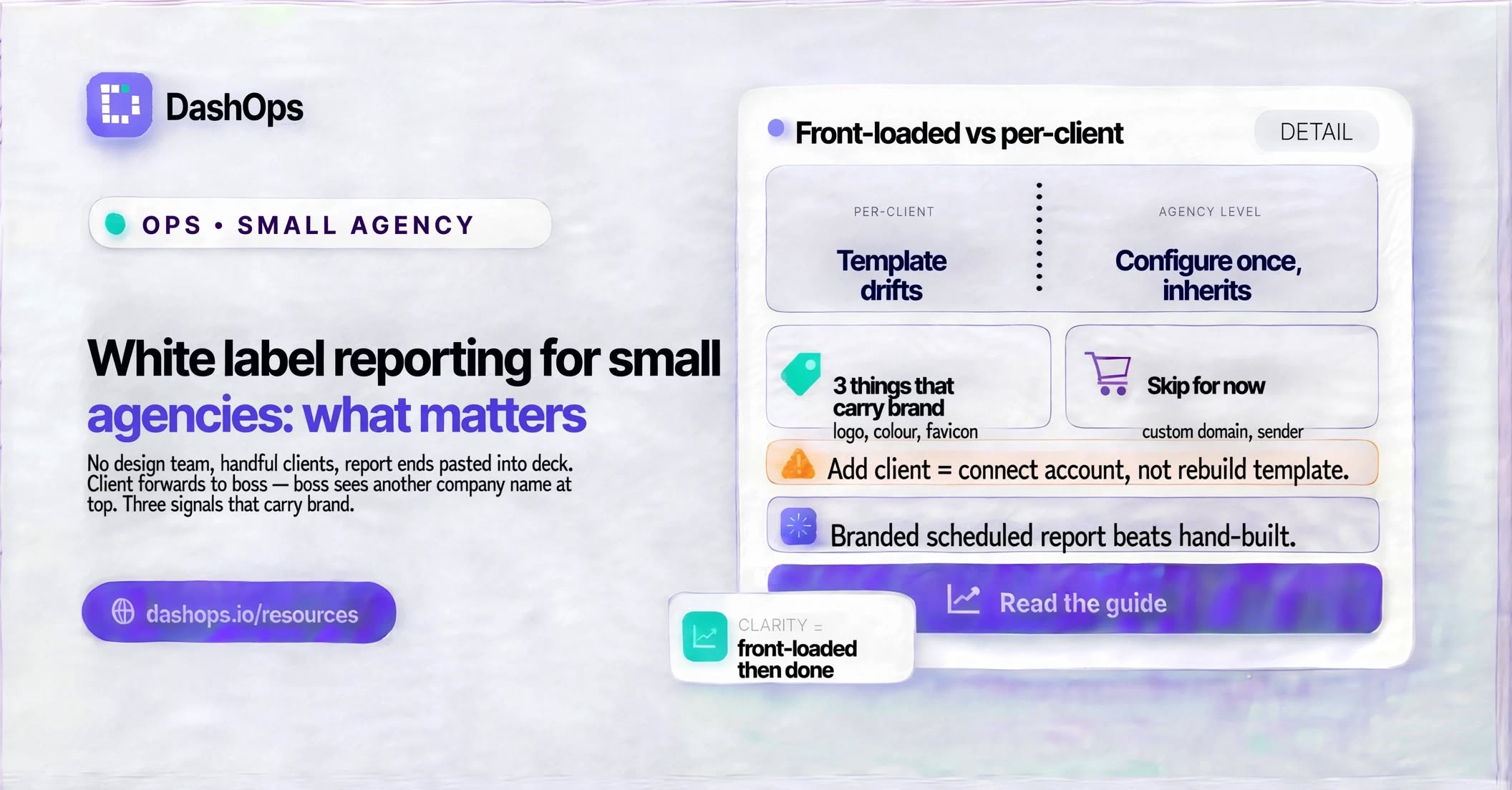
The three things that actually carry your brand
When someone opens a report or logs into a dashboard, the branding they register is not subtle. It is a small set of high-contrast signals, and everything else is noise you can safely ignore for now.
- Your logo, in the top left of every screen and the header of every report. This is the one people actually see. It needs a version that holds up small and one that holds up on a dark background, because the sidebar and the report cover are usually not the same colour as your website.
- Your primary colour, applied to buttons, links and chart accents. Consistency matters more than the exact shade. If your invoices are one blue and your dashboard is a different blue, that reads as sloppiness rather than as two brands.
- Your favicon, on the browser tab. Small, but it is the thing sitting in a client’s tab bar next to their other tools. The default platform mark there is a quiet reminder that you are reselling someone else’s product.
Set those three, and the report a client forwards to their finance director looks like it came from your agency. Nothing else on the list moves the needle nearly as much.
What small agencies can skip, at least for now
The temptation with white label features is to configure all of them because they are there. Resist it. Some of the options carry real setup cost and deliver much less than the three above.
A custom domain is the clearest example. Serving your client dashboard at reports.youragency.com instead of the platform address is the deepest version of this, and it is also the one that requires you to add DNS records at your registrar and wait for a certificate to issue. If you are comfortable with DNS, it is a short job and worth doing. If the phrase “add a CNAME record” makes you want to close the tab, do it later. We wrote up the mechanics in setting up a custom domain for a client dashboard if you want to see what is involved before committing.
A custom email sender is the same shape. The report email your client receives can carry your logo and colours in the body straight away, which is most of the benefit. Sending it from your own domain rather than the platform’s is a separate DNS job on top.
The other thing worth skipping early is agonising over how much to hide. There is a real question about whether you present the tool as entirely yours or acknowledge what sits underneath, and it deserves a proper answer rather than a default. White label versus your own branding walks through both positions. For most small agencies the honest middle ground is fine: your brand on the surface, no pretence that you built an ads platform from scratch.
Why this is cheaper for a small agency than it looks
The instinct is that white label is an enterprise feature with an enterprise setup burden. That is true of some tools. It is not inherently true, and it is worth understanding why, because the difference decides whether this is a job you finish or an ongoing tax.
The distinction is whether branding is applied per report or per account. If you are assembling reports by hand, every new client means a new template, a new set of colours to check, and a new place for the branding to drift. Add a sixth client and you have six documents that can each be individually wrong. That does not scale until you are big enough to hire someone to maintain it, which is exactly the position you are not in.
If branding is a property of your agency account, you configure it once and every dashboard, every PDF, every scheduled email and every login page inherits it. Adding a client is then a matter of connecting their ad account, not rebuilding a template. This is how it works in DashOps: your logo, colours and favicon live at the agency level, and the client you onboard next month gets the same treatment as the one you onboarded last year without you touching anything.
That inheritance is the whole argument for small agencies specifically. A large firm can absorb per-client setup cost. You cannot, so the only version of white label reporting that works for you is the version where the work is front-loaded and then done.
The order to set it up in
Do these in sequence and stop when you have enough. The order holds wherever your branding settings live, and in DashOps they sit together on a single branding page rather than being scattered across each report.
- Upload the logo and set the two colours. This is the bulk of the visible change and the quickest step on the list. Look at the result on a dark sidebar before you move on, because logos designed for white backgrounds often disappear.
- Set the favicon. Same source file usually works. Check it in an actual browser tab rather than in the settings preview.
- Generate one report and read it as a client would. Open the PDF, scroll it, and ask whether anything on the page names a company that is not yours. This is the check that catches the thing you forgot.
- Turn on a scheduled report for your most engaged client. Branded reporting only pays off if the reports actually arrive. If you are still generating them manually, the branding is polish on a process that is the real bottleneck, and reducing time spent on reporting is the more valuable fix first.
- Only then consider the custom domain. By this point you know whether the branding is worth deepening.
Where this fits in the wider picture
This post is deliberately narrow: it is about what a small agency without design or dev resource should do first, and what it can safely defer. The broader question of how white label Meta Ads reporting works end to end, what each tier of branding covers, and how it interacts with client access and permissions is covered in the main guide on white label Facebook Ads reporting. Read that when you want the full picture rather than the shortest path to a branded report.
What to do next
Find your logo file, find your brand colour hex code, and set both. That single step moves you from forwarding a report with someone else’s name on it to forwarding one with yours, and it applies to every client you have and every client you add. If you want to go further afterwards, the custom domain and the custom sender are both there, but they are refinements on a job that is essentially already done.
If you are still assembling reports by hand, do that step second. A branded report that arrives on Monday morning without you touching it is worth considerably more than a branded report you build on Friday afternoon when you remember.
Frequently asked questions
Do I need a designer to set up white label reporting?
Is white label reporting only worth it for bigger agencies?
Should I use a custom domain or is a branded login page enough?
Can I white label the emails clients receive as well as the dashboard?
What happens to my branding when I invite a client to log in themselves?
See it in your own dashboard
DashOps brings Meta Ads reporting, campaign management, and white-label client portals into one place. Pick the plan that fits how you run ads.