What to Brand in Client Reporting, and What to Skip
Your logo is on the PDF and the report still does not feel like yours. That is the usual place agencies get stuck. The file carries your mark, but the email it arrived in came from a generic address, the link inside it opened a page with somebody else’s name in the browser tab, and the login screen was not yours either. Branding a client report is not one upload. It is a short list of surfaces a client passes through, and the document is only one of them.
This post answers a narrow question: given limited time, which surfaces are worth branding, which are better left alone, and in what order to work through them. If you want the full build from a blank page, that is covered in the guide to a branded ads report for clients. Here we stay on the decision itself.
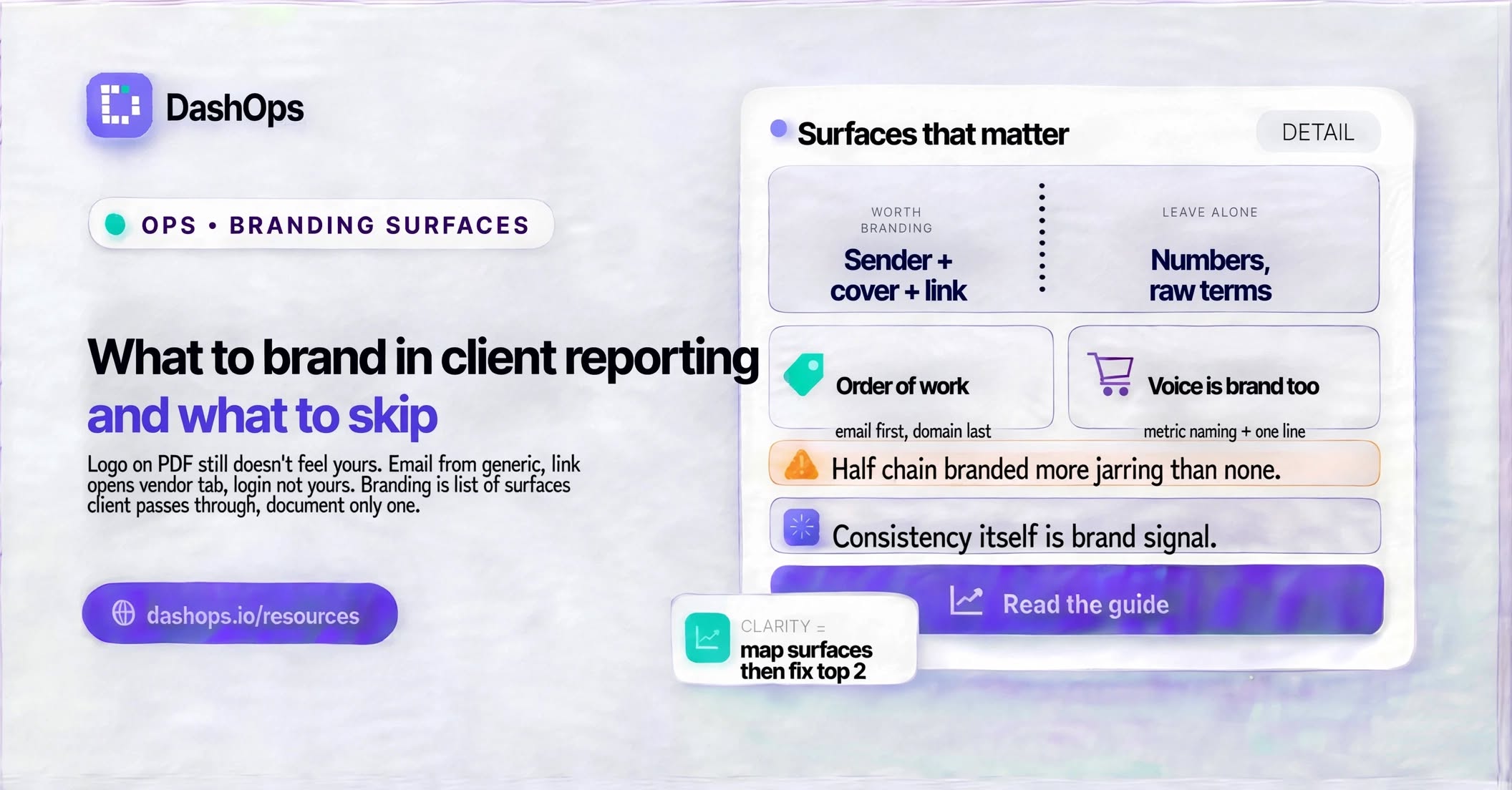
Map the surfaces before you touch any settings
Write down every place a client encounters your reporting, in the order they hit it. For most agencies running Meta Ads it looks like this: a notification or an email lands, they open it, they read a summary inside the email or click through, the click lands on a document or a live view, and some clients then log in themselves to look around between reports.
Each of those is a branding surface with a different cost to fix and a different payoff. The email is cheap and highly visible. The login screen takes more setup and only matters for clients who actually log in. Ranking them honestly is most of the work.
The surfaces worth branding
The sender name and subject line of the email. This is the first thing the client sees and often the only thing a busy client sees. An email from a recognisable name with your agency in the sender line reads as a report from you. A generic sender reads as an automated tool that happens to mention you. If you do one thing on this list, do this one. The mechanics are covered in branded email reports for clients.
The cover and header of the document. Your logo, your colours on the headings and key figures, the client’s name stated plainly, and the date range written in words rather than a raw string. A cover does not need to be elaborate. It needs to say who made this, who it is for, and what period it covers, without the client having to ask.
The link destination. If your report is a live link rather than an attachment, the page behind that link is a branding surface. The name in the browser tab, the colours on the page, and the domain in the address bar all get read, even when nobody consciously notices them. In DashOps the logo, colours and favicon are configurable on the white label plans, and a custom domain and email sender are available on the top plan, which is what closes the address bar gap.
The client’s own view, if they have a login. A client with read only access to their assigned ad accounts will look around between reports. That view carries your branding all week, not once a month. It is a slow burn surface and easy to forget, because you personally never open it.
The words you use for metrics. This is rarely called branding and it should be. When a report says CPM with no explanation, it belongs to the ad platform. When it says cost per thousand impressions with a short note on why that matters for this client, it belongs to you. Naming is voice, and voice is brand.
What to leave alone
Not everything benefits from a branding pass, and some things get worse.
- The numbers. Never restyle a figure into something that reads better than it is. Rounding away a bad line, hiding a weak week, or renaming a metric so it sounds friendlier is not branding, it is a credibility problem waiting to surface.
- Meta’s own terminology where it is load bearing. If the client will ever open Ads Manager, talk to another agency, or read Meta’s documentation, translating objectives and placements into your private vocabulary leaves them worse off. Explain the term, keep the term.
- Screenshots of the platform. A screenshot of Ads Manager pasted into your branded report is a picture of somebody else’s product. Pull the data out and present it in your own layout instead.
- Every colour on the page. Red for a decline and green for growth are conventions your reader already knows. Overriding them with your palette costs comprehension and buys nothing.
- The format and cadence, changed on a whim. Consistency is itself a brand signal. A report that arrives the same way every week reads as a system. One that changes shape each month reads as improvisation.
Do them in this order
Starting from nothing, this order gets the most visible return first and defers the fiddly work.
- Sender name and subject line on whatever email carries the report.
- Logo and colours on the document cover and headers.
- Metric naming, plus one line of plain English under the headline figures.
- The live view or link destination, including the browser tab name and favicon.
- Custom domain and custom email sender, if your plan supports it and your clients click through often enough to notice.
- The client’s own login view, once everything above is stable.
The first three need nothing beyond a logo file, your colours and a little care over wording. The last three touch settings and sometimes DNS, so they belong in a quieter week. The logo and colour part has its own walkthrough in logo and colour setup for client reports.
Where branding quietly breaks
Three failure modes come up again and again.
The first is a mismatch between the email and the destination. The email is branded, the page it opens is not, and the client feels the seam even if they cannot name it. Branding half a chain is more jarring than branding none of it.
The second is a logo file that was never made for a small header. A mark that looks confident across a website hero can turn into a smudge at report size. Test it at the size it will actually appear, on both a light and a dark background, before deciding it works.
The third is branding that only exists on the report you build by hand. The manual export looks excellent, and the automated one that goes out on a schedule does not. Whatever you brand, brand it in the thing that runs without you. In DashOps the scheduled client reports and the recurring digests carry the same branding as anything you export manually, which is the point of setting it once.
What to do next
Pick one live client and walk their path from the outside. Send yourself the report the way they receive it. Open it on a phone. Click every link. Note every place your agency’s name is missing or a default value is showing through. That list, in the order the client hits it, is your work queue, and it will be shorter than you expect.
Then fix the top two items and leave the rest for next month. A report that looks consistently like yours in the places clients actually look will beat a perfectly branded one nobody opens.
Frequently asked questions
Should my logo appear on every page of a client report?
Is a custom domain worth setting up for client reporting?
Should I rename Meta's metric names into plainer language?
What should I brand first if I have very little time?
Does branding still matter when the client already knows me?
See it in your own dashboard
DashOps brings Meta Ads reporting, campaign management, and white-label client portals into one place. Pick the plan that fits how you run ads.