A Meta Ads Agency Workflow That Survives a Busy Week
Agencies do not usually lose a Meta Ads account because someone picked the wrong bid strategy. They lose it because a month went by, nobody looked closely at Northwind’s account until the client asked a question, and the honest answer was “let me check and come back to you.” The work was probably fine. The rhythm was not there, so it did not look fine.
When you run one ad account you can hold the whole thing in your head. When you run eight across three people, memory stops working as an operating system. What replaces it is a rhythm: a short list that happens every day, a longer one every week, and a proper look every month. Same shape for every client, so nobody has to remember what Tuesday means.
Here is a Meta Ads agency workflow you can adopt more or less as written, adjust to your team size, and hand to a new hire in their first week.
Start by deciding who owns what
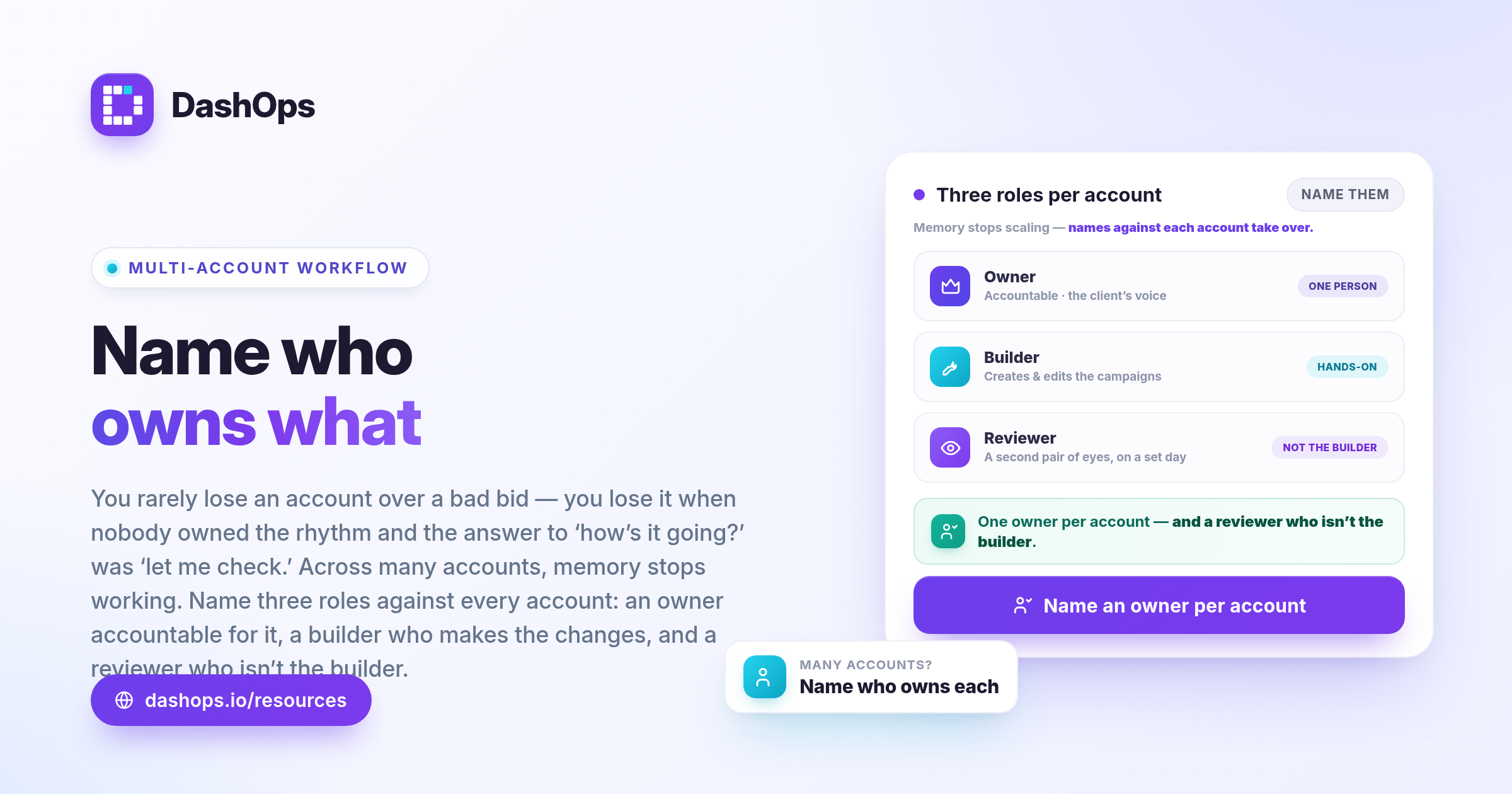
Before any schedule works, three things need names against them.
- The account owner. One person per client, accountable for performance and the voice in the client’s inbox. Not a committee.
- The builder. Whoever creates and edits campaigns, ad sets and ads. On a small team that is the owner too; on a larger one it is often a media buyer working across several accounts.
- The reviewer. Someone other than the builder, looking at the account on a set day. A second pair of eyes catches what the builder has stopped seeing.
Write these down where the team can see them. In DashOps this maps straight onto roles: an Owner has full control, a Manager is restricted to the ad accounts assigned to them, and a Client gets read-only access with the option to hide spend. Assigning accounts per person means the builder on Contoso never scrolls past Fabrikam, and nobody can edit an account they were not given.
The daily pass: short enough to actually happen
Daily work is not optimisation, it is a health check. The only question is “is anything broken or about to be”, and if the answer is no you close the laptop and do the deep work.
- Delivery. Is every campaign that should be running actually running, or has something been paused, rejected, or quietly stopped spending?
- Spend against the shape you expect. Not a target, just a shape. If yesterday looks nothing like the day before, you want to know before the client does.
- Rejections and account issues. An ad disapproved on Monday that nobody sees until Thursday is three days of a campaign running on one creative instead of four.
- Leads arriving. If the account runs lead forms, confirm leads are coming through rather than assuming.
That is the whole list. Keeping it tight is what makes it survive a busy week; a twenty-item checklist gets skipped by Wednesday.
This is the part that punishes you for having many accounts: one check becomes the same check repeated for every client, plus the switching between them. Running it from one dashboard that holds every client, where you drill from campaign down to ad set and ad, is the difference between a habit that sticks and one that quietly dies. If the daily pass is what your team dreads, this piece on reducing Meta Ads management burnout is worth a read.
The weekly cycle: where the actual work happens
Pick a day and defend it. Monday or Tuesday usually works best: early enough to act on the week, late enough that the weekend has finished reporting.
Monday, the review. The account owner looks at the last seven days against the seven before. Not raw numbers in isolation, the direction of travel: cost per result, click-through rate, frequency, how spend is distributed. You are looking for what changed and whether you know why.
Monday, the decisions. Write down what you will do this week and why. Three decisions is plenty. Turn off the ad set that stopped working, shift budget toward the audience holding up, get a new creative into the campaign where frequency has climbed. The “why” matters more than it sounds: the audit log tells you what changed and who changed it, but only your note tells you what you were thinking.
Tuesday to Thursday, the building. Creative gets briefed, built and launched. Audiences get refreshed, forms get updated. Keep building away from reviewing so you are not changing things while still forming a view.
Friday, the client note. A short update, sent whether or not there is news. This is the highest-return habit in the rhythm. Clients tolerate a bad week; what they do not tolerate is silence followed by a surprise. If you rebuild that summary by hand every Friday, hand it off: DashOps sends a scheduled weekly digest per ad account on a daily, weekly or monthly cadence, with a spend chart included, so the mechanical part goes out on its own and your note becomes commentary rather than transcription. Fuller walkthrough: how to automate Facebook Ads reports.
The monthly review: zoom out properly
The weekly cycle is about the last seven days. The monthly review asks whether the account is going in the right direction at all, which needs a different posture. Block real time for it, closer to an hour per account than a daily pass takes.
- Month against previous month, on the metrics that matter to this client. For a lead client that is volume, cost per lead, and if you have it what happened to those leads downstream. For an ecommerce client it is purchases and return on ad spend. Do not report the same handful of metrics to everyone just because that is what the default view shows.
- Creative fatigue across the account. Which creatives have run longest, which are carrying delivery, and what is in the pipeline to replace them.
- Structure and budget. Has the account accumulated campaigns and ad sets nobody has looked at in months, and is the split across them still deliberate or just where it drifted to?
- The client relationship. Is the person on the other end getting what they need, and are you asking them anything or only telling them things?
Then it gets written up and presented. A monthly report is a different document from a weekly digest: it has to stand alone for someone outside the loop, usually the client’s boss. There is a structure worth stealing in the Meta Ads monthly report guide, and if presenting is the awkward part, how to present Facebook Ads results to clients covers delivery.
Build it from a template so it looks the same every month: consistency is what lets a client compare February to March at a glance. DashOps generates PDF and Excel reports on demand and emails scheduled client reports on a set cadence, with your logo and colours on them, so the format holds whoever made it.
Where the rhythm usually breaks
It goes wrong in one of three ways.
Everything becomes daily. The team checks constantly, reacts to noise, and never reaches the deep monthly work. Symptom: lots of small changes, no clear direction.
Nothing is scheduled, so it is all reactive. Work happens when the client emails. Symptom: you are always answering rather than leading, and renewal conversations feel uncomfortable.
The rhythm lives in one person’s head. It works until they take a holiday. Symptom: an account goes quiet for two weeks and nobody notices, because noticing was that person’s job.
The fix for all three is the same and it is boring: put the rhythm somewhere shared, name an owner per account, and automate the outputs where you can. Reporting is the obvious candidate, the highest-effort, lowest-judgement part of the cycle.
What to do this week
Do not install the whole thing at once. Pick the smallest version that survives contact with a busy week.
- Write the four-item daily checklist where your team will see it, and name who runs it for each account.
- Choose your weekly review day and put it in the calendar as a recurring block, not a reminder.
- Set up one automated weekly digest for one client, see whether it saves the Friday scramble, then roll it out.
- Diarise the monthly reviews for the next quarter now, while it feels easy.
Then leave it alone for a month before you tune it. A rhythm is likelier to fail because someone redesigned it in week two than because the original was wrong.
Frequently asked questions
What should a daily Meta Ads check actually include?
Who should run each part of the workflow in a small agency?
How often should clients hear from us?
What belongs in a monthly review that is not in the weekly one?
How does DashOps fit into this rhythm?
See it in your own dashboard
DashOps brings Meta Ads reporting, campaign management, and white-label client portals into one place. Pick the plan that fits how you run ads.