The Facebook Ads Weekly Digest That Keeps Clients Calm
A client sends a message on a Wednesday afternoon: “How are the ads going?” You have not spoken since the monthly report three weeks ago. You know the answer is fine, but you cannot prove it in the time it takes to type a reply, so you either write something vague that sounds evasive or you stop what you are doing and dig through the account. Neither is good. The vague reply plants a seed of doubt. The dig costs you time you had allocated to something else.
The monthly deck is not the fix for this. It is beautiful, it is thorough, and it arrives well after the client started wondering. A short weekly digest, on the other hand, means the question never gets asked in the first place, because the answer landed in their inbox on Monday morning.
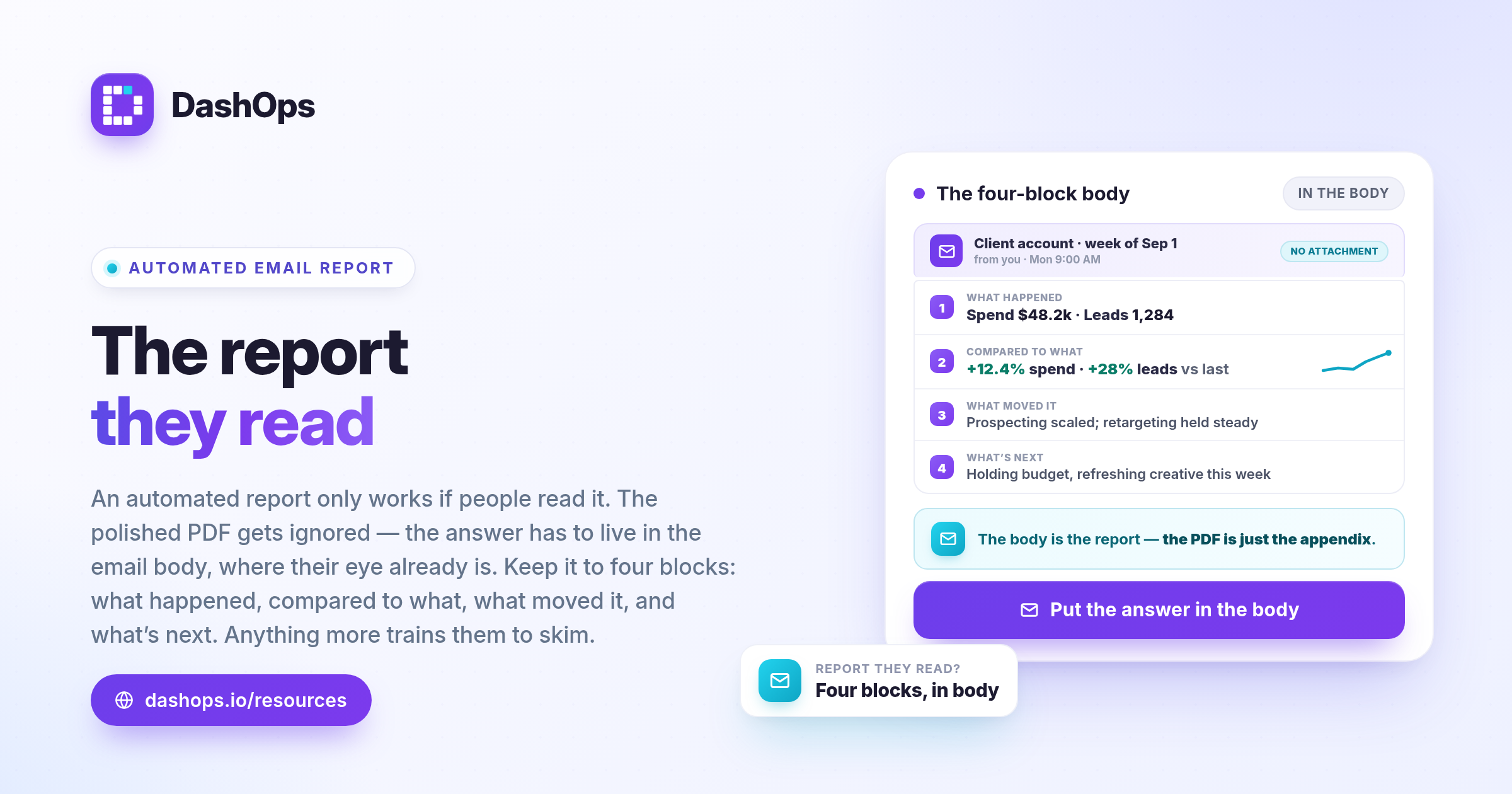
The problem with the monthly deck as your only touchpoint
A monthly report does one job well: it summarises a complete billing period and gives you a natural moment to talk about strategy. It does two jobs badly.
The first is reassurance. Between reports there is silence, and silence is where clients invent stories. A client who has not heard from you assumes nothing is happening. That assumption is usually wrong and always expensive, because you end up defending the account instead of running it.
The second is timeliness. If a creative went stale in week two, telling the client about it in week five means you are explaining a problem that is already a month old. They will reasonably ask why they are only hearing about it now. A weekly rhythm turns the same event into a normal operational update: something shifted, here is what we did, here is what we expect next week.
There is also a quieter cost. A big monthly deck creates pressure to justify its own length. You start padding it with slides nobody reads, and the genuinely important line gets buried somewhere in the middle.
If you already run a monthly report and want to keep it, keep it. The two are not in competition. The digest handles the pulse, the monthly handles the story. We cover the longer format separately in our guide to the Meta Ads monthly report.
What actually belongs in a weekly digest
The whole thing should fit on a phone screen without scrolling twice. Every item earns its place or it goes.
- The date range, stated plainly. Not “last week” but the actual seven days covered, and whether you are comparing against the previous seven days. Ambiguity here is how arguments start.
- Spend against pace. How much went out this week, and whether the account is tracking ahead of, behind, or roughly on the monthly budget. This is the number most clients care about.
- The primary result. Leads, purchases, or whatever you agreed at the start is the point of the account. One number, plus the cost per result. Do not offer three competing definitions of success.
- The direction of travel. Whether the primary result and its cost moved up or down against the previous week. Direction matters more than precision in a weekly cadence.
- One or two campaign lines. The campaign carrying the account, and the campaign you are watching. Not every one in the account.
- A one-paragraph note from you. The part that makes the rest of it worth reading. More on this below.
That is it. No placement breakdown, no age and gender split, no frequency chart. Those belong in the monthly, where there is room to interpret them, and in the dashboard, where a curious client can go and look for themselves. A weekly digest that includes everything is just a small monthly report, and it will be ignored at the same rate.
Two things deliberately not on the list. Vanity metrics like impressions and reach, unless awareness is genuinely the objective, because they go up when you spend more and clients learn to discount them. And any metric you cannot explain in one sentence if asked, because a number you cannot defend is a liability sitting in your client’s inbox.
The paragraph that makes it worth opening
Numbers on their own do not reassure anyone. A client looking at a cost per lead that went up has no idea whether to be worried, and will assume the worst unless you tell them otherwise. Your paragraph is the difference between a data dump and a report.
It has three moves and it should not take long to write.
Say what happened, in the client’s language. Not “CPL rose week over week” but “leads cost a bit more this week than last”. You are writing to someone who sells kitchens or runs a dental practice, not to another media buyer.
Say why, or say honestly that you are still finding out. A real cause is best: you shifted budget toward a new audience, a top ad started running less often, a holiday weekend cut traffic. If you do not know yet, write that you do not know yet and that you are looking. Clients forgive uncertainty. They do not forgive being managed.
Say what happens next. One concrete action with a rough timeframe. “New creative goes live Thursday.” “We are leaving the budget alone until we have another week of data.” Even “no changes planned, the account is stable” is a valid next step, and stating it explicitly stops the client wondering whether you have gone quiet.
A worked example, using a fictional client. Suppose you run Meta Ads for Northwind Solar:
Leads came in a little more expensively this week than last. Most of that is the new retargeting audience we turned on Tuesday, which is still in its early days and has not settled yet. The main prospecting campaign is steady and still doing the bulk of the work. We are giving the new audience another week before we judge it, and the two new video ads go live Thursday.
Nobody in that paragraph is being sold to, spun, or baffled. The client now knows the account is being watched by a person who understands it, which is the actual product they are paying for. That framing carries into your longer reviews too, and there is more on it in how to present Facebook Ads results to clients.
Make it the same every week
The value of a weekly digest compounds only if it is genuinely weekly and genuinely the same shape. A client who receives an identical layout every Monday learns to read it at a glance, because they know where to look. Change the layout and they have to read it properly, which means they will stop reading it.
So fix three things and never move them:
The day and time. Monday morning works for most clients because it lands before their own week fills up. Whatever you pick, pick once. A digest that arrives Monday, then Thursday, then not at all reads as an afterthought.
The metrics and their order. Same numbers, same sequence, every week. If you need to add a metric because the objective changed, say so in the paragraph rather than silently reshuffling.
The sender. The same address every time, so it threads properly in their inbox and does not land in spam. On the plan that includes a custom domain and sender, this is your own domain rather than a tool’s.
Consistency is also what makes the digest cheap to produce. The moment it is a fixed template, the only variable input each week is your paragraph. Everything else is the same job, which means it can be automated. In DashOps you set up a digest per ad account at daily, weekly or monthly frequency, and it goes out on schedule with a spend chart included, so the recurring part happens without you. The setup mechanics are covered in automated Meta Ads email reports.
Where the digest fits alongside everything else
Think of client communication as three layers running at different speeds.
The dashboard is always on. A client who wants to look right now can look right now, without asking you and without waiting. A read-only view or a share link means they see their own numbers whenever curiosity strikes, which absorbs a surprising amount of the ad-hoc questions that used to arrive as messages.
The weekly digest is the pulse. It is small, it is regular, and its job is to keep the account present in the client’s mind in a controlled way, on your schedule rather than theirs.
The monthly report is the story. It is where you zoom out, connect the weeks together, show the trend, and talk about what you want to do next month. It is also where the detailed breakdowns live, because that is the context in which they mean something.
Run all three and the monthly meeting changes character entirely. Instead of opening the meeting with a catch-up on facts, you arrive with everyone already holding the same picture, and you spend the time on decisions. That is a better meeting for both sides, and it is the thing that quietly makes a client harder to lose. If your current setup makes any of these three layers expensive to produce, that expense is the real problem, and it is worth fixing before you add another deliverable. There is a full walkthrough in how to reduce time spent on Facebook Ads reporting.
What to do this week
Pick one client and start there. Do not roll a new format out across the whole book at once, because you will discover halfway through that you want to change something.
- Decide the day and time, and tell the client it is coming so the first one is expected rather than a surprise.
- Write down the four or five items that will appear every week, in order, and save that as your template.
- Set the digest to send automatically so the numbers assemble themselves.
- Block a short slot on your calendar before it sends, to write the paragraph.
That last step is the one people skip, and it is the one that does the work. The numbers can be automated. The judgement cannot, and the judgement is what the client is actually buying. If you want the digest running on autopilot with your own branding on it, DashOps handles the scheduling and the per-ad-account setup, and on the plans that include a custom sender it goes out from your own domain, leaving the paragraph to you.
Frequently asked questions
What should a Facebook Ads weekly digest include?
Does a weekly digest replace a monthly report?
What day should the weekly ads email go out?
How do I write the commentary without sounding defensive?
Can a weekly Meta Ads digest be automated?
See it in your own dashboard
DashOps brings Meta Ads reporting, campaign management, and white-label client portals into one place. Pick the plan that fits how you run ads.