Link Clicks vs Landing Page Views in Facebook Ads: What Is the Difference?
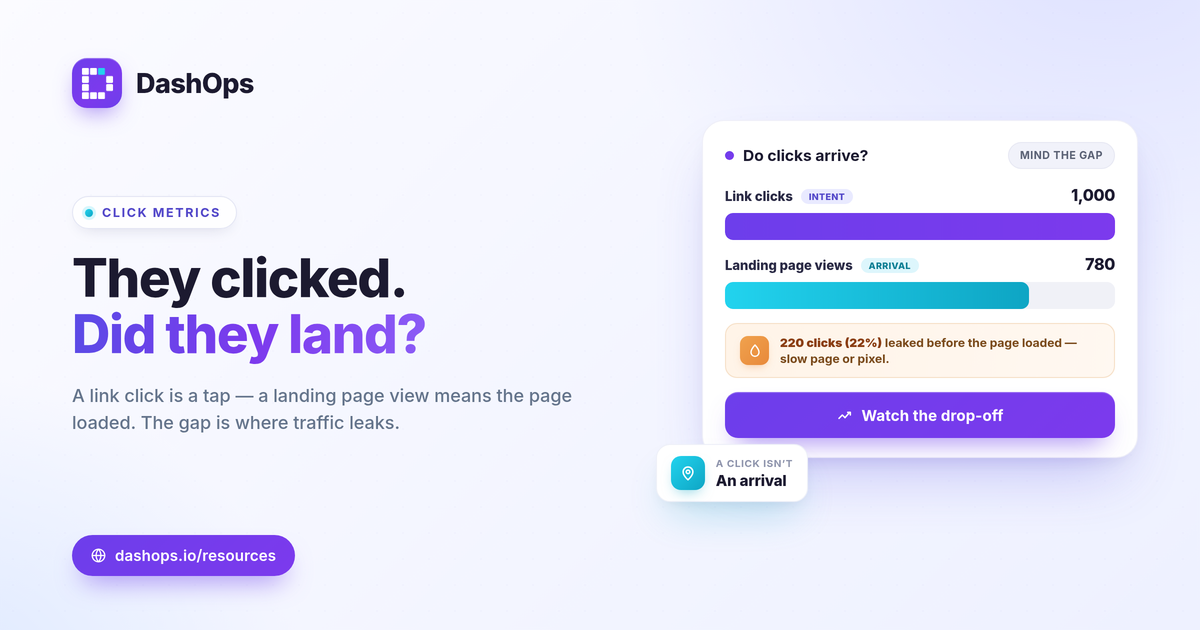
Link clicks and landing page views measure two different stages of the same journey. A link click counts when someone taps a link in your ad. A landing page view counts only when that person actually arrives and your page loads in their browser. Every landing page view follows a link click, but not every link click becomes a landing page view, because some people bounce before the page renders. Understanding link clicks vs landing page views in Facebook ads matters because the gap between them tells you whether traffic is reaching your offer or leaking out on the way. Here is what each metric counts and how to read the drop-off.
What counts as a link click
A link click is recorded the moment a person clicks any link in your ad that points away from the click action. That includes the call to action button, the headline, the image, and the link in the caption. Meta counts the click at the source: the ad itself.
Two things follow from that definition:
- A link click does not confirm a page load. The person clicked, but they may never have reached your site. Slow load times, a closed browser, or a dropped connection all break the chain after the click.
- Link clicks can point off-site or in-app. Clicks to your website, to an app store, or to a Click to Messenger flow all register, depending on how the ad is built.
This is why link clicks are an engagement signal, not a traffic confirmation. They tell you the ad earned interest. They do not tell you the visit completed.
What is a landing page view
A landing page view is recorded when a person clicks a link and the destination page successfully loads. The definition has a dependency baked in: it requires the Meta pixel to fire on the page. No pixel, no landing page view, even if the visit happened.
So a landing page view confirms two things at once:
- The person clicked the link.
- The page loaded far enough for your pixel to report back.
That makes the landing page view a closer proxy for actual traffic than the raw link click. It filters out the clicks that never turned into a real arrival. The trade-off is that it depends entirely on your tracking being installed and firing, which is the source of most confusion when the two numbers look wrong.
The difference between link clicks and landing page views
The cleanest way to hold the difference between link clicks and landing page views: one counts intent, the other counts arrival. Here they are side by side.
| Aspect | Link clicks | Landing page views |
|---|---|---|
| Triggered by | Clicking a link in the ad | The destination page loading |
| Confirms a page load | No | Yes |
| Needs the pixel | No | Yes |
| Best read as | Engagement and interest | Real traffic that reached the offer |
Because a landing page view requires the page to load and the pixel to fire, it will almost always be the lower of the two numbers. That is expected, not a bug. The question worth asking is how much lower.
Why landing page views are lower than link clicks
The drop-off between the two metrics is where the insight lives. Some loss is normal. A large gap is a flag. Common causes:
- Slow page load. People click, wait, and leave before the page renders. The link click counts; the landing page view does not.
- People hit the back button fast. Accidental taps and quick exits register as clicks without ever completing a load.
- Pixel not firing. If the Meta pixel is missing, blocked, or misconfigured on the destination, landing page views undercount even when visits are real.
- Redirects and broken URLs. A link that bounces through redirects or lands on an error page can lose the visit before the pixel reports.
Read the drop-off as a share of link clicks rather than chasing a universal number. There is no single right gap. Judge it against your own pages, your prior periods, and how each campaign trends over time. If one campaign loses far more clicks before the page loads than the rest of your account, the landing page or the link is usually the cause, not the audience.
How to use both metrics together
Neither number is the goal on its own. They earn their value as a pair, and as part of the wider set of Meta ads KPIs to track.
- Diagnose the funnel top. A healthy link click count with a weak landing page view count points at the page or the tracking, not the creative.
- Sanity check tracking. If landing page views sit far below link clicks across the whole account, suspect the pixel before you blame the audience.
- Compare the right cost. Cost per landing page view tells you what a real arrival costs. Cost per link click can flatter you, because it includes clicks that never landed. The formula for each is simple: cost per link click = spend / link clicks, and cost per landing page view = spend / landing page views.
One caution on Meta ads click metrics in general: iOS privacy changes and tracking restrictions can suppress reported landing page views, since the metric leans on the pixel. The effect is undercounting, so a soft landing page view number is not always a real traffic problem. When the numbers in Ads Manager and your reporting tool diverge, the cause is usually attribution windows and pixel coverage, a topic worth understanding alongside why Ads Manager and reporting numbers differ.
Seeing both in DashOps
DashOps reads both link clicks and landing page views as native Meta KPIs in one dashboard, with period-over-period comparison so you can watch the drop-off trend instead of reading a single snapshot. You can see them across every connected ad account in one place, and roll them into a white-label client report without exporting spreadsheets. See what each plan includes on the pricing page, and the help center walks through connecting an account and reading the click KPIs.
The practical takeaway: treat link clicks as interest and landing page views as arrival, and watch the gap between them, because that gap is where your traffic and your tracking quietly leak.
Frequently asked questions
Are link clicks and landing page views the same thing?
Why are my landing page views lower than my link clicks?
Which metric should I optimize for, link clicks or landing page views?
See it in your own dashboard
DashOps brings Meta Ads reporting, campaign management, and white-label client portals into one place. Pick the plan that fits how you run ads.