How Often Should You Report to Ad Clients? A Cadence Guide
A client emails on a Tuesday afternoon asking how last week went. You sent a report on Monday morning. They either never opened it, or they opened it, read the top number, and still want to hear it from you. Meanwhile a different client has gone quiet for weeks and the silence is starting to feel like a problem. Both situations come from the same gap: nobody ever agreed what reporting would look like, so each client invented their own expectation and you are now trying to serve several conflicting ones at once.
The question gets asked as if there is one correct interval. There is not. But there is a way to reason about it that holds up across almost every Meta Ads retainer, and it starts by splitting one question into three.
Split the question before you answer it
Three different things get bundled into the word “reporting”, and they do not share a schedule.
- Access. Can the client look at their own numbers whenever they want, without asking you? This should be continuous.
- Delivery. How often does something land in their inbox without them asking for it? This is the cadence question people usually mean.
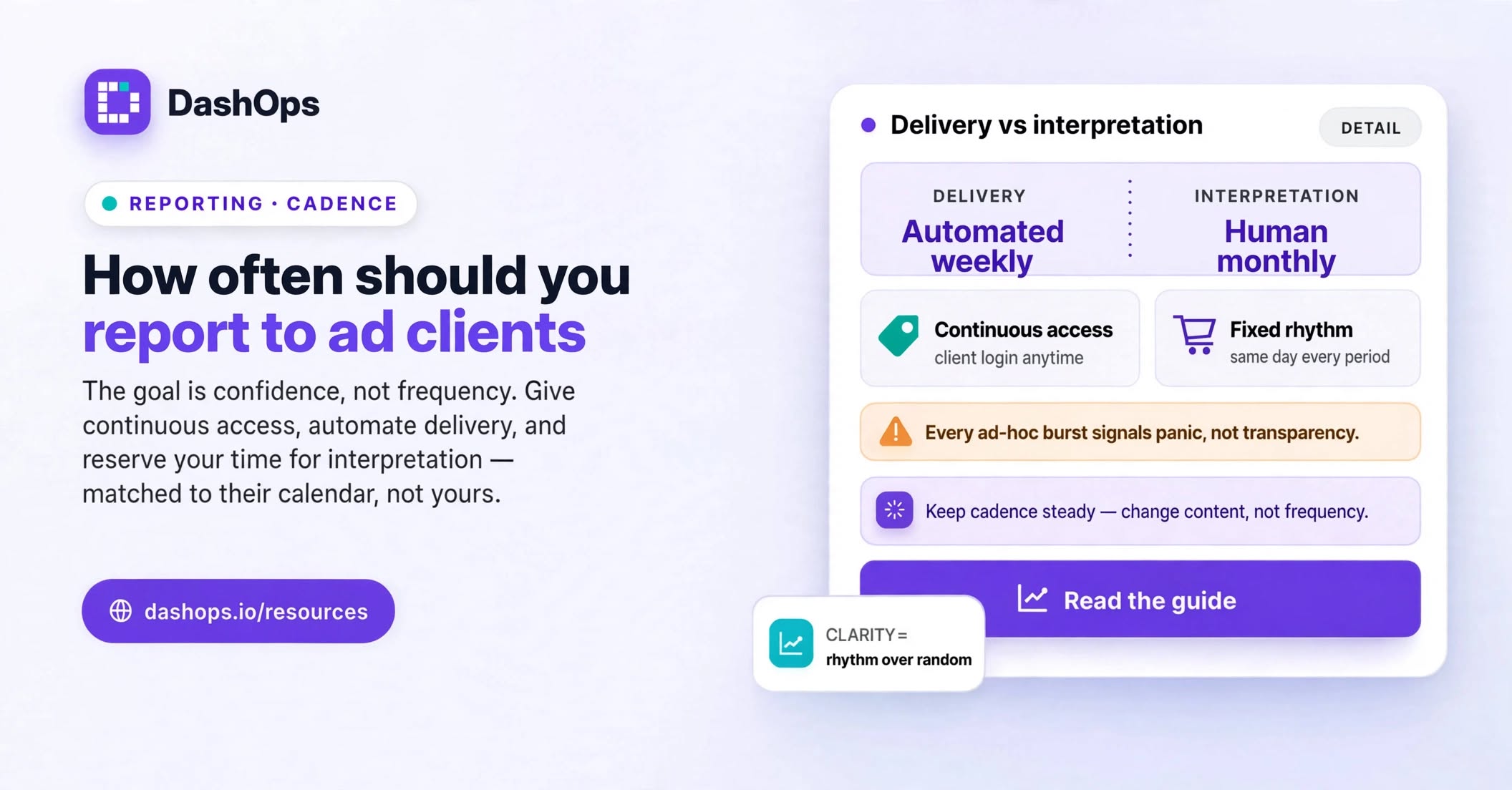
- Interpretation. How often does a human explain what the numbers mean and what happens next? This is the part clients actually pay for, and it is almost always less frequent than delivery.
Most agencies get this backwards. They give restricted access, send infrequent delivery, and then burn unplanned time on a call every time the client gets nervous. Flip it: give continuous access, automate delivery, and reserve your own time for interpretation.
Match the cadence to how fast decisions get made
The right frequency is the one that matches the pace at which something could actually change. Ask what the client would do differently if they saw a number today rather than next week. If the honest answer is nothing, you are reporting into a void and the report will get skimmed at best.
Things that push cadence faster:
- Daily budgets large enough that a bad day matters to the client’s cash flow
- Short campaign windows such as a sale, an event, a product launch, or a seasonal push
- A new account or a new offer where nothing has settled yet
- Lead generation where the client’s sales team needs to work leads the same week they arrive
Things that let cadence slow down:
- Steady evergreen campaigns running without structural change
- A client who plans and measures on a monthly or quarterly cycle internally
- Long consideration windows, where a single week of data says very little
- One senior point of contact who is busy and only wants the headline
Report on their calendar, not yours
Agencies tend to pick a reporting rhythm that suits the agency, then wonder why it lands badly. The client has their own internal cycle: a Monday leadership meeting, a month end finance close, a board pack, a quarterly planning session. If your monthly report arrives after their month end review, it was useless for the only conversation where it mattered.
Ask one question during onboarding: when do you have to explain these numbers to somebody else, and what do you need from us in time for that? The answer usually sets the schedule for you. Landing your report the working day before their meeting is worth more than a better report that arrives a week later.
A cadence that works for most retainers
Treat this as a starting structure rather than a rule, then adjust per client and write the result down.
- Always on: self-serve access. The client can see their own numbers any time. In DashOps that is the Client role, which is read only, limited to the ad accounts you assign, and can hide spend where the commercial arrangement calls for it. A read-only share link covers stakeholders who will never log in.
- Weekly: an automated summary. Short, consistent, no commentary required. This is the beat that stops people wondering. The pillar guide on the weekly Facebook Ads digest covers what belongs in it and what to leave out.
- Monthly: the real report. Period-over-period comparison, campaign level detail, and your written interpretation. This is the one that justifies the retainer.
- Quarterly: a conversation, not a document. Strategy, budget direction, what you want to test next, what you want to stop doing. No new numbers required beyond the monthly reports they already have.
The trap of reporting more when things go badly
There is a strong instinct to increase frequency when performance dips, on the logic that transparency reassures. It often does the opposite. Sending a burst of unscheduled emails to a client who normally hears from you on a fixed day signals panic before you have written a word, and it invites them to inspect a short window where noise dominates and nothing can be concluded.
A better move when results are wobbly: keep the cadence exactly as it is and change the content. Add a short paragraph at the top of the usual summary saying what you have observed, what you have changed, and what you expect to see by the next update. Same rhythm, more substance. The client gets reassurance without the alarm bells.
The reverse trap is just as real. Do not quietly drift to monthly because an account is performing well and there is nothing dramatic to say. Absence of contact is exactly where clients start wondering whether they still need you.
Automate delivery so you can afford the interpretation
Cadence feels like a hard question mainly because every report costs you real time, so each extra send is a cost. Once delivery is automated, frequency stops being an economic decision and becomes a communication decision, which is a much easier one to get right.
In practice that means scheduled digests going out per ad account on their own, and scheduled client reports arriving branded as your agency rather than as a tool the client has never heard of. DashOps sends both, and on the top plan the email comes from your own domain. The setup mechanics are covered in the guide to automated Meta Ads email reports, and how reporting slots into everything else you do in an account is in the agency workflow guide.
Automation does not replace you. It removes the part of reporting that anyone could do, so the only thing left to send is judgement, which the client cannot get anywhere else.
Agree it once, in writing
Almost every cadence argument is a mismatched expectation that was never said out loud. Fix it during onboarding, in one short section of the scope document:
- What the client receives, and on which day
- What they can see for themselves at any time, and how they get in
- Who at their company receives what, because a founder and a coordinator want different things
- How to reach you between reports if something looks wrong
- When you will review the arrangement, so changing it later is routine rather than a complaint
Then hold the schedule. A report that arrives every Monday without fail builds more confidence than a better report that turns up whenever you get to it.
What to do next
Take your client list and write two columns: what each client actually receives today, and what they believe they receive. The gap between those columns is where the awkward emails come from.
Then, for each client, pick a delivery day and commit to it, switch on an automated summary so that day never depends on how your week goes, and give them read-only access so the small questions stop reaching your inbox. Keep your own writing time for the monthly report. That is the one where your interpretation is the product.
Frequently asked questions
Should I send Meta Ads reports weekly or monthly?
Is a daily report to a client ever a good idea?
What should I do when a client asks for numbers between scheduled reports?
Should every stakeholder at the client get the same report?
How do I reduce reporting frequency without looking like I am doing less?
See it in your own dashboard
DashOps brings Meta Ads reporting, campaign management, and white-label client portals into one place. Pick the plan that fits how you run ads.