How to Audit a New Facebook Ad Account You Just Inherited
You have just been handed login access to a Facebook ad account you did not build. Maybe a new client signed the contract on Friday and you are supposed to have opinions by Monday. Maybe you inherited it from a previous agency who left without a handover document. Either way you are looking at a Business Manager full of campaigns with names like “Copy of Copy of Traffic Test 3”, a pixel you cannot verify, and a client who is about to ask you what is wrong with it.
The temptation is to jump straight into the campaign list and start pausing things. Resist that. An audit is not a cleanup. It is a fact-finding exercise, and if you rearrange the furniture before you have written down what the room looked like, you lose your own baseline. Here is the order I work in for a Facebook ad account audit, and why each step comes where it does.
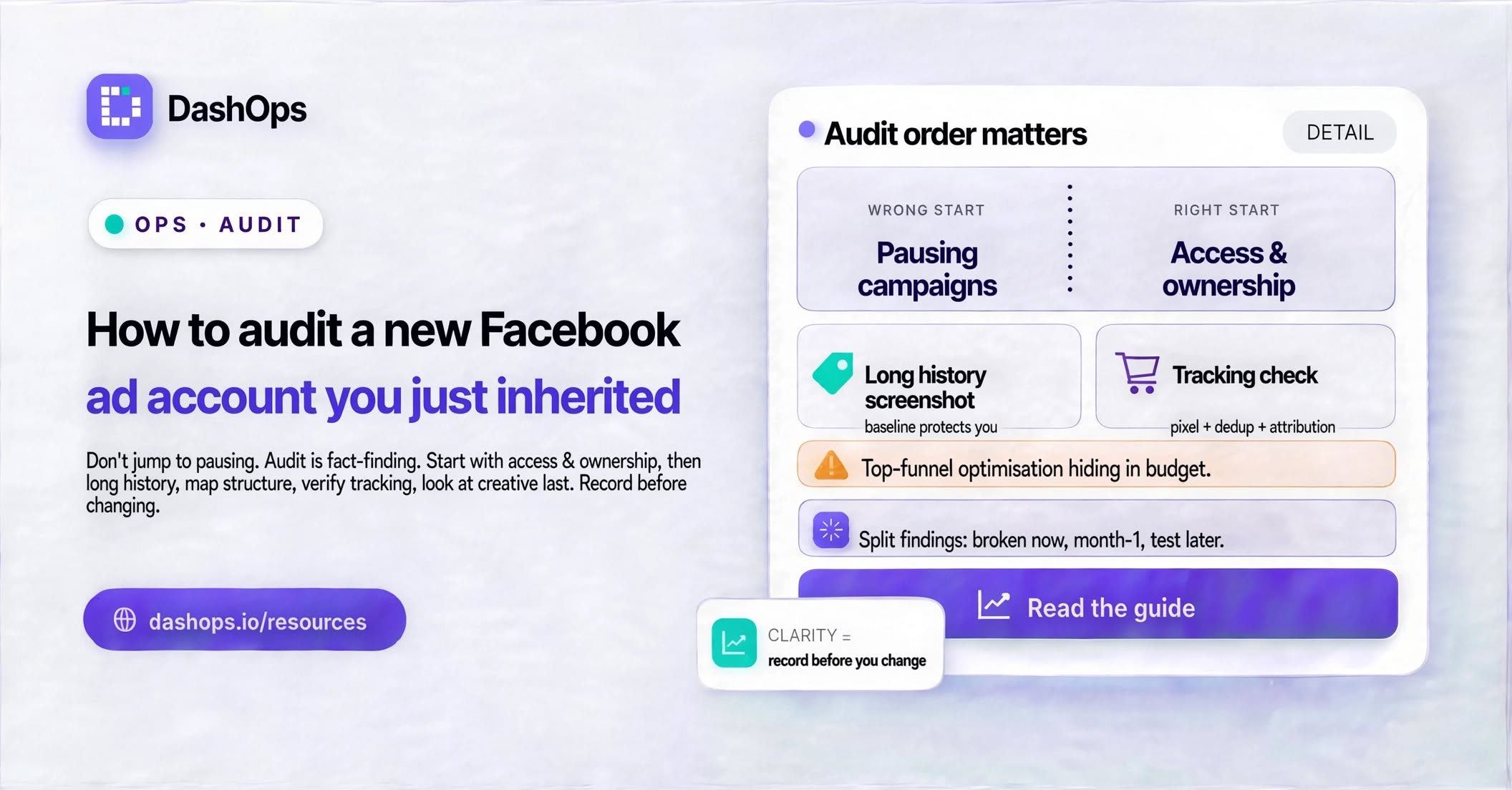
Start with access and ownership, not performance
Before a single metric, confirm you can actually work in this account long term. This is the part that quietly ruins engagements later, once everyone has stopped thinking about it.
- Confirm the client’s Business Manager owns the ad account, not an individual’s personal profile. If it sits under a personal profile, that is your first written recommendation.
- Confirm the client owns the Facebook Page and the Instagram account, and that both are properly connected to the Business Manager.
- Confirm the pixel or dataset lives in the client’s Business Manager. If the previous agency owns the pixel, all that historical event data can walk out of the door.
- Check who else has access, and at what level. Old freelancers with admin rights are common.
- Check the payment method is the client’s, not a card belonging to someone who has left.
- Note whether the account has any restrictions, appeals in progress, or spending limits set.
Write all of this down before you look at a single number. If the answer to any of it is unfavourable, the fix is a conversation with the client, and those conversations take time to schedule. Start them immediately.
Read the account’s history before you judge its present
Now set your date range wide. A month tells you almost nothing about an account that has been running for years. Look at the longest range the account has data for, then narrow.
What you are trying to establish is the shape of the account over time. Has spend been steady or has it lurched? Was there a period where results were clearly better, and if so what changed around it? Is the account in a stable state or was it restructured recently by someone who then left?
This step matters because it stops you from taking credit for a recovery you did not cause, and stops you from being blamed for a decline that started before you arrived. Screenshot the long view. Save it. That screenshot is your evidence for every conversation you will have about this account from here on.
Map the structure before you evaluate it
Go through the account and write down what actually exists, in a plain document:
- How many campaigns are active, and what objective each one uses.
- Whether budgets sit at campaign level or ad set level.
- How many ad sets sit under each campaign, and whether their audiences overlap.
- How many ads sit under each ad set, and whether they are genuinely different creatives or the same image with a changed headline.
- Which audiences are custom, which are lookalikes, and what source each lookalike was built from.
- Which conversion event each ad set optimises for.
That last point is where most inherited accounts fall apart. An account can look busy and well managed while a good part of its budget sits behind ad sets optimising for a top-of-funnel event that has nothing to do with what the client actually sells. Check the optimisation event on every single ad set, not just the ones spending the most.
Verify the tracking actually works
Everything above this line is structure. This is the part where you find out whether the numbers you are about to analyse mean anything at all.
Open the Events Manager and look at the pixel’s recent activity. Is it receiving events right now? Are the events named consistently, or is there a mess of near-duplicate custom events created by different people over the years? Is there any deduplication set up between the browser pixel and the Conversions API, or are the same purchases potentially being counted twice?
Then check the attribution setting on the account and on individual campaigns. Two campaigns using different attribution windows are not comparable, and if you report them side by side without noting the difference you will draw a false conclusion and then defend it in front of a client.
Finally, sanity check reported conversions against something outside Meta. Ask the client for their own order count or lead count for the same period. You are not looking for an exact match, that will never happen. You are looking for whether the two numbers live in the same universe. If Meta reports far more purchases than the client’s own system recorded, you have found something important before you have touched a single setting, and that finding is worth more to the relationship than any optimisation you could make in the same period.
Look at creative last, and look at it honestly
By now you know the account is set up correctly or not, and you know whether you can trust its numbers. Only now does it make sense to have opinions about the ads themselves.
Sort by spend and look at what has consumed the budget. For each of the top spenders, note the format, the angle, and how long it has been running. Look at frequency alongside the performance trend rather than in isolation, because a rising frequency on an ad whose results are holding steady is a different situation to a rising frequency on an ad whose results are sliding.
Also note what is missing. Accounts that have been running a long time often have one format doing all the work because nobody ever tested a second one. That gap is usually the easiest thing to propose in your first month.
Turn the audit into something the client can read
The audit is only worth what you can communicate from it. Split your findings into three groups: things that are broken and need fixing now, things that are inefficient and can be improved over the first month, and things that are opportunities to test later. Give each item a plain sentence saying what it is and what you will do about it.
Then set up your reporting before you change anything. Whatever you are going to use to track this account, connect it and pull the baseline period first, so that every future report has a clean before-and-after. In DashOps you would connect the account, let it pull its history, and save the view you plan to report on, so the client sees the same layout every time rather than a different screenshot each month. If you are taking on several accounts at once, a single dashboard across all your client accounts saves you logging in and out of Business Manager all week, and it is worth setting that up during the audit rather than after.
Decide at the same time how much the client sees for themselves. Giving them a read-only view of their own ad accounts, with spend hidden if that suits the commercial arrangement, turns the audit from a document you send into a position they can check. DashOps handles that as a role you assign per person, alongside a public share link for anyone who just wants to forward a snapshot internally.
Once the baseline exists, the ongoing job changes shape. You are no longer auditing, you are watching, and the skill becomes noticing which account needs your attention this week rather than opening all of them in turn. Getting the reporting on a schedule early also means the client starts receiving evidence of your work straight away, which is the cheapest trust you will ever buy.
What to do next
Set aside an uninterrupted block of time. Work through the sections above in order, in one sitting, writing as you go. Do not fix anything on the first pass, just record. At the end you will have a document that tells the client something they did not know about their own account, a baseline screenshot that protects you later, and a short ordered list of what you are doing first. Then, and only then, start changing things.
Frequently asked questions
What order should I audit a new Facebook ad account in?
How far back should I look when auditing an inherited ad account?
What tracking issues should I look for during a Facebook ads audit?
Should I pause underperforming campaigns during the audit?
How do I present audit findings to a new client?
See it in your own dashboard
DashOps brings Meta Ads reporting, campaign management, and white-label client portals into one place. Pick the plan that fits how you run ads.