How to Build an Ads Dashboard Non-Technical Clients Understand
A client opens the link you sent, scrolls once, and replies with four words: “so is this good?” Nothing on the screen is wrong. The spend is accurate, the click-through rate is accurate, the trend line is drawn correctly. The trouble is that almost every number on it answers a question the client never asked. They want to know whether the money they handed you is turning into customers. What you gave them is a cockpit, built for the person flying the plane.
Closing that gap is the whole job when you build an ads dashboard for non technical clients. It is rarely a design problem and almost never a data problem. It is an editing problem, and the edit has to happen before you send the link, not in the reply you write afterwards. If you are still choosing the wider setup, the client reporting dashboard for agencies guide covers the full system. This post stays on one narrow case: the client who has never opened Meta Ads Manager and never will.
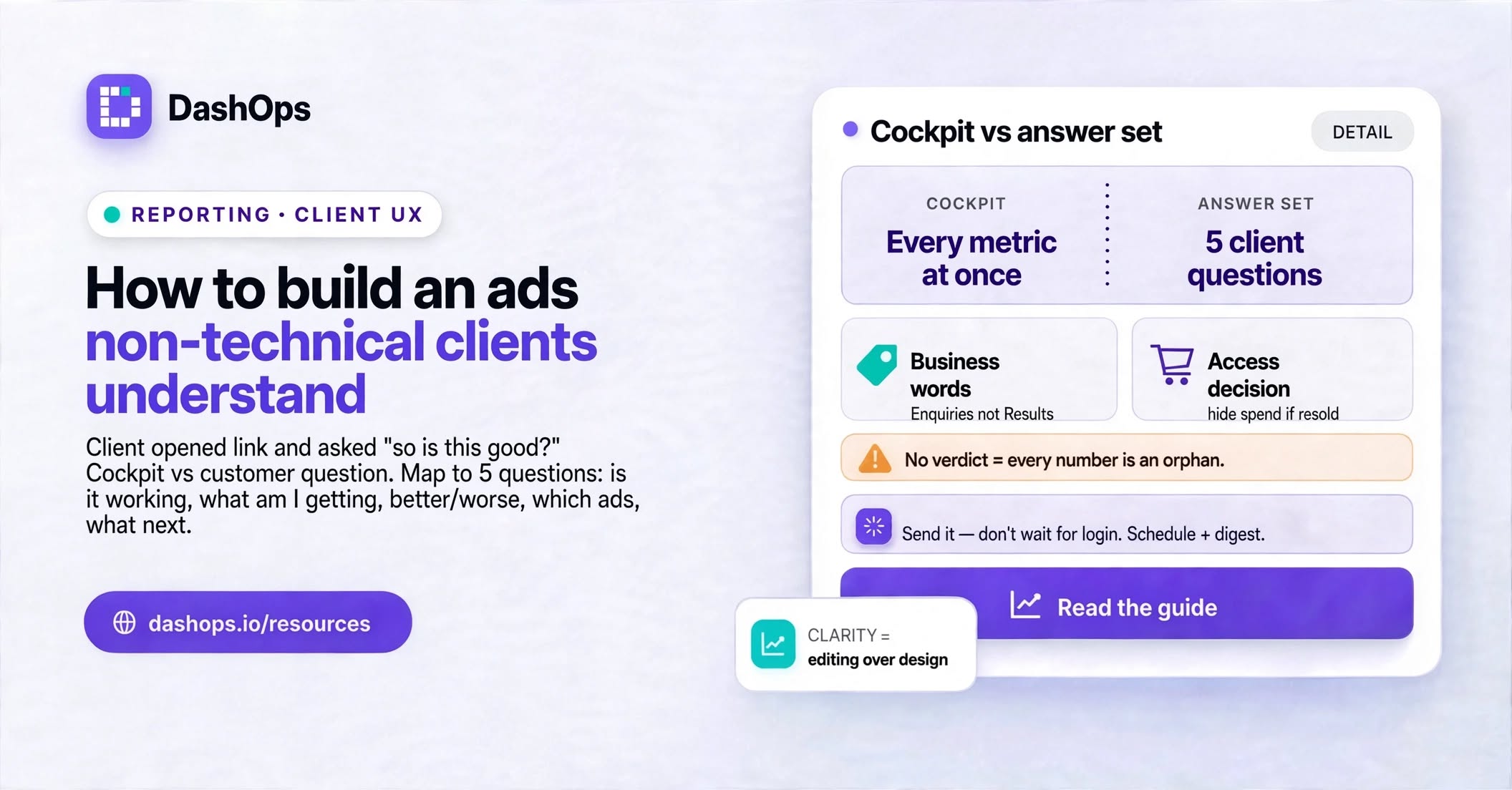
Three things lose a non-technical client, and none of them are the numbers
Too many numbers at once. A screen carrying every available metric reads as noise. The client cannot tell which figure is the important one, so they assume they are all equally important, which in practice means none of them are.
Vocabulary that belongs to the platform, not to the business. CPM, frequency, reach and impressions are Meta’s words. They are precise and they are genuinely useful to you. To a bakery owner or a clinic manager they are a foreign language, and asking what a word means feels like admitting you are out of your depth. Many will not ask. They will quietly stop opening the link.
No verdict. A dashboard describes, it does not judge. Even a well edited screen leaves the reader holding one question: compared with what? Without a comparison and a sentence of interpretation, every number on the page is an orphan.
Start from the question they are actually asking
Before you touch a single card, write down what this client asks you on calls. It is almost always a version of this short list:
- Is this working?
- What am I getting for the money?
- Is it better or worse than last month?
- Which of these ads is doing the work?
- What are you changing next?
Now map each question to the smallest set of metrics that answers it, and remove everything else from the client view. Spend answers the money question. Leads or purchases answer the outcome question. Cost per lead or return on ad spend answers efficiency. A period-over-period comparison answers better or worse. A ranked list of campaigns answers which ads are pulling their weight.
That is a complete answer set, and it is short enough to take in on a phone, which is where a lot of clients will read it. Nothing has been thrown away. The diagnostic metrics still exist in your own view, where they belong, because they are tools for the person making decisions.
Match the metric set to the business, not to the platform
A lead generation client and an ecommerce client need different headline cards, and mixing the two is a reliable way to make a dashboard confusing. A dental practice does not care about revenue, it cares about booked appointments. A shop selling kettles does not care about lead volume.
Name the cards the way the client names things. “Leads” beats “Results”. For some businesses “Enquiries” or “Bookings” is clearer still. You are not dumbing anything down, you are removing a translation step from every conversation you will have for the next year.
In DashOps you choose which KPI cards appear and drag them into the order you want, and your arrangement is remembered, so you are not rebuilding the same layout every month before you send Fabrikam their numbers.
Decide what they are allowed to see before you decide what to show
Access is a commercial decision, not a settings decision, and it is the one most often made by accident. Settle two questions per client.
Should this person see raw ad spend? If you charge a flat management fee and the client funds the media, spend is usually fine and hiding it looks evasive. If you resell media at a marked-up rate, showing raw spend contradicts your invoice, so hide it and report on outcomes instead.
Should this person be able to change anything? For a client, no.
DashOps has a Client role built for exactly this. It is read-only, it is limited to the ad accounts you assign to that person, and spend can be hidden from them while your own team keeps seeing it. No campaign editing, no audiences, no visibility of any other client’s account.
Give each client contact their own login rather than passing one around. Individual logins mean an audit log that names a real person, access you can remove the day someone leaves the client’s company, and two-factor authentication protecting numbers that are commercially sensitive.
When a share link beats a login
Sometimes the person who needs the numbers is not your contact. A founder wants to forward last month’s performance to an investor. A marketing manager needs a snapshot for a board pack. Creating an account for someone who will look once is friction for both of you.
A public read-only share link handles that: a snapshot of the dashboard at a URL, no account needed. Treat it as what it is, a door with no lock. Anyone holding the link can open it, including anyone it is forwarded to. Use it for one-off sharing, keep spend hidden when the numbers are sensitive, and give the person who checks every week a proper login.
Send it, do not wait for them to log in
Even a well edited dashboard loses to inertia. Plenty of clients never build the habit of logging in, and every week they do not look is a week they quietly wonder whether anything is happening.
Reverse the direction. Put the summary in their inbox on a schedule and let the dashboard become the place they go when the summary raises a question. A scheduled PDF report, or a recurring email digest carrying the headline numbers and a spend chart, does most of the reassurance work on its own. In DashOps those go out per ad account on a daily, weekly or monthly rhythm. The mechanics are covered in automated Meta Ads email reports, and the cadence question in the weekly digest.
Pick a rhythm and hold it. A monthly report with a shorter digest in between works for a lot of retainers. Consistency matters more than frequency, because erratic reporting reads as bad news being withheld even when the numbers are good.
Add the sentence the dashboard cannot write
This is the part no tool does for you, and the part clients actually remember. Three sentences at the top of every report:
- What happened. “Enquiries were up on last month and the cost of each one came down.”
- Why. “We paused the two ad sets that were spending without converting and moved that budget into the offer that was working.”
- What is next. “This month we are testing a new video against the current best performer.”
Written in the client’s vocabulary, not Meta’s. If a sentence contains an acronym, rewrite the sentence. That short block turns a screen of figures into an account of your work, which is the thing they are paying for.
What to do next
Take one client, ideally the one who asks the most questions, and work through this in order:
- Write down the questions they actually ask you on calls.
- Cut their dashboard down to the cards that answer those questions, and save that arrangement.
- Settle the spend question, then invite them with a read-only client login scoped to their ad account alone.
- Schedule the report and the digest so they never have to remember to look.
- Put your three sentences on top of the first one you send.
Then ask them one question: “is there anything on here you are not sure about?” Their answer is the real specification, and it is worth more than any template you will find, including this one.
Frequently asked questions
Which metrics should a non-technical client actually see?
Should clients be able to see how much I spend on ads?
Is it safe to send a client a public share link?
Should each client contact get their own login?
How often should I send a client report?
See it in your own dashboard
DashOps brings Meta Ads reporting, campaign management, and white-label client portals into one place. Pick the plan that fits how you run ads.