The Facebook Ads Client Report Template, Section by Section
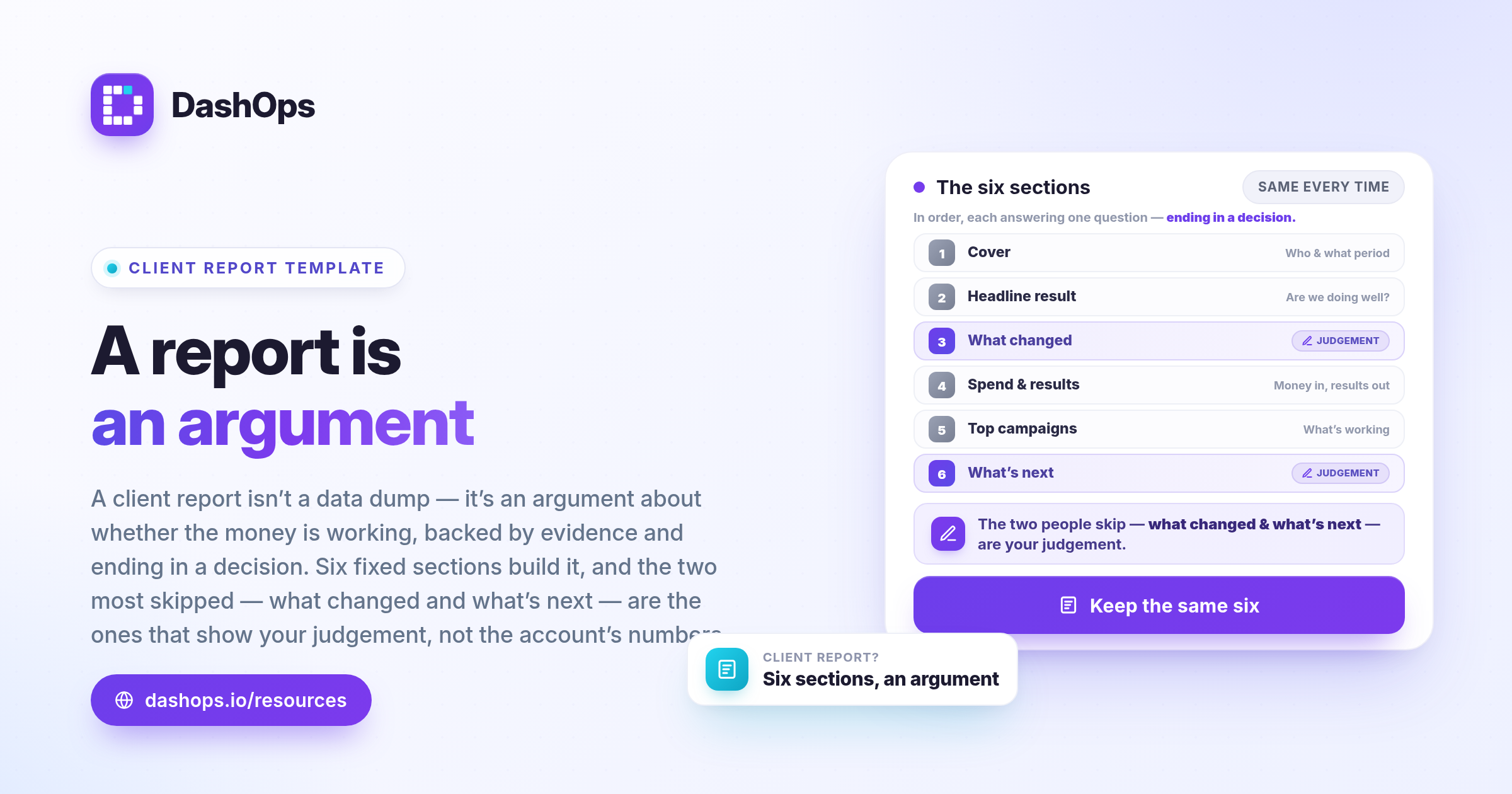
You export the numbers, paste them into a deck, then stare at the third slide wondering what the client is supposed to take from it. So you add another chart. Then a table listing every ad set. By the time you send it the report has grown past the point where anyone will read all of it, and the reply comes back as one line: “so are we doing well?” That question is the whole problem. A client report is not a data dump. It is an argument about whether the money is working, backed by evidence, ending in a decision. Below is a Facebook Ads client report template you can copy, section by section, with the reason each section exists so you can adapt it.
Why a fixed structure beats a fresh deck each time
A client learns to read a report they have seen before. When the layout is the same every period they stop hunting for the number they care about and start reacting to it. A fixed structure also forces you to answer awkward questions: if the template has a section called “what we are doing next”, you cannot send a report with no plan in it.
| Section | The question it answers |
|---|---|
| Cover | Who is this for, and what period does it cover? |
| Headline result | Are we doing well? |
| What changed | What did you actually do since last time? |
| Spend and results | Where did the money go and what came back? |
| Top campaigns | What is working, and what is not? |
| What we are doing next | What happens now? |
Section 1. The cover
Client name, your name or your agency’s, the date range in full, and the date the report was produced. That is all.
The cover looks like the least important page and it causes the most confusion when it is wrong. A report headed “October” that actually runs from late September to late October will still be read as October, and every comparison the client makes against their own sales figures will be slightly off. Write the exact start and end dates. This is also where the client sees your brand rather than the tool’s. In DashOps that means your logo and your colours.
Section 2. The headline result
One number, or at most a small handful, with the comparison beside it.
This section exists because of the question at the top of this article. The client wants to know whether things are going well before they will look at anything else, and making them read several pages to find out means they skim those pages badly.
Pick the number that matters to this client’s business, not the one that happens to look best this period. For a business selling online, usually revenue and return on ad spend. For a business collecting enquiries, leads and cost per lead. For a business trying to get known, reach and cost per thousand impressions. Keep it the same next time: changing the headline metric between reports reads as hiding something, even when it is not.
Always show the comparison. A cost per result on its own means nothing to a client who does not run ads for a living; next to the previous period’s, with the direction of travel marked, it means something.
Section 3. What changed since last time
A short list, in plain language, of what you did.
This is the section most people leave out, and it is the one that justifies the invoice. The client cannot see your work. They see an ad account they never log into and a number at the end of the period. If the number went up and they do not know what you did, they credit luck. If it went down, they credit you.
Keep it to things a non specialist would understand:
- New creative that went live, and roughly what you were testing with it
- Audiences you added, paused, or replaced
- Budget moved between campaigns, and why
- Landing page or offer changes you asked the client to make
- Anything Meta changed that affected the account
- Tests you started, and when you expect to be able to read them
One line each, saying what you did and why. Resist writing “optimised the campaigns”, which tells the client nothing and slightly insults them. An audit log turns this into a copying job, and DashOps records who changed what and when across your ad accounts.
Section 4. Spend and results
The money, then what the money produced, then the efficiency between the two.
The order matters. Spend first, because it is the thing the client actually paid for, and burying it looks evasive. Then results. Then the cost or return per result, the only one of the three that says anything about how well the account is run.
A trend chart of spend against your main result tells a client more than a grid of daily figures, because it shows shape: a steady line, a spike, a slow decline. Include the same period comparison you used in the headline, and a note on any week where something unusual happened, because the client will spot the spike and ask.
Avoid presenting every metric Meta offers. Frequency, click-through rate and landing page views are diagnostic tools for you, and belong here only when they explain something visible in the headline numbers. A report where every metric is present is one where nothing is emphasised.
Section 5. Top campaigns, and what they tell you
The handful that carry the account, with a sentence each.
Nearly every ad account has a small number of campaigns doing most of the work. Show those, ranked by spend or by results, and cut the list where the rest stop mattering. A client does not need to see a campaign that barely spent anything.
The sentence is the point, not the ranking. “This is the campaign carrying the account and we are increasing its budget.” “This used to be our best performer and has been drifting, which is why the creative refresh appears in the next section.” Without the sentence you have a leaderboard. With it, an explanation.
Section 6. What we are doing next
A few things, each with a reason and a rough timeframe.
End every report here. A report that stops at the numbers leaves the client to work out what happens next, and they are not equipped to. A report that ends with a plan puts you in the position of the person steering. Write each item as an action, a reason, and a when:
- Refresh the creative on the main campaign, because the same images have been running a long time and results are softening. Live before the next report.
- Test a new audience against the current best one, because we have not challenged it in a while. Readable by the next report.
Put anything you need from the client here too. The report is the one document a client reliably reads, which makes it the best place to ask for the assets, the approval, or the answer that is blocking you.
Adapting it without breaking it
Keep the six sections and vary the depth instead. A client with their own marketing team wants the diagnostic metrics and the ad level detail; a client who owns a shop wants the headline, the plan, and little in between. Translate the jargon on first use every time.
For the delivery side rather than the structure, presenting Facebook Ads results to clients covers the conversation around the document.
Where the numbers come from
A template is only useful if filling it in is quick, because a structure you dread is a structure you abandon.
Pulling figures by hand out of Ads Manager for several clients is where most of the effort goes, and it is where mistakes get in: a wrong date range, an ad account picked from a long list, a number retyped incorrectly. DashOps generates PDF and Excel reports from your connected Meta ad accounts, so the spend, the comparison and the campaign breakdown are populated from the account rather than copied out of it, and client reports can be scheduled and emailed on a repeating basis. If the time cost is the real problem rather than the structure, cutting down reporting time and automating the reports both go further into it.
What to do next
Build the template once, in whatever tool you already use, and save it as something you copy rather than something you rewrite.
Then open your most recent client report beside the six sections above and check which are missing. It is usually the same two: “what changed” and “what we are doing next”. Those describe your judgement rather than the account’s numbers, which is why they are worth adding first.
Frequently asked questions
What should go in a Facebook Ads client report?
How often should I send a client report?
How long should a client report be?
Should I include every metric Meta gives me?
Can I use the same template for every client?
See it in your own dashboard
DashOps brings Meta Ads reporting, campaign management, and white-label client portals into one place. Pick the plan that fits how you run ads.